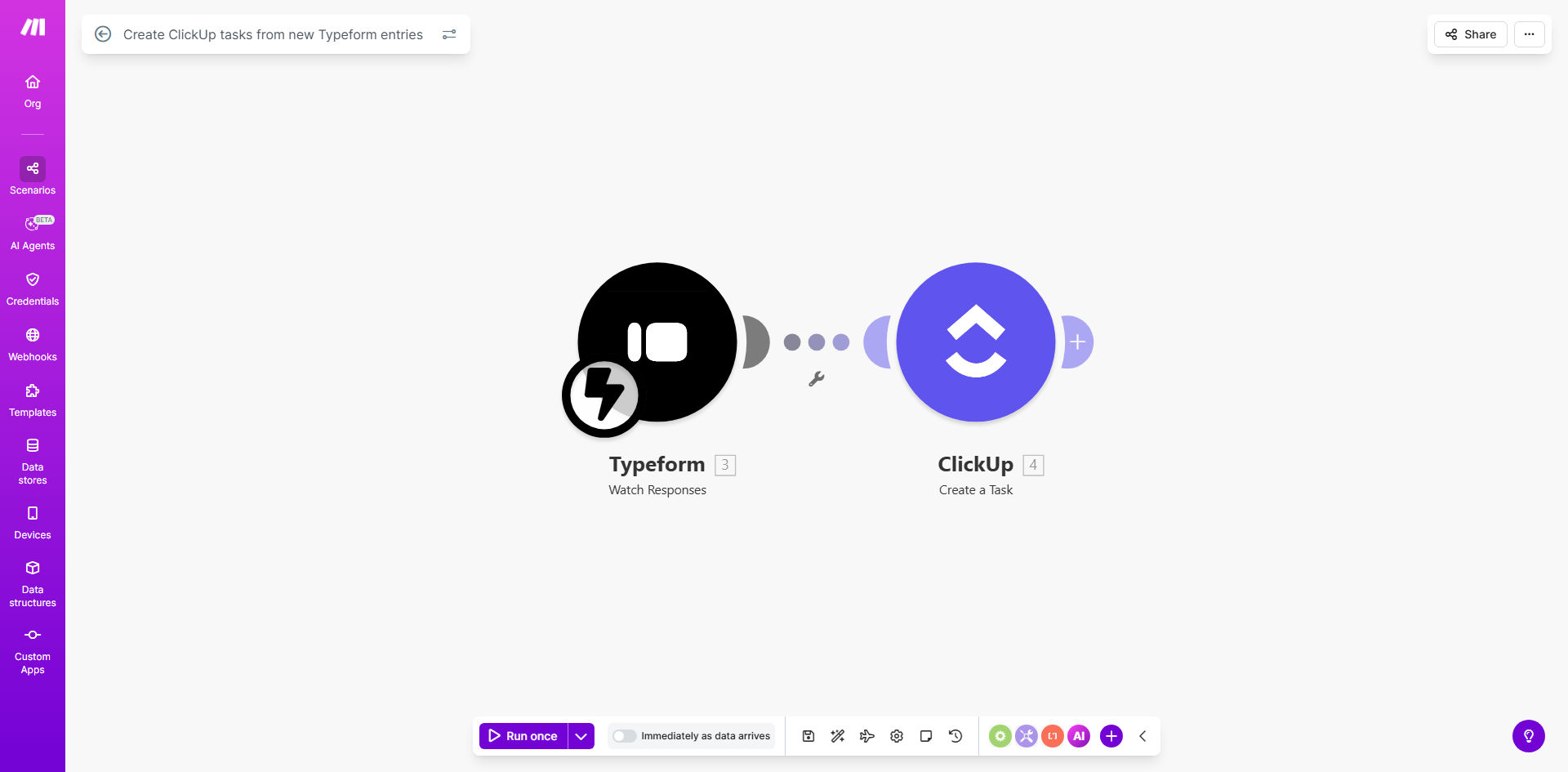
What This Workflow Does
This automation solves the manual process of transferring information from Typeform submissions to ClickUp tasks. Every time someone completes your Typeform survey or application, the system automatically creates a corresponding task in your specified ClickUp list with all relevant form data attached.
The workflow eliminates copy-paste work, reduces human error in task creation, and ensures no form submission gets overlooked. It's ideal for teams that use Typeform for customer onboarding, job applications, service requests, or any process that requires follow-up actions.
How It Works
1. Trigger on new Typeform entry
The workflow activates whenever a new submission is received in your connected Typeform. Make.com instantly detects the new entry and prepares the data for transfer.
2. Map form fields to ClickUp task
The system extracts all form responses and maps them to corresponding ClickUp task fields. You can customize which Typeform questions become task names, descriptions, custom fields, or attachments.
3. Create task in designated ClickUp list
The workflow creates a new task in your specified ClickUp space, folder, and list. You can set default assignees, priorities, due dates, or tags based on form responses.
Who This Is For
This automation benefits any business using Typeform for lead generation, customer support, hiring processes, or internal requests that require task follow-up. Common use cases include:
- HR teams processing job applications
- Customer success teams handling support requests
- Sales teams qualifying leads from contact forms
- Operations teams managing internal service requests
What You'll Need
- An active Typeform account with at least one form
- A ClickUp account with appropriate spaces/lists configured
- A Make.com account (free plan available)
- API access enabled in both Typeform and ClickUp
Quick Setup Guide
- Install the template from Make.com
- Connect your Typeform account
- Connect your ClickUp account
- Select your target ClickUp space, folder, and list
- Map Typeform fields to ClickUp task properties
- Test with a sample form submission
Key Benefits
Eliminates manual data entry: Save 5-15 minutes per form submission by automatically creating tasks instead of copying information manually.
Reduces human error: Ensure all form data transfers accurately to tasks without typos or missing information.
Improves response times: Tasks appear in ClickUp instantly, allowing your team to act on submissions faster.
Centralizes workflow: Keep all follow-up actions organized in ClickUp while maintaining form responses in Typeform.
Customizable mapping: Tailor exactly which form fields become task properties based on your workflow needs.