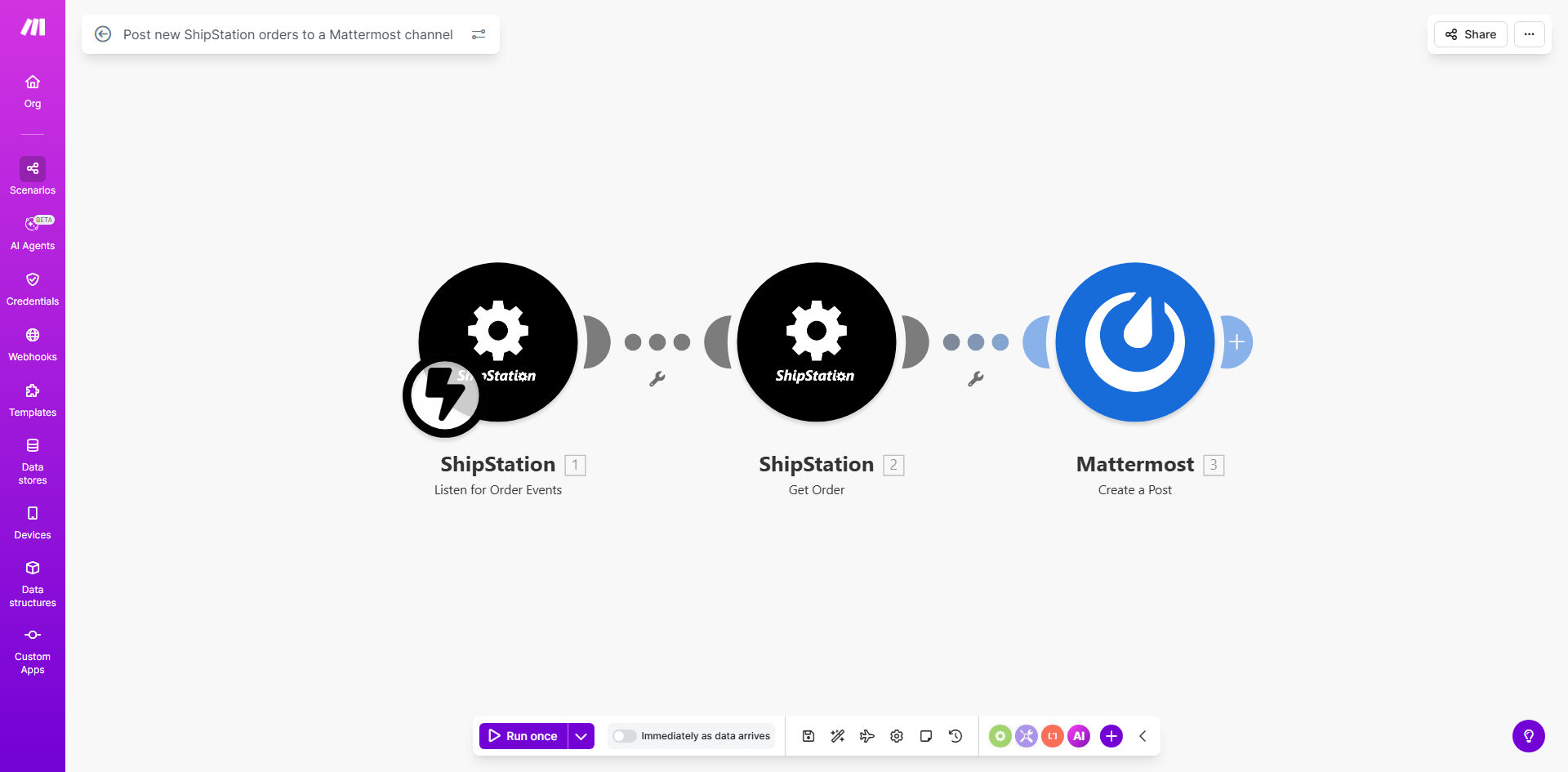
What This Workflow Does
This automation solves the common problem of order visibility across teams. When new orders come into ShipStation, your fulfillment team often doesn't know about them until someone manually checks the dashboard - creating delays in processing and shipping.
The workflow automatically detects every new order in ShipStation and posts a detailed notification to your designated Mattermost channel. This gives your entire team real-time visibility into incoming orders without requiring constant dashboard monitoring. You'll see customer details, order contents, shipping information, and other key data immediately when orders are placed.
How It Works
1. ShipStation triggers on new orders
The workflow monitors your ShipStation account for new orders using Make.com's instant webhook trigger. As soon as an order is created, the automation begins processing it.
2. Order data is formatted for Mattermost
Make.com extracts all relevant order details from ShipStation and structures them into a clean, readable format. You can customize which fields to include like customer name, order value, shipping method, and item details.
3. Notification posts to Mattermost
The formatted order information is sent to your specified Mattermost channel via webhook. The message can include @mentions for specific team members or include priority flags for urgent orders.
Pro tip: Add conditional logic to highlight VIP customers or high-value orders with special formatting in Mattermost for faster team recognition.
Who This Is For
This automation is ideal for ecommerce businesses using ShipStation for order fulfillment that want to:
- Reduce order processing time by eliminating manual dashboard checks
- Improve team collaboration with centralized order notifications
- Create visibility across departments (customer service, warehouse, shipping)
- Get mobile alerts about new orders through Mattermost's app
What You'll Need
- A ShipStation account with API access enabled
- A Mattermost workspace with incoming webhook permissions
- A Make.com account (free plan works for basic usage)
- Basic understanding of how to copy and configure templates in Make
Quick Setup Guide
- Click "Get This Workflow" to copy the template to your Make.com account
- Connect your ShipStation account in the first module
- Set up the Mattermost webhook connection in the final module
- Customize which order fields to include in the notification
- Test with a sample order to verify the Mattermost post format
- Turn on the scenario to begin receiving real-time notifications
Key Benefits
Reduce order processing time by 30-50%: Eliminate the delay between order placement and fulfillment team awareness.
Improve team coordination: Everyone sees the same order information simultaneously in Mattermost, reducing miscommunication.
Mobile order visibility: Team members get instant notifications through Mattermost's mobile app, even when away from desks.
Customizable alerts: Tailor notifications to highlight priority orders, special shipping requests, or VIP customers.
Zero missed orders: The automation never overlooks an order, unlike manual checking which can miss notifications during busy periods.