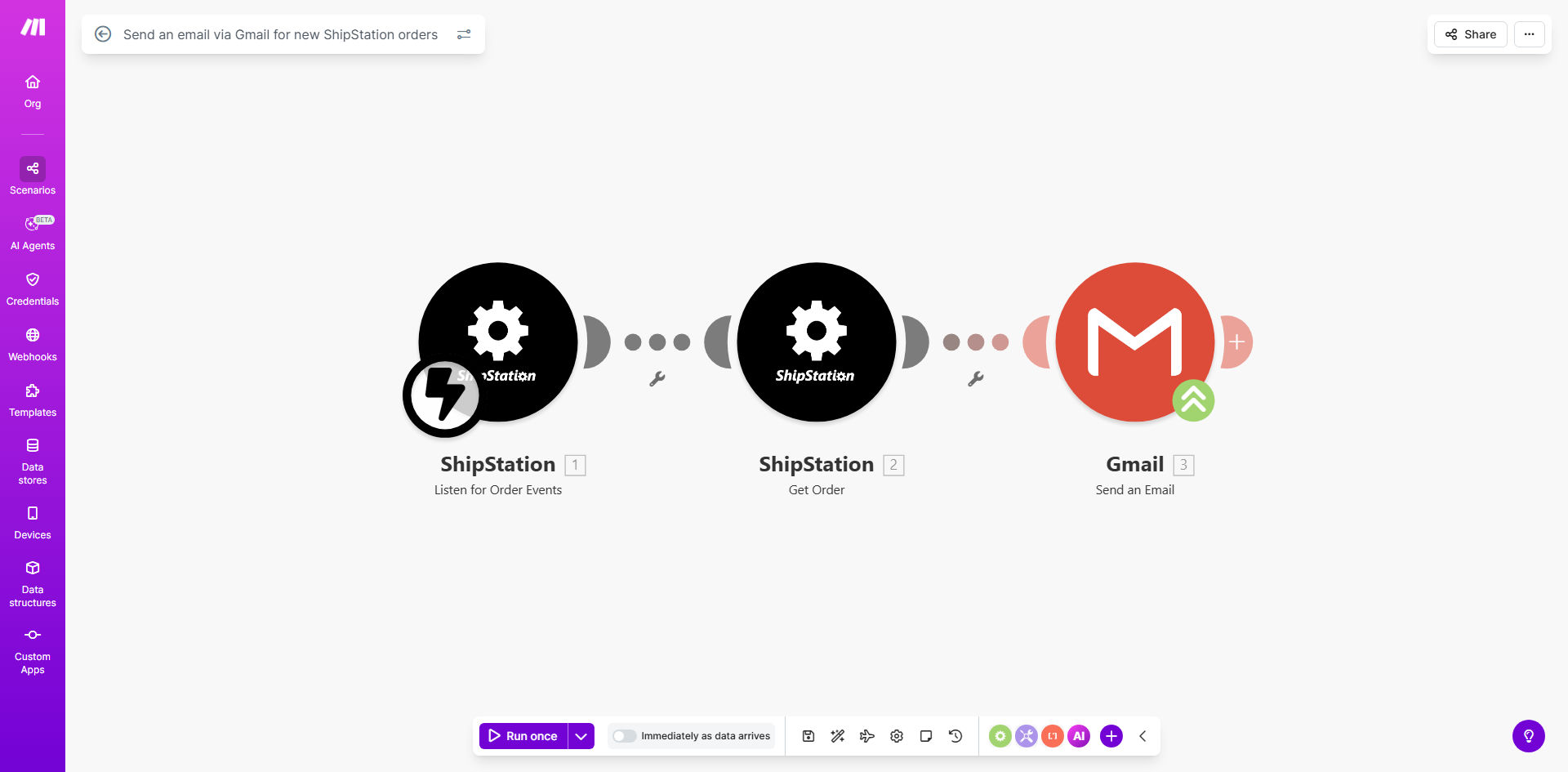
What This Workflow Does
This automation solves the time-consuming manual process of sending order confirmation emails for every new ShipStation order. Ecommerce businesses often waste hours each week copying order details into email templates, increasing the risk of errors and delaying customer communications.
The workflow automatically detects new orders in ShipStation and sends customized Gmail notifications containing all relevant order details. This ensures customers receive immediate confirmation while freeing your team to focus on fulfillment rather than administrative tasks.
How It Works
1. New order detection
The workflow continuously monitors your ShipStation account for new orders through Make.com's instant polling system. When an order appears, it triggers the automation immediately.
2. Data extraction
All relevant order information is pulled from ShipStation including customer details, items purchased, shipping method, and any custom fields. This data is structured for use in your email template.
3. Email composition
The workflow populates your pre-designed Gmail template with the extracted order data. You can customize the template with your branding and include any order details that are important for your customers.
4. Automated sending
Gmail sends the composed message directly from your business email account, appearing identical to manually sent confirmations but with perfect accuracy every time.
Pro tip: Add tracking information to your template once it becomes available in ShipStation by setting up a second automation that runs when orders ship.
Who This Is For
This workflow is ideal for ecommerce businesses using ShipStation for order fulfillment that want to:
- Improve customer experience with faster order confirmations
- Reduce manual work for their operations team
- Eliminate errors in order communication
- Scale order processing without adding staff
- Maintain professional branded communications
What You'll Need
- An active ShipStation account with API access
- A Gmail or G Suite account for sending notifications
- A Make.com account (free plan available)
- Basic understanding of email template variables
- 5-10 minutes for initial setup
Quick Setup Guide
- Copy this template to your Make.com account
- Connect your ShipStation account via API
- Authorize access to your Gmail account
- Customize the email template with your branding
- Test with a sample order to verify formatting
- Activate the workflow to begin processing orders
Key Benefits
Save 5-10 hours per week by eliminating manual order confirmation emails. For businesses processing 50+ orders daily, this automation handles what would otherwise be a full-time task.
Reduce order processing errors by 90% by automatically pulling accurate data directly from ShipStation rather than manual data entry.
Improve customer satisfaction with immediate order confirmations that build trust and reduce support inquiries about order status.
Scale operations effortlessly as order volume grows without needing to add staff for order communication tasks.
Maintain brand consistency with professionally designed email templates that include all relevant order details automatically.