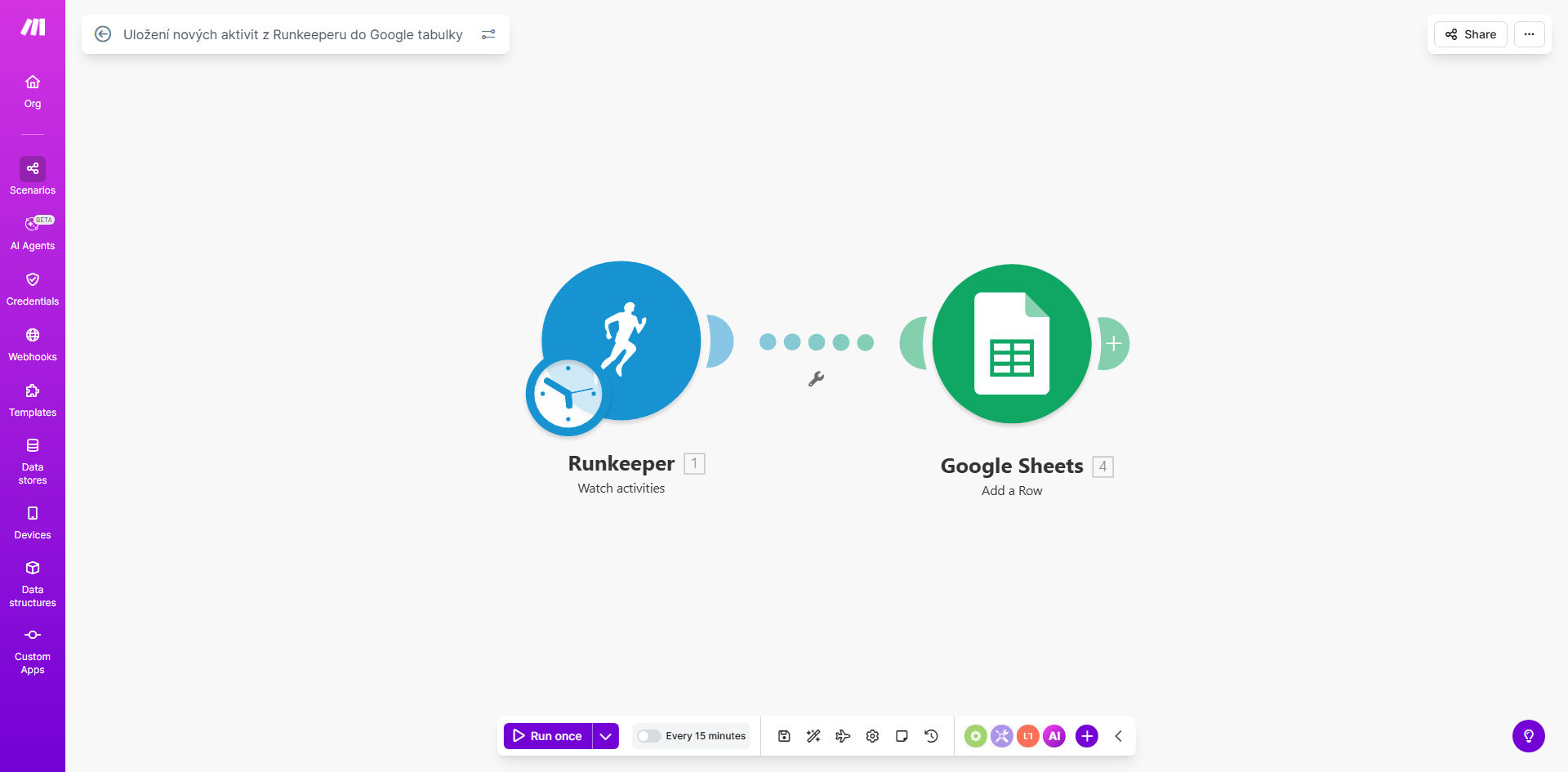
What This Workflow Does
This automation eliminates the manual work of tracking your fitness activities by automatically syncing every new Runkeeper workout to a Google Sheets spreadsheet. Whether you're training for a marathon, tracking your daily steps, or monitoring your cycling routes, this workflow ensures all your data is captured in an organized, analyzable format.
The template creates a complete historical record of your activities including distance, duration, pace, calories burned, and timestamps. Unlike Runkeeper's built-in reports, Google Sheets lets you create custom charts, calculate weekly/monthly totals, and combine data with other health metrics for deeper insights.
How It Works
1. Runkeeper detects a completed activity
When you finish a run, walk, or other tracked activity in Runkeeper, the app records all the workout details including GPS route, elevation changes, and performance metrics.
2. Make.com checks for new activities
The workflow periodically polls Runkeeper's API (typically every 15-30 minutes) to detect newly completed workouts. You can adjust this frequency based on how quickly you want data to sync.
3. Data is formatted for Google Sheets
Make.com extracts the relevant activity fields and structures them into columns matching your spreadsheet format. The template includes common fields but you can customize which data points to include.
4. New row added to your spreadsheet
The workflow appends the workout data as a new row in your designated Google Sheet. Each activity gets timestamped so you can track trends over time.
Pro tip: Add calculated columns in your spreadsheet to derive insights like weekly mileage totals, pace improvements, or calories per workout session.
Who This Is For
This automation is perfect for:
- Runners and cyclists who want detailed historical records of their training
- Fitness coaches tracking client workouts across multiple platforms
- Data-driven athletes who analyze performance trends
- Corporate wellness programs monitoring team activity challenges
- Anyone who prefers spreadsheet analysis over app-limited reporting
What You'll Need
- A Runkeeper account with recorded activities
- A Google account with access to Google Sheets
- A Make.com account (free plan available)
- The example spreadsheet template or your own customized version
Quick Setup Guide
- Click "Get This Workflow" to copy the template to your Make.com account
- Connect your Runkeeper account using OAuth authentication
- Connect your Google account and select your destination spreadsheet
- Map the Runkeeper fields to your desired spreadsheet columns
- Activate the scenario - it will begin syncing new activities automatically
Key Benefits
Save 30+ minutes per week by eliminating manual workout logging while ensuring no activities are missed in your records.
Create custom analytics that Runkeeper doesn't provide, like comparing pace across different routes or tracking weekly volume trends.
Combine data sources by adding columns for nutrition, sleep, or other health metrics alongside your workout data.
Historical backup protects your fitness data even if you switch tracking apps or lose access to Runkeeper.
Share progress with coaches or training partners by giving them view access to your spreadsheet without sharing your Runkeeper login.