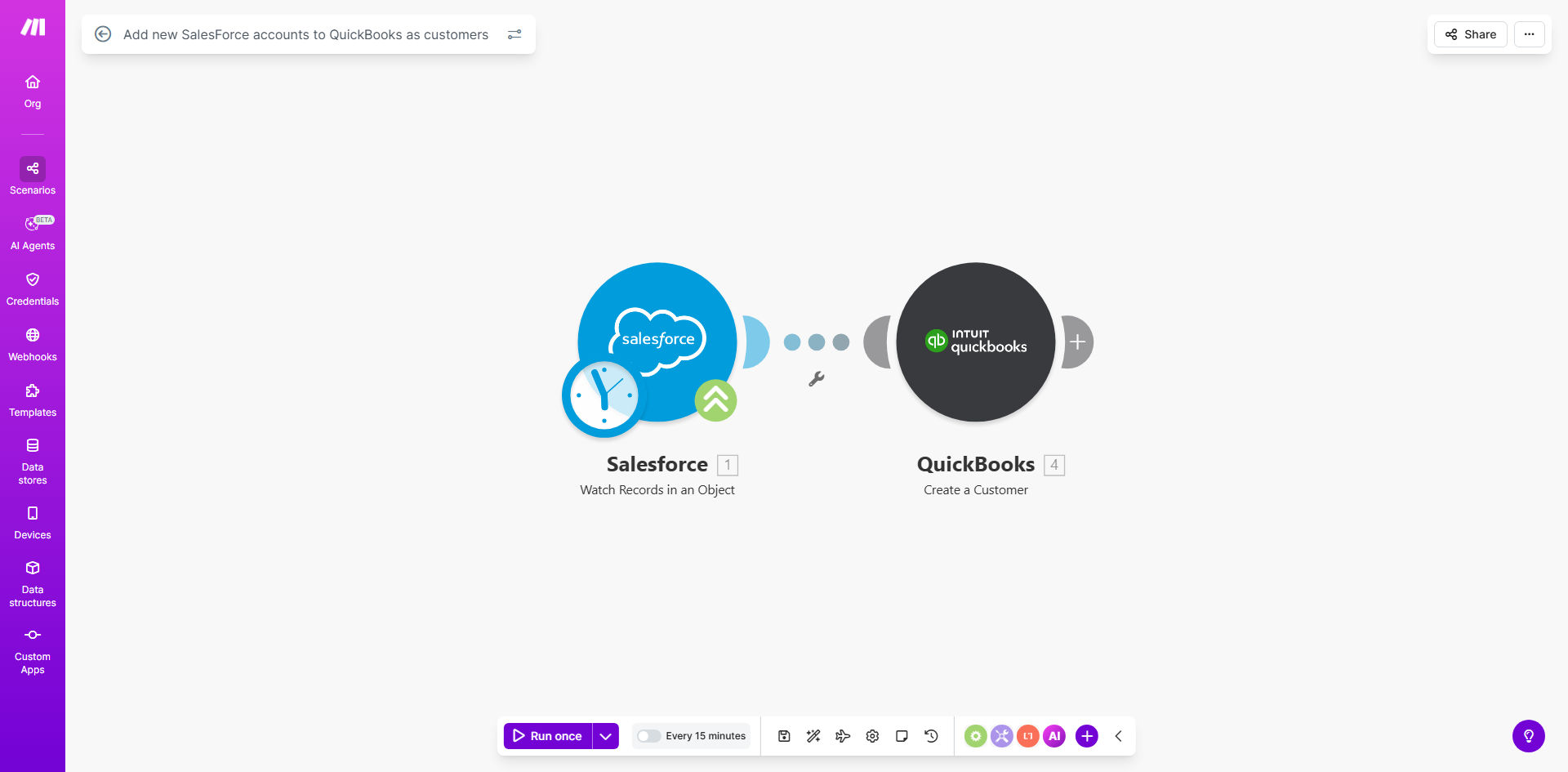
What This Workflow Does
This automation solves a critical business problem: the disconnect between sales teams capturing new accounts in SalesForce and accounting teams needing those customers in QuickBooks. Manual data transfer between these systems creates errors, delays invoicing, and wastes valuable employee time.
The workflow automatically creates a new QuickBooks customer record whenever your sales team adds an account in SalesForce. It maps all essential billing information including company name, addresses, payment terms, and tax details - ensuring your accounting system stays perfectly synchronized with your CRM without any manual intervention.
How It Works
1. New account detection
The workflow continuously monitors your SalesForce instance for newly created account records. Using Make.com's real-time triggers, it detects new entries instantly without polling or scheduled checks.
2. Data validation and transformation
Before transferring to QuickBooks, the system validates required fields, reformats addresses to match accounting standards, and applies any business rules you've configured (like excluding prospect accounts).
3. QuickBooks customer creation
The verified SalesForce data automatically populates a new customer record in QuickBooks with all necessary billing information. The workflow handles API authentication and field mapping behind the scenes.
4. Sync confirmation
After successful creation, the system logs the transaction and can optionally notify your team or update the SalesForce record with the QuickBooks customer ID for future reference.
Who This Is For
This automation delivers the most value for:
- B2B companies with high-volume customer onboarding
- Businesses using SalesForce for CRM and QuickBooks for accounting
- Teams experiencing delays between sales and billing processes
- Organizations struggling with data entry errors in customer records
- Companies wanting real-time financial visibility without manual work
What You'll Need
- Active SalesForce account with admin API access
- QuickBooks Online or Desktop with developer permissions
- Make.com account (free tier sufficient for basic implementation)
- List of required customer fields in both systems
- Approved data mapping between SalesForce and QuickBooks fields
Quick Setup Guide
- Clone the template in your Make.com account
- Connect your SalesForce and QuickBooks accounts via OAuth
- Map SalesForce account fields to corresponding QuickBooks customer fields
- Configure any filters (e.g., only sync accounts with Opportunity Stage = Closed Won)
- Test with sample data to verify field mappings
- Activate the scenario for live operation
Pro tip: Create a custom field in SalesForce to store the QuickBooks Customer ID after sync completes. This creates a two-way reference that's valuable for future integrations.
Key Benefits
Eliminate 90% of manual data entry between your sales and accounting teams. What used to take 5-10 minutes per customer now happens automatically in seconds.
Reduce billing delays by 2-3 days on average by ensuring QuickBooks receives customer data the moment sales creates the account, rather than waiting for accounting to process paperwork.
99.9% data accuracy compared to manual entry which typically has 5-15% error rates according to industry studies. The automation applies consistent formatting rules every time.
Seamless audit trail with timestamps showing exactly when each customer was created and which SalesForce record triggered the action.
Scalable customer onboarding that handles 10 or 10,000 new accounts with equal reliability, removing administrative bottlenecks during growth periods.