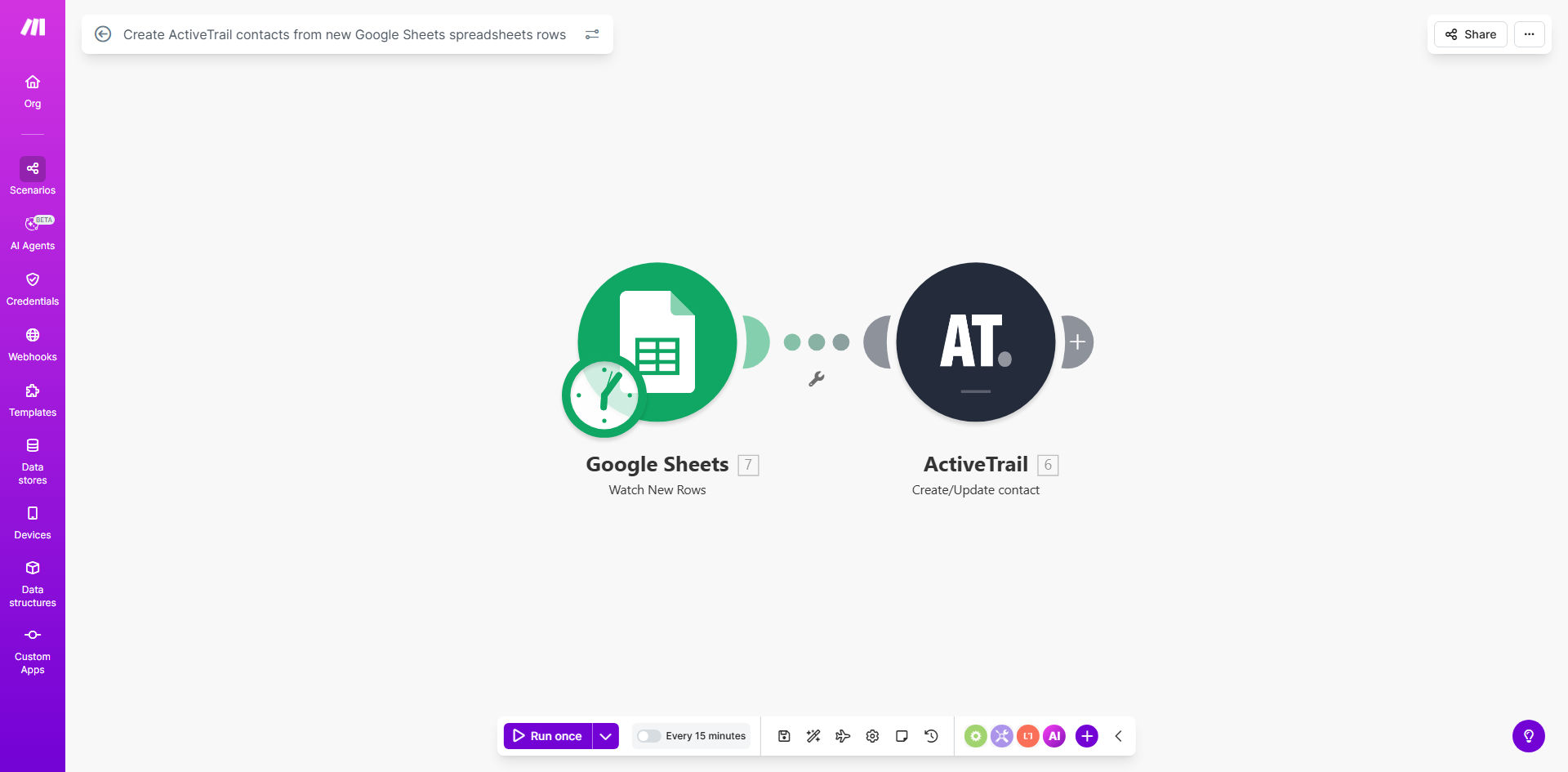
What This Workflow Does
This automation solves the tedious process of manually transferring new leads from Google Sheets to ActiveTrail. Every time your team adds a new row to your designated spreadsheet (like from form submissions or CRM exports), the workflow instantly creates a corresponding contact in ActiveTrail with all relevant details.
The template handles field mapping between your spreadsheet columns and ActiveTrail contact properties, ensuring data arrives in the correct format. It can process multiple contacts simultaneously and includes error handling to alert you if any records fail to sync properly.
How It Works
1. New Row Detection
The workflow monitors your specified Google Sheet for new rows added, either through real-time triggers or scheduled checks at your preferred interval.
2. Data Validation
Each new row is checked for required fields (like email address) and formatted correctly for ActiveTrail's API requirements.
3. ActiveTrail Contact Creation
Validated data is sent to ActiveTrail's API to create a new contact record, including any custom fields you've mapped from your spreadsheet.
4. Success/Failure Handling
The workflow logs each attempt and can notify your team via email or Slack if any records fail to process, with details about the error.
Pro tip: Add a "Tags" column in your Google Sheet to automatically categorize contacts in ActiveTrail based on lead source, product interest, or campaign name.
Who This Is For
This automation is ideal for:
- Marketing teams managing lead nurture campaigns in ActiveTrail
- Sales teams tracking prospects in shared Google Sheets
- Businesses collecting leads through Google Forms that need to feed into ActiveTrail
- Agencies managing multiple client campaigns with centralized tracking
- Ecommerce stores syncing customer interest lists to marketing automation
What You'll Need
- An ActiveTrail account with API access enabled
- A Google Sheet with your contact data (minimum required: email column)
- Make.com account (free plan sufficient for basic use)
- Approximately 15 minutes for initial setup
Quick Setup Guide
- Copy the template to your Make.com account
- Connect your Google Sheets account and select your spreadsheet
- Connect your ActiveTrail account via API key
- Map your Google Sheet columns to ActiveTrail contact fields
- Test with sample data to verify field mapping
- Activate the workflow for automatic processing
Key Benefits
Save 5+ hours weekly by eliminating manual copy-paste between systems. What previously required daily data exports now happens automatically in seconds.
Improve data accuracy with automated formatting that eliminates human errors in email addresses, phone numbers, and other critical contact fields.
Accelerate lead response time by ensuring new contacts enter your ActiveTrail sequences immediately rather than waiting for batch imports.
Maintain complete visibility with detailed logs of every sync attempt and automatic alerts for any failed records requiring attention.
Scale your marketing without adding staff - process hundreds or thousands of contacts with the same reliability as a few dozen.