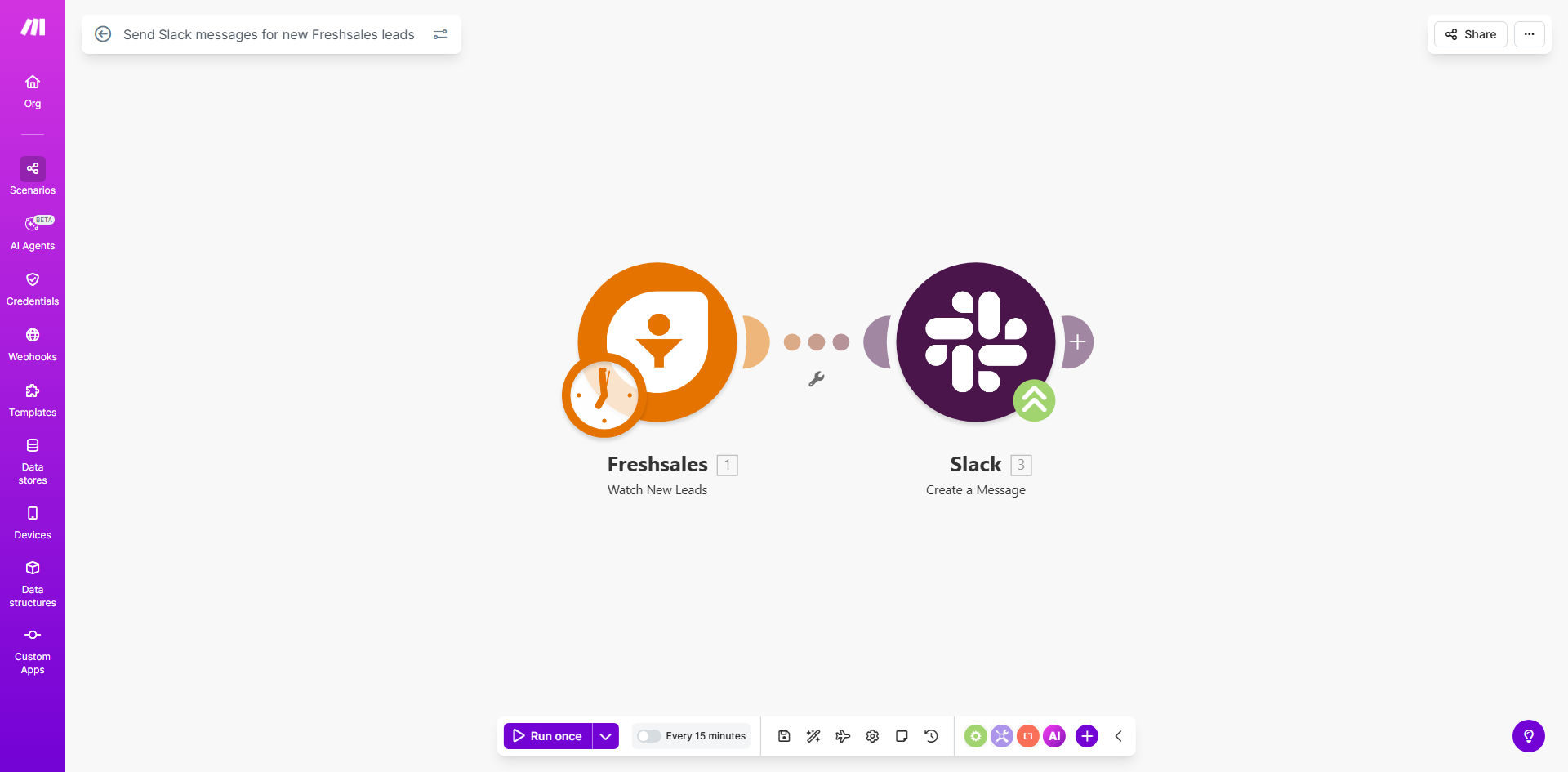
What This Workflow Does
This automation bridges the gap between your Freshsales CRM and Slack workspace, ensuring your sales team never misses a new lead opportunity. Every time a new contact is created in Freshsales, the workflow instantly sends a detailed notification to your designated Slack channel with all the relevant lead information.
Sales teams often lose valuable response time waiting for email notifications or manually checking their CRM. This solution eliminates that delay by delivering real-time alerts directly where your team collaborates - in Slack. The notification includes key details like the lead's name, company, contact information, and any custom fields you want to highlight.
How It Works
1. Freshsales Triggers the Workflow
The automation monitors your Freshsales account for new lead creation events. When a new contact is added (either manually or through a form submission), it immediately triggers the workflow.
2. Lead Data is Processed
Make.com extracts all relevant information from the Freshsales lead record, including custom fields you've defined. You can configure which data points to include in the Slack notification.
3. Custom Slack Message is Generated
The workflow formats the lead information into a clean, readable Slack message. You can customize the message template to match your team's preferred notification style and include only the most important fields.
4. Notification is Sent to Slack
The formatted message is delivered to your specified Slack channel, complete with @mentions for the appropriate team members. The notification appears instantly, allowing for immediate follow-up.
Pro tip: Add lead scoring criteria to your Freshsales setup and configure the workflow to only notify about high-quality leads. This prevents alert fatigue for your sales team.
Who This Is For
This automation is ideal for sales teams that:
- Use Freshsales as their primary CRM
- Collaborate in Slack for daily communication
- Need to respond quickly to new leads (especially in competitive industries)
- Have distributed teams that need centralized lead notifications
- Want to reduce manual CRM checking and email monitoring
What You'll Need
- A Make.com account (free plan available)
- Admin access to your Freshsales account
- Slack workspace with permissions to add webhooks
- A dedicated Slack channel for lead notifications
Quick Setup Guide
- Click "Get This Workflow" to copy the template to your Make.com account
- Connect your Freshsales account in the first module
- Set up a Slack webhook connection in the final module
- Specify which Slack channel should receive notifications
- Customize the message template with your preferred fields and formatting
- Test with a sample lead to verify the notification appears correctly
- Activate the scenario to begin receiving real-time alerts
Key Benefits
Faster response times: Teams using this automation typically respond to new leads 5-10x faster than those relying on manual processes or email alerts.
Higher conversion rates: Immediate follow-up while the lead is still engaged can increase conversion rates by 20-35% compared to delayed responses.
Reduced administrative work: Eliminates the need for sales reps to constantly check Freshsales for new leads, saving 30-60 minutes per day per team member.
Improved team alignment: All relevant team members see the same notification simultaneously, preventing leads from falling through the cracks.
Customizable alerts: Tailor notifications to include only the most relevant information for your specific sales process and team needs.