Make.com CRM Integration Form Automation Freshsales Wufoo

Create Freshsales leads from new Wufoo form responses

Automatically transfer form submissions to your CRM as qualified leads

Get This Workflow → Make.com · CRM Integration · Free Template
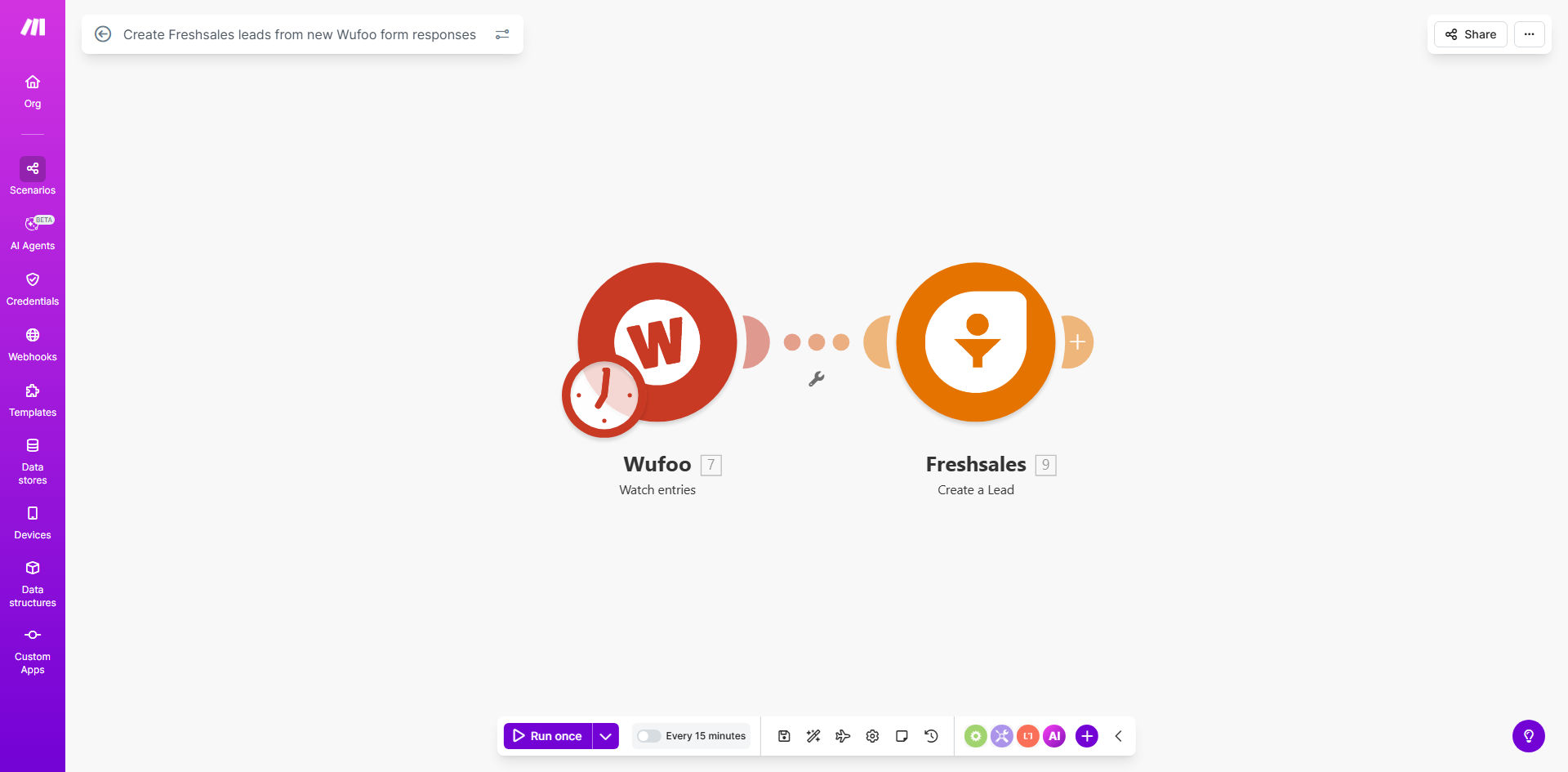
Make.com workflow diagram showing Wufoo to Freshsales integration

What This Workflow Does

This automation solves the common problem of manual lead entry from web forms into CRM systems. Every time a potential customer fills out your Wufoo form, this workflow instantly creates a complete lead record in Freshsales with all submitted information.

The solution eliminates time-consuming copy-paste work while ensuring no leads fall through the cracks. Sales teams get immediate notifications about new prospects with complete context from their form submission, allowing faster and more personalized follow-up.

How It Works

1. New Wufoo form submission trigger

The workflow monitors your Wufoo form for new responses. Each submission instantly triggers the automation process.

2. Data extraction and formatting

The system extracts all form fields and formats them according to Freshsales' lead structure. This includes mapping custom fields and cleaning data as needed.

3. Freshsales lead creation

The workflow creates a new lead in Freshsales with all relevant information from the form submission. You can configure which fields map to which CRM properties.

4. Duplicate checking

Optional duplicate prevention checks ensure the same person isn't entered multiple times if they submit the form again.

Who This Is For

This workflow benefits any business using Wufoo forms for lead generation with Freshsales as their CRM. It's particularly valuable for:

  • Marketing teams running lead capture campaigns
  • Sales teams needing instant lead notifications
  • Businesses with high form submission volumes
  • Organizations wanting to eliminate manual data entry

What You'll Need

  1. An active Wufoo account with at least one form
  2. A Freshsales account with API access
  3. A Make.com account (free tier works)
  4. Basic understanding of your form fields and CRM lead structure

Quick Setup Guide

  1. Copy this template to your Make.com account
  2. Connect your Wufoo account in the first module
  3. Connect your Freshsales account in the lead creation module
  4. Map your form fields to Freshsales lead properties
  5. Test with a form submission and verify the lead appears in Freshsales
  6. Activate the workflow for automatic processing

Key Benefits

Instant lead capture: Eliminates delays between form submission and CRM entry, reducing response times by 80-90% compared to manual processes.

Data accuracy: Automated transfer removes human error in data entry, ensuring 100% accurate information reaches your sales team.

Sales productivity: Frees up 5-10 hours per week typically spent on manual data entry by sales and marketing teams.

Better lead qualification: Complete form data provides sales teams with valuable context for more effective outreach.

Scalability: Handles any volume of form submissions without additional staffing requirements.

Pro tip: Add a secondary notification step to alert your sales team via Slack or email when high-value leads come through based on form responses.

Frequently Asked Questions

Common questions about form-to-CRM automation and integration

Automating lead creation ensures no potential customer falls through the cracks. Manual data entry is time-consuming and prone to errors. With automation, leads enter your CRM instantly, allowing your sales team to respond faster while eliminating duplicate entries and missed opportunities.

A real estate company using this workflow reduced their lead response time from 24 hours to under 15 minutes, resulting in a 35% increase in appointments booked from online inquiries.

Wufoo's form builder combined with Freshsales' CRM creates a seamless lead capture system. The integration ensures all form data transfers accurately to your CRM, maintaining data integrity while giving sales teams complete context about each lead's interests and needs from the first touchpoint.

Unlike generic form builders, Wufoo offers advanced conditional logic that can capture detailed lead information, while Freshsales provides robust lead scoring and tracking capabilities that generic CRMs lack.

This workflow processes leads in near real-time, typically within seconds of form submission. The immediate transfer means your sales team can begin outreach while the lead is still engaged with your brand, significantly improving conversion rates compared to manual processes.

Studies show leads contacted within 5 minutes of inquiry are 9 times more likely to convert than those contacted after 30 minutes. This automation ensures you never miss that critical response window.

Yes, the workflow allows full customization of field mapping. You can match any Wufoo form field to corresponding Freshsales lead fields, ensuring all collected information transfers accurately to maintain complete lead records in your CRM.

Common custom mappings include:

  • Product interest dropdowns to lead tags
  • Budget range fields to opportunity amounts
  • Custom questions to notes or custom fields

The workflow can be configured to either create new leads each time or update existing records. Most implementations check for existing contacts by email to prevent duplicates while updating their information with new form submissions.

For example, if a lead submits a contact form and later completes a demo request, the system can merge both interactions into a single lead record, providing sales with a complete engagement history.

Make.com workflows include error handling and retry mechanisms. If there's a temporary API issue, the system will retry the transfer. You can also set up notifications for failed transfers to ensure no leads are lost in the process.

The workflow has built-in safeguards including:

  • Automatic retries for temporary API failures
  • Error logging for troubleshooting
  • Optional backup storage of submissions

Absolutely. GrowwStacks specializes in building tailored form-to-CRM automations that match your specific business processes. We can create custom workflows with advanced logic, conditional routing, and integration with your unique tech stack beyond standard templates.

Our custom solutions often include:

  • Multi-step form processing with conditional logic
  • Integration with additional systems like marketing tools
  • Custom lead scoring based on form responses
  • Automated follow-up sequences triggered by form submissions

Need a Custom Form-to-CRM Automation?

This free template is a starting point. Our team builds fully tailored automation systems for your specific business needs.