Make.com CRM Automation Calendar Sync Freshsales Google Calendar

Add new Freshsales appointments to your Google Calendar as events

Automatically sync your sales meetings from Freshsales to Google Calendar in real-time

Get This Workflow → Make.com · CRM · Free Template
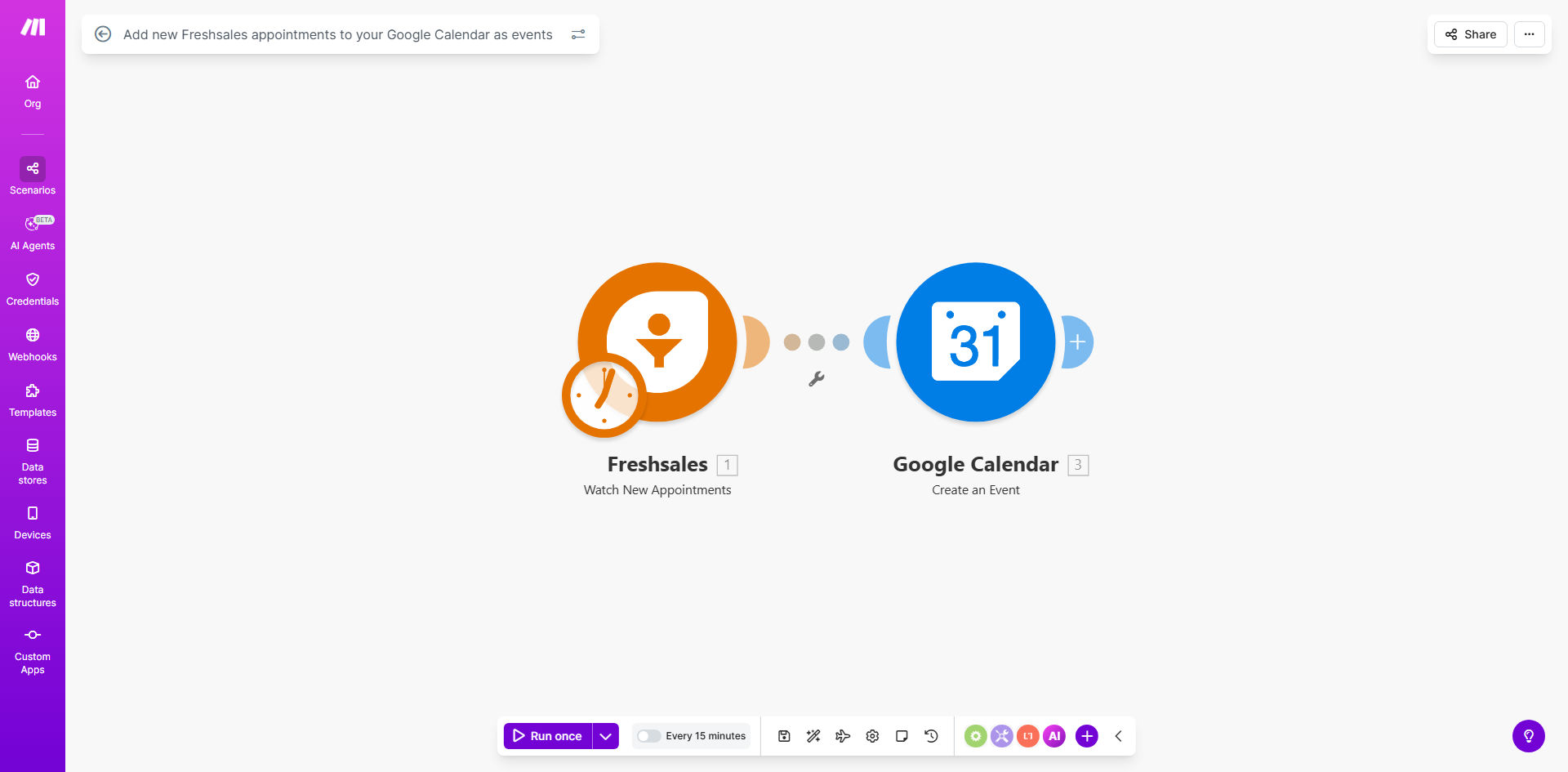
Freshsales to Google Calendar integration workflow diagram

What This Workflow Does

This automation solves the common problem of sales teams manually transferring appointment details from their CRM to their calendar. Every time a new appointment is created in Freshsales, the workflow automatically creates a corresponding event in Google Calendar with all relevant meeting details.

The integration eliminates double data entry, reduces scheduling errors, and ensures your calendar always reflects your current sales pipeline. Sales reps can focus on preparing for meetings rather than administrative tasks, while managers gain better visibility into team schedules.

How It Works

1. Freshsales triggers the workflow

The automation monitors your Freshsales account for new appointments. When a sales rep schedules a meeting with a prospect or client, the workflow immediately detects this new entry.

2. Data is extracted and formatted

The system pulls all relevant appointment details including meeting title, date/time, duration, description, and attendee information. It formats this data to match Google Calendar's event structure.

3. Event is created in Google Calendar

Using your connected Google account, the workflow creates a new calendar event with all the Freshsales appointment details. The event appears in your calendar with proper timing, reminders, and metadata.

Pro tip: Configure the workflow to add a "Freshsales" label to all synced events so you can easily identify CRM-originated meetings in your calendar.

Who This Is For

This automation is ideal for:

  • Sales teams using Freshsales as their CRM
  • Account managers who schedule frequent client check-ins
  • Business development reps with packed meeting schedules
  • Sales managers who need visibility into team calendars
  • Remote teams coordinating across time zones

What You'll Need

  1. A Freshsales account with admin or appropriate API permissions
  2. A Google Workspace or personal Google account
  3. A Make.com account (free tier available)
  4. 5-10 minutes for initial setup

Quick Setup Guide

  1. Click "Get This Workflow" to open the template in Make.com
  2. Connect your Freshsales account following the prompts
  3. Connect your Google Calendar account
  4. Specify which Freshsales appointment fields to include
  5. Test with a sample appointment to verify the sync works
  6. Activate the workflow to begin automatic syncing

Key Benefits

Save 5-10 hours per week by eliminating manual calendar entry. Sales teams report spending 30+ minutes daily transferring meeting details - this workflow reclaims that time.

Reduce scheduling errors by 90% by removing human data entry. Automatic syncing ensures meeting times, attendees, and details are always accurate.

Improve meeting preparation with complete client context automatically included in calendar events. Access Freshsales notes and history directly from your calendar.

Enhance team visibility when configured for multiple users. Managers can see complete team schedules without asking for updates.

Maintain data consistency across platforms. Any changes in Freshsales automatically update Google Calendar, keeping both systems perfectly synchronized.

Frequently Asked Questions

Common questions about Freshsales-Google Calendar automation and integration

Syncing Freshsales with Google Calendar eliminates manual data entry, reduces scheduling errors, and ensures your team always has up-to-date meeting information. This automation saves sales teams 5-10 hours per week by removing the need to manually transfer appointment details between systems.

Without automation, sales reps often forget to update calendars or make typos when entering meeting details. The integration creates a single source of truth for all customer meetings across your organization.

The workflow transfers appointment title, date/time, duration, description, and attendee information. You can customize which fields to include during setup. Important details like meeting purpose, client information, and preparation notes automatically appear in your calendar event.

Advanced configurations can include custom fields, deal stage information, or even pre-meeting preparation materials. The integration maintains all relevant context for productive customer conversations.

Appointments sync in near real-time, typically within 30-60 seconds of being created in Freshsales. The automation runs continuously, ensuring no delays in calendar updates that could lead to scheduling conflicts or missed meetings.

For teams scheduling back-to-back meetings throughout the day, this immediate synchronization prevents double-booking and ensures accurate availability displays when prospects check your scheduling links.

Yes, the workflow can be configured to sync appointments to multiple Google Calendars. Each team member receives only their assigned meetings, maintaining privacy while ensuring everyone has their complete schedule available.

Team-wide implementation creates consistency in how meetings are tracked across your organization. Managers can optionally receive copies of all team appointments for visibility without requiring manual reporting.

The automation can be configured to either update the existing calendar event or create a new one. Best practice is to enable updates so all changes automatically reflect in Google Calendar without creating duplicate events.

This ensures clients receive accurate meeting updates and prevents confusion from multiple calendar invites. The system maintains the connection between Freshsales records and their corresponding calendar events throughout the entire scheduling lifecycle.

Yes, the workflow supports recurring appointments. Each instance creates a corresponding Google Calendar event with the proper recurrence pattern. This ensures your entire meeting series stays synchronized between systems.

For client check-ins, team standups, or other regular meetings, the automation handles the complete series with a single setup. Any changes to the recurrence pattern in Freshsales automatically propagate to all future calendar events.

Absolutely! Our team at GrowwStacks specializes in building tailored CRM-calendar integrations. We can add custom fields, conditional logic, team permissions, and other business-specific requirements to create your perfect automation solution.

Common customizations include adding Zoom meeting links automatically, syncing with internal scheduling systems, or integrating with additional tools like Slack for meeting notifications. We'll design a solution that fits your exact sales workflow and tech stack.

  • Custom field mapping for your unique data
  • Multi-calendar synchronization logic
  • Advanced error handling and notifications

Need a Custom Freshsales Automation?

This free template is a starting point. Our team builds fully tailored automation systems for your specific business needs.