CRM Integration Email Marketing Lead Nurturing Make.com

Automate Freshsales Contacts to MailerLite Subscribers

Seamlessly sync new CRM contacts to your email marketing campaigns without manual work

Get This Workflow Make.com · Free Template
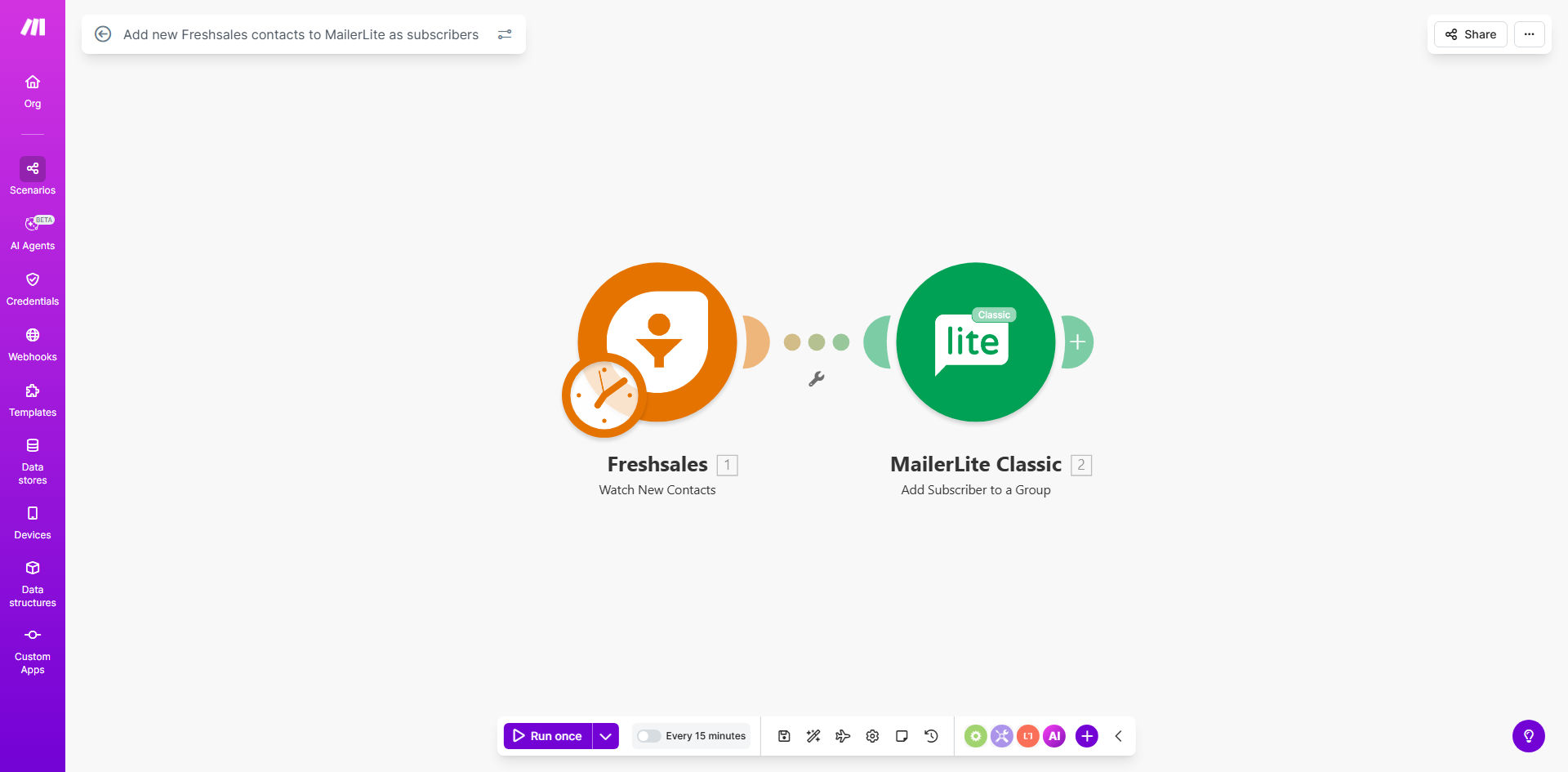
Make.com workflow diagram showing Freshsales to MailerLite integration

What This Workflow Does

This automation solves the common challenge of manually transferring new leads from your CRM to your email marketing platform. Every time a new contact is created in Freshsales, Make.com automatically adds them as a subscriber to your specified MailerLite group. This eliminates:

  • Time wasted on manual data entry between systems
  • The risk of human error in contact transfers
  • Delays in adding leads to nurture sequences

The workflow ensures your sales and marketing teams stay perfectly aligned. New leads immediately enter your email campaigns while their complete CRM data is preserved for segmentation and personalization.

Pro tip: Combine this with a welcome email sequence in MailerLite to engage new leads within minutes of them entering your CRM.

How It Works

1. Freshsales Trigger

The workflow activates whenever a new contact is created in your Freshsales account. Make.com monitors your CRM in real-time for these events.

2. Data Processing

The contact's information is extracted and formatted to match MailerLite's subscriber fields. You can customize exactly which fields get transferred.

3. MailerLite Action

The contact is added to your specified MailerLite group with all their relevant data. The workflow can handle custom field mappings and conditional logic.

Who This Is For

This integration delivers the most value for:

  • Sales teams using Freshsales who want to automate lead handoff to marketing
  • Marketing teams running email campaigns in MailerLite
  • Businesses with high lead volume needing to reduce manual processes
  • Companies focused on improving lead nurturing and conversion rates

What You'll Need

  1. An active Freshsales account with administrator access
  2. A MailerLite account with API access enabled
  3. A Make.com account (free plan available)
  4. 10 minutes for initial setup

Quick Setup Guide

  1. Click "Get This Workflow" to copy the template to your Make.com account
  2. Connect your Freshsales account in the first module
  3. Connect your MailerLite account in the second module
  4. Map the contact fields you want to transfer
  5. Specify your target MailerLite group
  6. Turn on the scenario and test with a new Freshsales contact

Key Benefits

Faster lead nurturing: New contacts enter email sequences immediately after CRM entry, reducing time-to-first-touch by 90%+.

Improved data accuracy: Automated transfers eliminate manual entry errors that can break email deliverability.

Better segmentation: Full CRM data in MailerLite enables hyper-targeted campaigns based on lead source, industry, or behavior.

Scalable processes: Handles any volume of new contacts without additional staff time.

Frequently Asked Questions

Common questions about CRM-to-email automation

Integrating Freshsales with MailerLite eliminates manual data entry between your CRM and email marketing platform. This ensures new leads are immediately added to your email campaigns, improving conversion rates and reducing the risk of missing potential customers in your marketing funnel.

Without automation, marketing teams often waste hours each week exporting and importing contact lists. This workflow removes that friction while ensuring perfect data synchronization between systems.

The workflow transfers contact details like name, email address, company information, and any custom fields you specify. You can map exactly which Freshsales fields correspond to which MailerLite subscriber fields during setup.

Typical mappings include first/last name, email, phone number, company name, job title, lead source, and custom fields like product interest or geographic location.

The sync happens in real-time whenever a new contact is created in Freshsales. Make.com instantly detects the new record and processes the transfer to MailerLite, typically within seconds.

This immediate processing means leads can enter your welcome sequence or other nurture campaigns without any manual intervention or delay from your team.

Yes, you can set conditions in Make.com to only sync contacts that meet specific criteria. For example, you might only want contacts from certain locations or with particular tags to be added to your email lists.

Common filters include lead score thresholds, geographic restrictions, specific lead sources, or custom field values that indicate marketing consent.

The workflow can be configured to either update existing subscribers with fresh data or skip duplicates entirely. This prevents sending duplicate welcome emails while keeping your lists clean.

For most businesses, we recommend updating existing records to ensure you always have the most current contact information in your email platform.

By automating lead nurturing, you reduce the sales cycle time and increase touchpoints. Studies show automated welcome series have 50% higher open rates than generic campaigns, directly impacting conversion potential.

The integration also frees up marketing team time previously spent on manual data tasks, allowing them to focus on strategy and content creation that drives results.

Absolutely! GrowwStacks specializes in tailored automation solutions. Our team can build a custom integration that matches your specific CRM fields, email segmentation needs, and business rules for optimal marketing performance.

We'll handle everything from initial consultation to implementation and testing, ensuring the automation works perfectly with your existing tech stack and processes.

Need a Custom CRM-to-Email Automation?

This free template is a starting point. Our team builds fully tailored automation systems for your specific business needs.