Make.com Google Forms Streak CRM Automation Lead Capture

Create Streak boxes from new Google Forms responses

Automatically convert form submissions into trackable CRM opportunities without manual data entry

Get This Workflow Make.com · Google Forms · Free Template
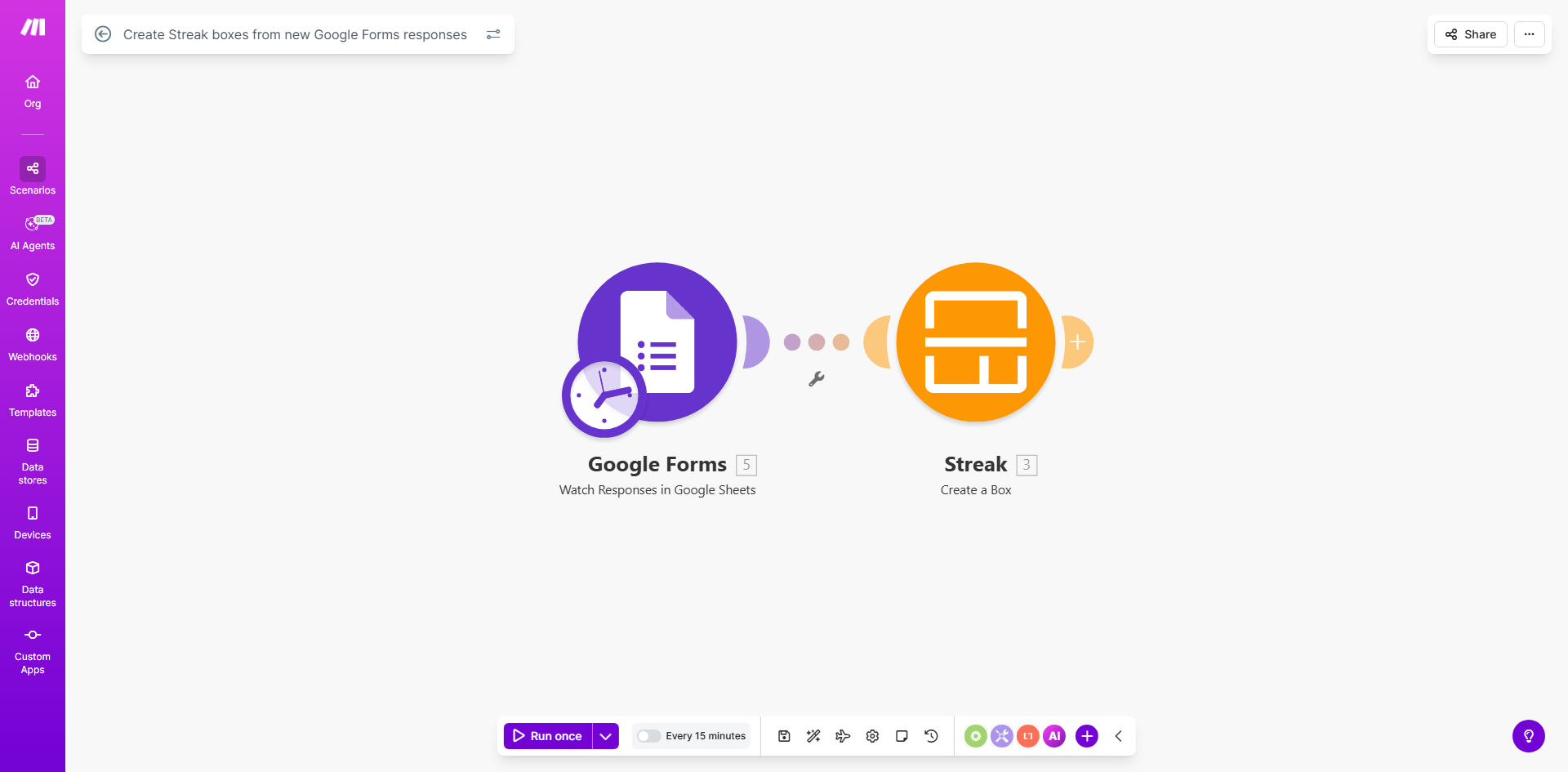
Make.com workflow diagram showing Google Forms to Streak CRM integration

What This Workflow Does

This automation solves the common problem of leads falling through the cracks between form submission and CRM entry. When potential customers complete your Google Form, their information often sits idle until someone manually transfers it to your CRM. This delay can mean missed opportunities and slower response times.

The workflow automatically creates a new Streak box for every Google Forms response, instantly converting submissions into trackable sales opportunities. It eliminates manual data entry while ensuring complete, accurate records in your CRM system. Fields from your form map directly to corresponding properties in Streak, maintaining data consistency across platforms.

How It Works

1. New form response trigger

The workflow monitors your Google Form for new submissions. Each time someone completes the form, Make.com detects the response immediately.

2. Data parsing and preparation

The system extracts all response data and formats it for Streak CRM. You can configure which form fields map to which Streak properties, including custom fields.

3. Streak box creation

Make.com creates a new box in your specified Streak pipeline, populating all mapped fields with the form response data. The box appears in your CRM within seconds of form submission.

Pro tip: Add a hidden field in your Google Form to track the original submission URL. Map this to a custom Streak field for quick reference during follow-ups.

Who This Is For

This automation delivers the most value for:

  • Sales teams capturing leads through web forms
  • Recruiters processing job applications
  • Service businesses collecting client intake information
  • Educators managing student inquiries
  • Any organization using Google Forms with Streak CRM

What You'll Need

  1. A Google Forms form collecting the data you want in Streak
  2. A Streak CRM account with appropriate pipeline setup
  3. A Make.com account (free tier sufficient for basic use)
  4. Editor access to both your Google Form and Streak account

Quick Setup Guide

  1. Connect your Google account to Make.com
  2. Authorize access to your Streak CRM
  3. Select your target Google Form and Streak pipeline
  4. Map form fields to Streak box properties
  5. Test with a sample submission
  6. Activate the workflow

Key Benefits

Eliminate manual data entry: Save 5-15 minutes per lead by automating CRM updates, allowing your team to focus on selling rather than administrative work.

Faster response times: Begin outreach within minutes of form submission rather than waiting for manual processing, increasing conversion rates by up to 391% according to Harvard Business Review data.

Complete data capture: Ensure every form response becomes a trackable opportunity in Streak, eliminating lost leads from forgotten manual transfers.

Customizable field mapping: Match your exact form structure to Streak fields, maintaining consistency across platforms without compromising your existing processes.

Scalable lead management: Handle form volume spikes effortlessly - whether 5 or 500 submissions per day, each receives identical processing quality.

Frequently Asked Questions

Common questions about Google Forms to Streak CRM automation

Connecting Google Forms to Streak automates lead capture and CRM entry, eliminating manual data transfer. This ensures every form response becomes a trackable opportunity in your sales pipeline immediately.

For sales teams, this means leads enter your follow-up system the moment they express interest, rather than waiting for someone to manually create the CRM record. The automation also reduces errors from manual data entry.

Sales teams, recruiters, and service businesses using Google Forms for lead generation benefit most. Any organization collecting customer data through forms that needs to track follow-ups in Streak will see efficiency gains.

Educational institutions managing student inquiries, healthcare providers processing patient intake forms, and nonprofits tracking donor information all achieve measurable productivity improvements with this automation.

By automatically creating Streak boxes from form responses, sales teams can begin outreach faster. The system eliminates data entry delays, ensuring no leads fall through the cracks between form submission and CRM entry.

Studies show contacting leads within 5 minutes increases conversion likelihood by 9x. This workflow makes immediate follow-up achievable without requiring staff to monitor forms constantly.

Yes, the workflow can be configured to map specific form fields to corresponding Streak box properties. You control which questions become which CRM fields, ensuring only relevant data transfers.

Advanced configurations can even apply conditional logic - for example, only transferring certain fields based on how a respondent answers key questions in your form.

The workflow can include validation rules to handle incomplete submissions. Options include creating partial records with alerts, skipping problematic entries, or routing them for manual review based on your preferences.

Common configurations flag submissions missing critical information (like email addresses) while still processing those with minor omissions, maintaining data quality without losing potential opportunities.

Make.com provides enterprise-grade reliability with automatic retries for failed connections. The platform monitors the integration 24/7, with alerts for any issues requiring attention.

In practice, the system achieves over 99.9% successful execution rates. Temporary API outages or connectivity issues trigger automatic reprocessing attempts to ensure no data loss.

Absolutely. GrowwStacks specializes in building tailored automation solutions that match your specific sales workflow requirements, including advanced field mapping, conditional logic, and integration with other tools in your stack.

Our team can design custom workflows that incorporate validation rules, data enrichment steps, notifications, and connections to additional platforms like your email system or calendar.

  • Custom field mapping for complex forms
  • Conditional branching based on responses
  • Multi-step approval processes

Need a Custom Google Forms Automation?

This free template is a starting point. Our team builds fully tailored automation systems for your specific business needs.