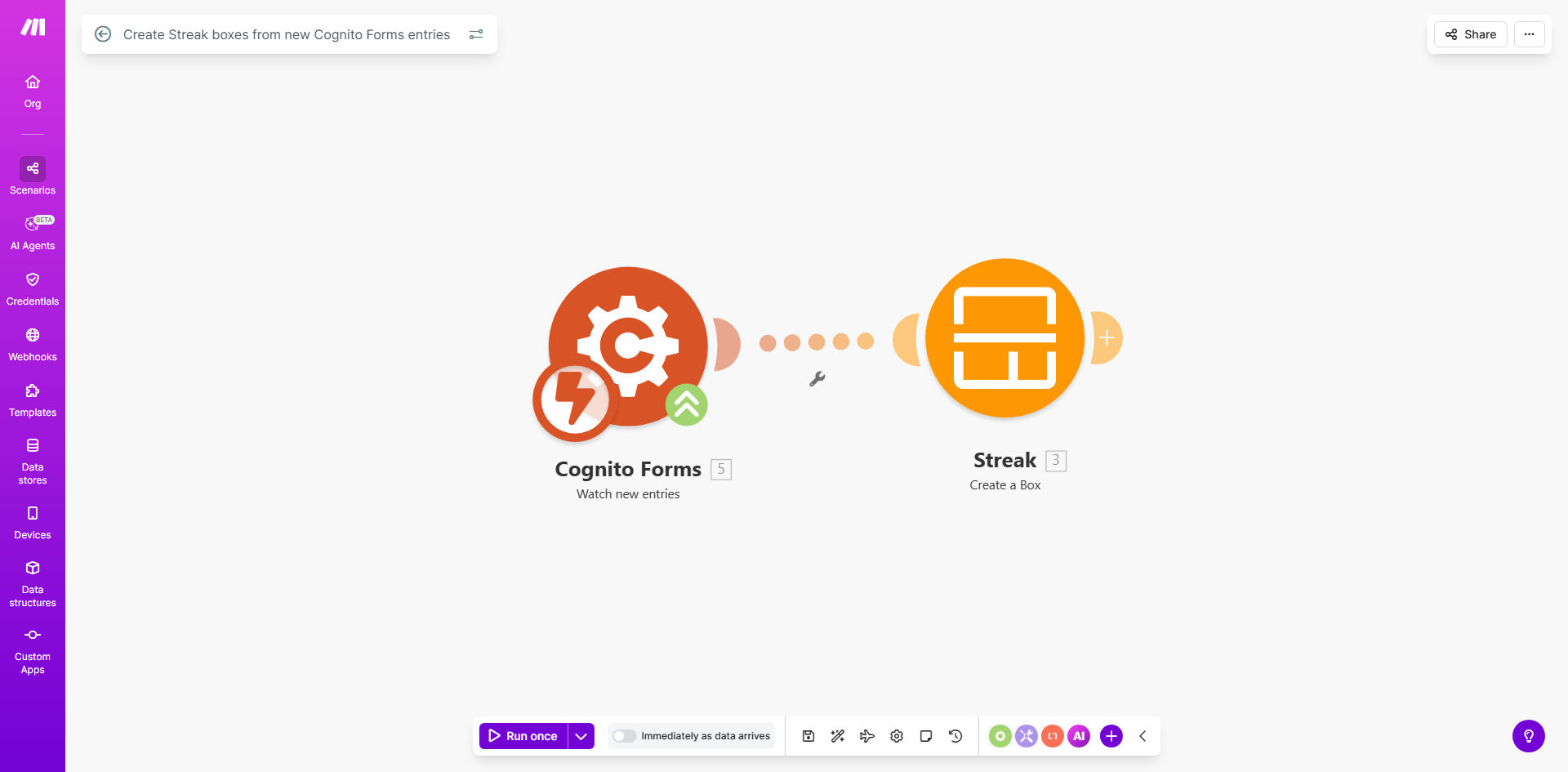
What This Workflow Does
This automation bridges the gap between your lead capture forms and sales pipeline management. Every time someone submits your Cognito Forms form, Make instantly creates a corresponding box in Streak CRM with all the submitted information. This eliminates manual data entry while ensuring no lead falls through the cracks.
The workflow transforms form submissions into actionable sales opportunities. Your team gets complete lead details automatically organized in Streak's pipeline view, with timestamps showing exactly when each lead came in. This creates a seamless transition from marketing to sales without spreadsheet exports or copy-paste work.
How It Works
1. New form submission triggers the workflow
Make monitors your Cognito Forms account for new entries. The moment someone submits your form, the automation begins processing the data.
2. Data is formatted for Streak
The workflow maps form fields to Streak box properties. Contact details, lead source information, and any custom form responses are structured to fit your Streak pipeline requirements.
3. New box created in Streak
Make authenticates with your Streak account and creates a new box in your specified pipeline. All mapped data populates the box fields automatically.
4. Optional notifications sent
You can configure the workflow to notify your sales team via email or Slack when high-priority leads come in, or trigger follow-up sequences.
Pro tip: Add conditional logic to route different form types to separate Streak pipelines. For example, demo requests vs. support inquiries.
Who This Is For
This automation benefits businesses that:
- Use Cognito Forms for lead generation
- Manage sales pipelines in Streak CRM
- Want to eliminate manual lead entry
- Need faster response times to inquiries
- Track lead sources and conversion metrics
What You'll Need
- A Make.com account (free or paid)
- Cognito Forms account with at least one form
- Streak CRM account with a pipeline set up
- API keys for both services (Make handles the authentication)
Quick Setup Guide
- Install the template in your Make.com account
- Connect your Cognito Forms account
- Connect your Streak account
- Map form fields to Streak box properties
- Test with a form submission
- Activate the scenario
Key Benefits
Eliminate manual data entry - Save 5-10 minutes per lead by automatically creating Streak boxes instead of copying information manually.
Never miss a lead - Form submissions instantly appear in your sales pipeline before anyone checks email or spreadsheets.
Improve response times - Sales teams can contact leads 80% faster when notifications come directly to their CRM.
Maintain data accuracy - Automated transfers prevent human errors in contact details or lead information.
Track lead sources effectively - All form submission data stays intact in Streak for better analytics and attribution.