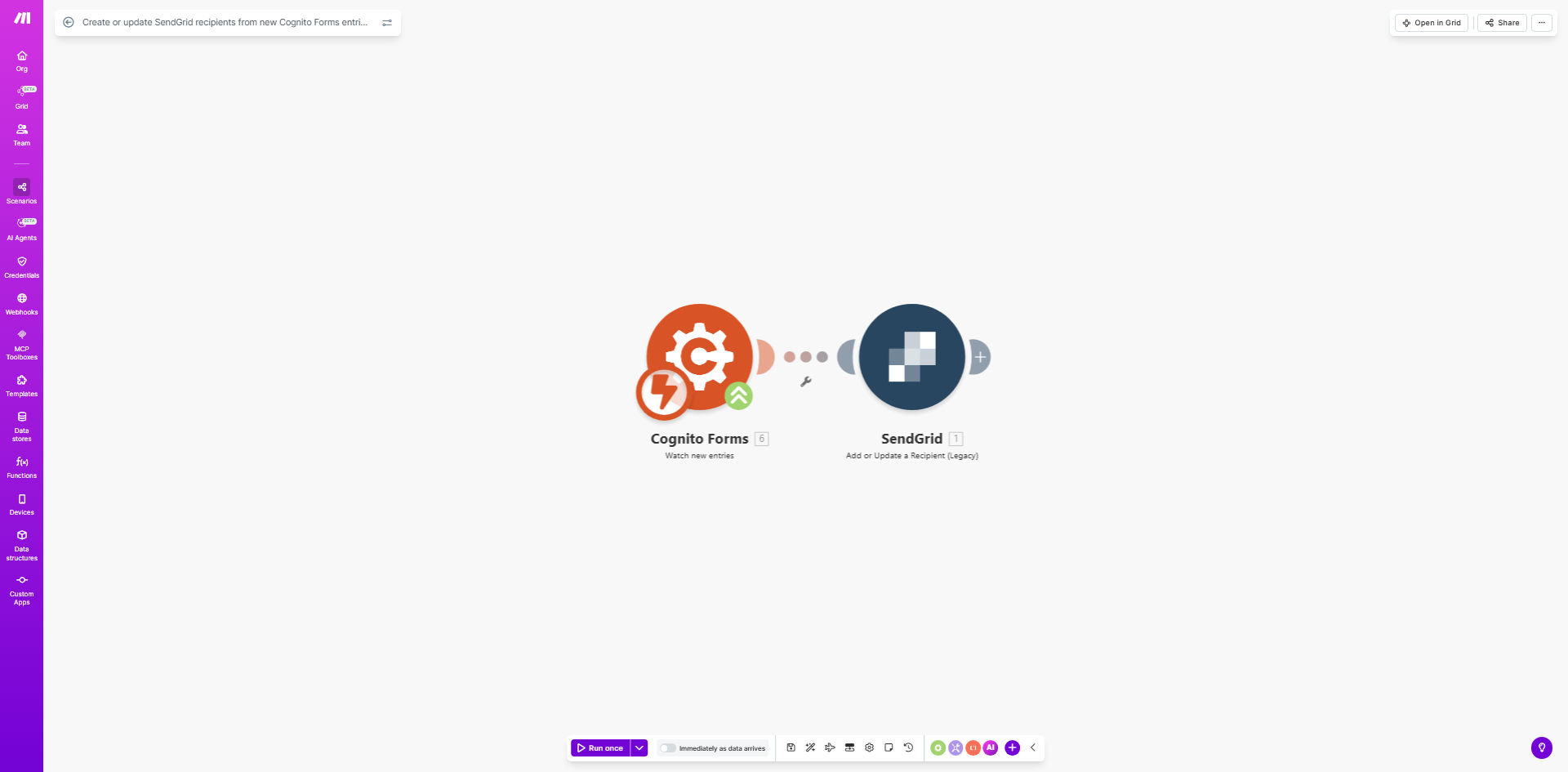
What This Workflow Does
This automation solves the common problem of disconnected form submissions and email marketing systems. When businesses collect leads through Cognito Forms but use SendGrid for email campaigns, manually transferring contact information becomes time-consuming and prone to errors.
The workflow automatically creates or updates SendGrid recipients whenever someone submits your Cognito Form. It intelligently checks whether the contact already exists in SendGrid, then either adds them as a new recipient or updates their existing record with the latest information from the form.
How It Works
1. New form submission triggers the workflow
Whenever someone completes your Cognito Form, the workflow immediately detects the new entry through Make.com's real-time monitoring.
2. Data is extracted and formatted
The system pulls all relevant contact information from the form submission, including email address, name, and any custom fields you've configured to sync.
3. SendGrid recipient list is checked
The workflow searches your SendGrid contact list to determine if this email address already exists as a recipient.
4. Contact is created or updated
If the contact doesn't exist, they're added as a new recipient. If they do exist, their record is updated with the latest information from the form submission.
5. Success confirmation
The system logs each successful synchronization and can optionally notify your team through email or Slack.
Pro tip: Add custom fields from your form to SendGrid to enable advanced segmentation in your email campaigns based on form responses.
Who This Is For
This workflow is ideal for marketing teams, small businesses, and agencies that:
- Use Cognito Forms for lead generation, surveys, or contact forms
- Manage email campaigns through SendGrid
- Want to eliminate manual data entry between systems
- Need real-time contact list updates for timely email follow-ups
- Require accurate customer data across all platforms
What You'll Need
- An active Make.com account (formerly Integromat)
- A Cognito Forms account with at least one published form
- A SendGrid account with API access enabled
- Basic understanding of field mapping between systems
Quick Setup Guide
- Install the template in your Make.com account
- Connect your Cognito Forms account in the first module
- Connect your SendGrid account in the recipient management module
- Map form fields to corresponding SendGrid contact fields
- Test with a form submission to verify the sync works
- Activate the scenario to run automatically
Key Benefits
Eliminate manual data entry: Save 2-3 hours per week by automatically syncing contacts instead of copying and pasting between systems.
Improve email campaign effectiveness: Ensure your email list always contains the most current contact information from form submissions.
Faster lead follow-up: New contacts are available in SendGrid immediately after form submission, enabling same-day email nurturing.
Reduce errors: Automated sync eliminates typos and missed entries that occur with manual processes.
Scalable solution: Handles any volume of form submissions without additional work from your team.