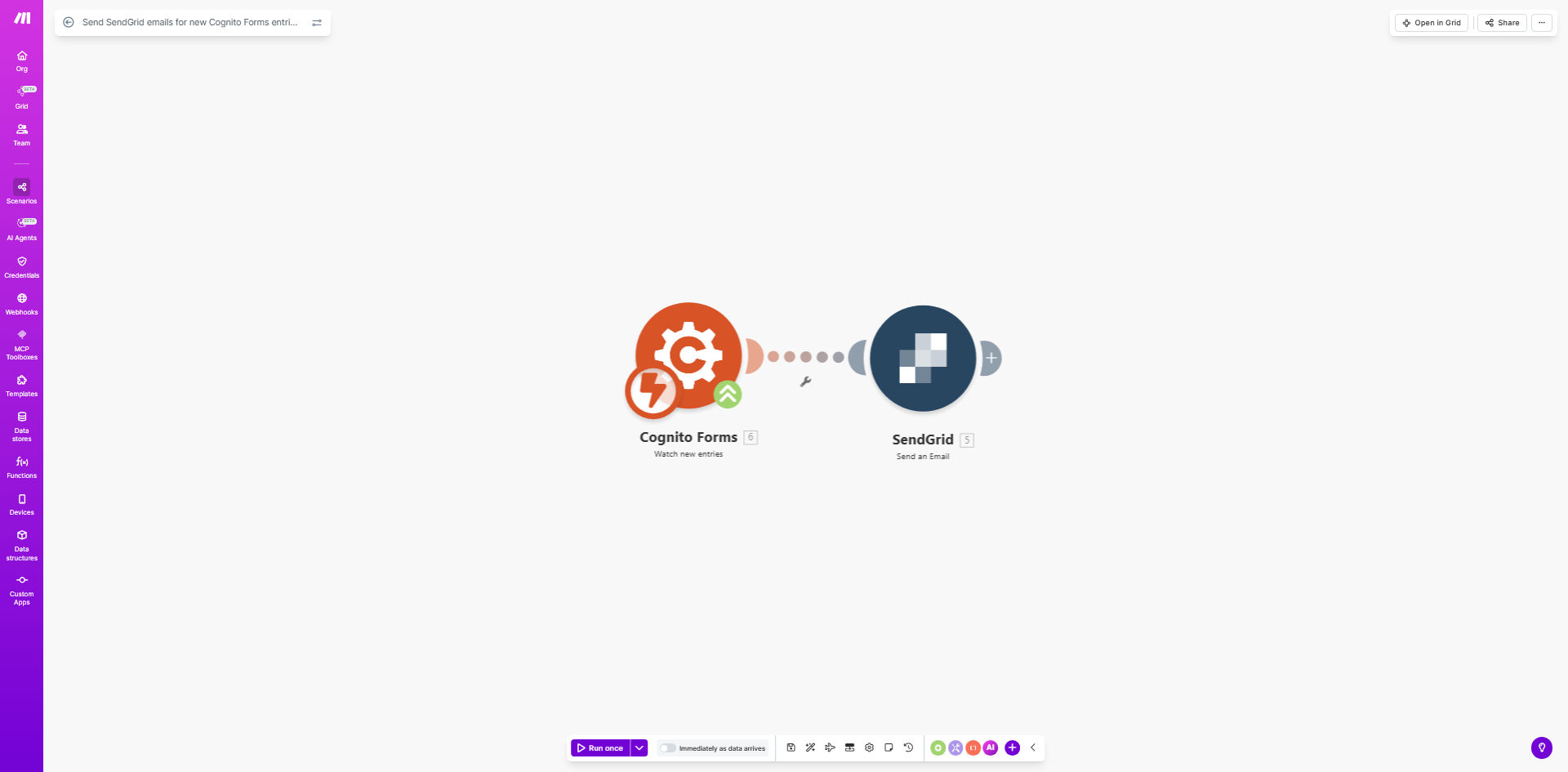
What This Workflow Does
This automation solves the common challenge of manually responding to form submissions. When a user completes your Cognito Form, the workflow automatically triggers a SendGrid email notification. This ensures immediate acknowledgment while eliminating the need for constant monitoring of your form inbox.
The solution is particularly valuable for businesses receiving high volumes of form submissions or those needing timely responses. It maintains professional communication standards while freeing up staff time previously spent on repetitive notification tasks.
How It Works
1. Form Submission Trigger
The workflow starts when a new entry is detected in your Cognito Form. Make.com monitors your form submissions in real-time.
2. Data Extraction
The system extracts all relevant form fields including the respondent's email address, name, and any custom form data you need to reference.
3. Email Composition
Using SendGrid's powerful email templating, the workflow constructs a professional response email. You can include dynamic content from the form submission.
4. Delivery & Tracking
SendGrid delivers the email with enterprise-grade reliability. The system logs the delivery status for future reference and analytics.
Who This Is For
This automation benefits any organization using Cognito Forms that needs to:
- Send immediate confirmation emails for registrations or applications
- Notify internal teams about new leads or inquiries
- Provide automated customer support responses
- Distribute digital assets after form completion
Pro tip: Use conditional logic in Make.com to send different email templates based on specific form responses, creating a more personalized experience.
What You'll Need
- An active Cognito Forms account with at least one form created
- A SendGrid account with API access (free tier available)
- A Make.com account (formerly Integromat)
- Your email template designed in SendGrid
Key Benefits
Instant Response: Form submitters receive immediate acknowledgment, improving user experience and reducing support inquiries about submission status.
Professional Branding: SendGrid emails maintain your corporate identity far beyond Cognito's basic notification templates.
Time Savings: Eliminates manual email sending, potentially saving hours per week for high-volume forms.
Reliable Delivery: SendGrid's infrastructure ensures your emails reach inboxes rather than getting flagged as spam.
Performance Tracking: Gain insights into open rates and engagement with your automated responses.