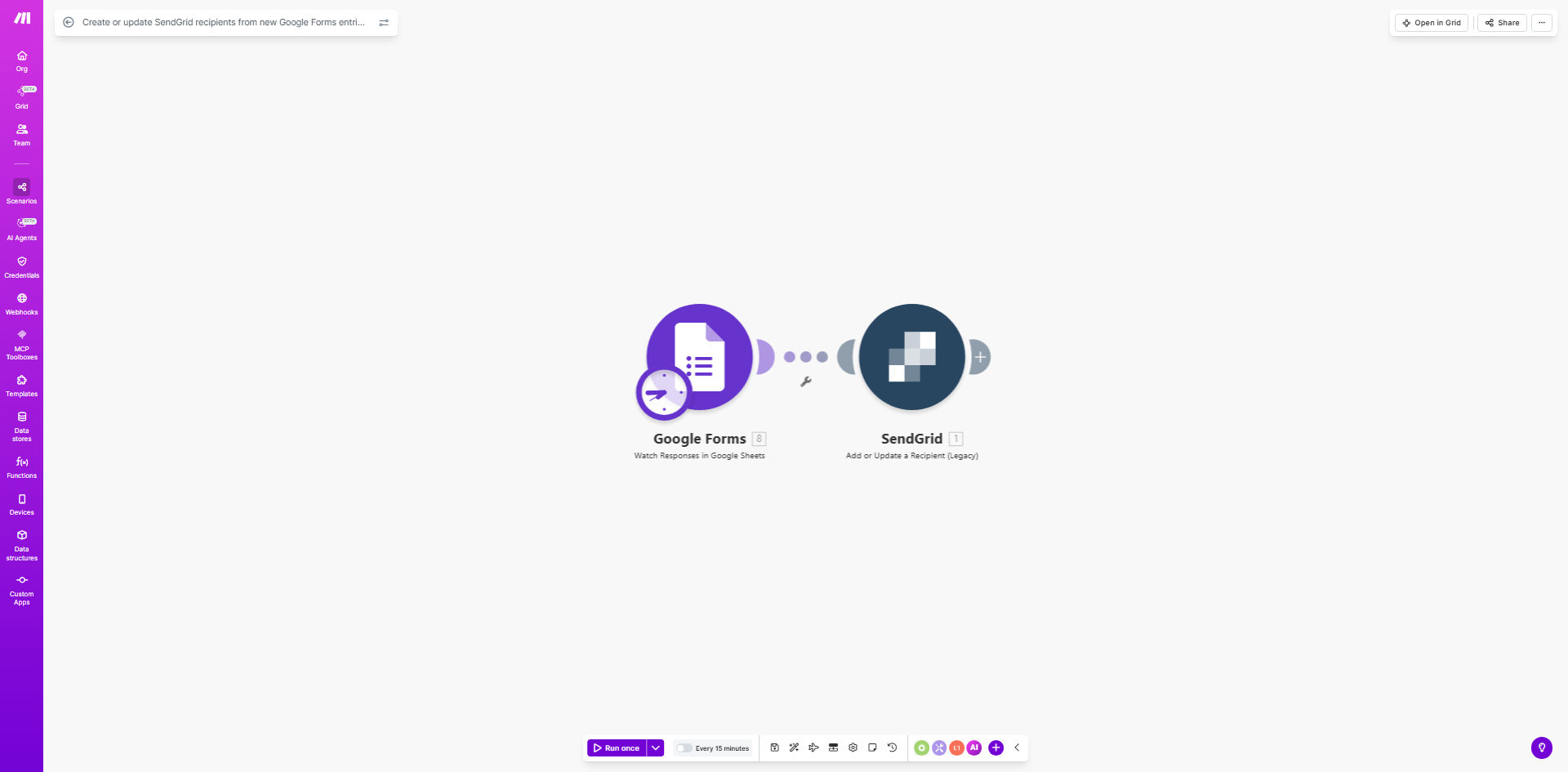
What This Workflow Does
This automation solves the tedious manual process of transferring contact information from Google Forms submissions to your SendGrid email marketing platform. Every time someone fills out your form - whether it's for event registration, lead capture, or customer feedback - their information is instantly added to your SendGrid recipient list or updated if they already exist.
The workflow eliminates spreadsheet exports, CSV imports, and the inevitable human errors that come with manual data entry. It ensures your email campaigns reach everyone who has expressed interest through your forms, with their most current contact information.
How It Works
1. Trigger on new form submissions
The workflow activates whenever a new response is submitted to your connected Google Form. Make.com monitors the form continuously for new entries.
2. Extract contact details
The system pulls all relevant information from the form response, including email address, name, and any other fields you've configured to capture.
3. Check for existing contacts
Before adding a new recipient, the workflow queries your SendGrid account to see if this email already exists in your contact database.
4. Add or update records
If the contact is new, they're added to your SendGrid list with all collected information. If they exist already, their record is updated with any new data from the form.
Who This Is For
This automation is ideal for marketers, event organizers, and business owners who:
- Collect leads through Google Forms
- Run email campaigns through SendGrid
- Want to eliminate manual list management
- Need real-time updates to their contact database
- Value accurate, up-to-date subscriber information
What You'll Need
- A Google Forms form collecting email addresses
- A SendGrid account with API access
- A Make.com account (free tier works)
- Basic understanding of Google Forms field structure
Quick Setup Guide
- Click "Get This Workflow" to copy the template to your Make.com account
- Connect your Google Forms account in the Make.com scenario
- Connect your SendGrid account using API credentials
- Map form fields to corresponding SendGrid contact fields
- Test with a form submission and verify the contact appears in SendGrid
- Turn on the scenario to begin processing submissions automatically
Key Benefits
Save 5+ hours per month by eliminating manual data transfers between Google Forms and SendGrid. The automation handles everything instantly.
Improve email deliverability by ensuring your SendGrid list always contains current, accurate contact information from form submissions.
Reduce human errors that occur when copying data between systems manually. The workflow transfers information exactly as submitted.
Enable real-time marketing by adding new contacts to campaigns immediately after they submit your form, when engagement is highest.
Maintain list hygiene by updating existing records rather than creating duplicates, keeping your sender reputation strong.
Pro tip: Add a custom field in your Google Form to capture subscriber preferences or interests, then map this to SendGrid for powerful audience segmentation in your email campaigns.