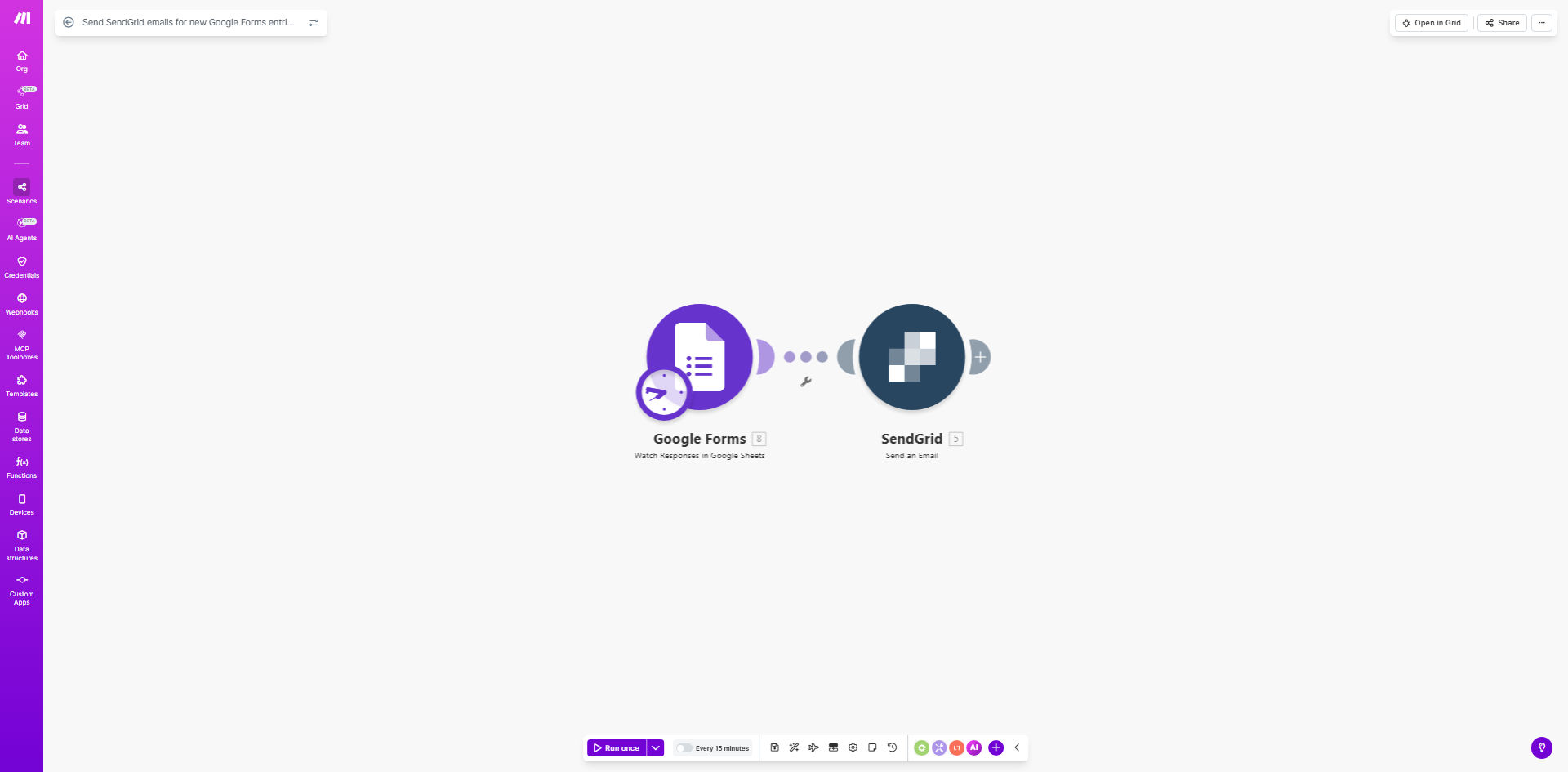
What This Workflow Does
This automation solves the common challenge of manually following up with everyone who submits a Google Form. Instead of copying email addresses and crafting individual responses, the workflow automatically sends professional, branded emails through SendGrid whenever a new form submission arrives.
The system captures all form responses, including custom fields, and can personalize each email with the respondent's specific answers. This ensures timely communication while maintaining consistency in your messaging and reducing administrative overhead.
How It Works
1. New Form Submission Trigger
The workflow starts when someone submits your Google Form. Make.com monitors the form continuously for new entries.
2. Data Extraction
The system extracts all relevant form fields including the respondent's email address, name, and any custom questions you've included in your form.
3. SendGrid Email Assembly
Using a pre-designed SendGrid template, the workflow dynamically inserts the form responses into appropriate email fields, creating a personalized message for each recipient.
4. Email Delivery
SendGrid delivers the completed email with your branding, tracking when it's opened and whether any links are clicked.
Who This Is For
This automation benefits any business or organization that regularly collects information through Google Forms and needs to follow up with respondents. Ideal users include:
- Event organizers sending confirmation emails
- Educators distributing course materials after sign-ups
- Businesses providing quotes or estimates
- Nonprofits acknowledging donations or volunteer sign-ups
What You'll Need
- A Google Forms questionnaire set up with email collection
- A SendGrid account with API access
- A Make.com account (free tier available)
- Your email template designed in SendGrid
Quick Setup Guide
- Connect your Google Forms to Make.com
- Configure the SendGrid module with your API key
- Map form fields to your email template variables
- Test with sample form submissions
- Activate the automation
Key Benefits
Time Savings: Eliminates hours of manual email work while ensuring no respondent falls through the cracks.
Professional Appearance: SendGrid templates maintain consistent branding compared to manual Gmail responses.
Response Tracking: Gain insights into which form emails get opened and clicked, helping optimize your communications.
Scalability: Handle hundreds or thousands of form responses without additional work.
Error Reduction: Automated systems don't forget to send follow-ups or make typos in email addresses.