Make.com Email Marketing Form Automation SendGrid JotForm

Automatically Sync JotForm Submissions with SendGrid

Never manually update email lists again - new form entries instantly become SendGrid recipients

Get This Workflow → Make.com · Email Marketing · Free Template
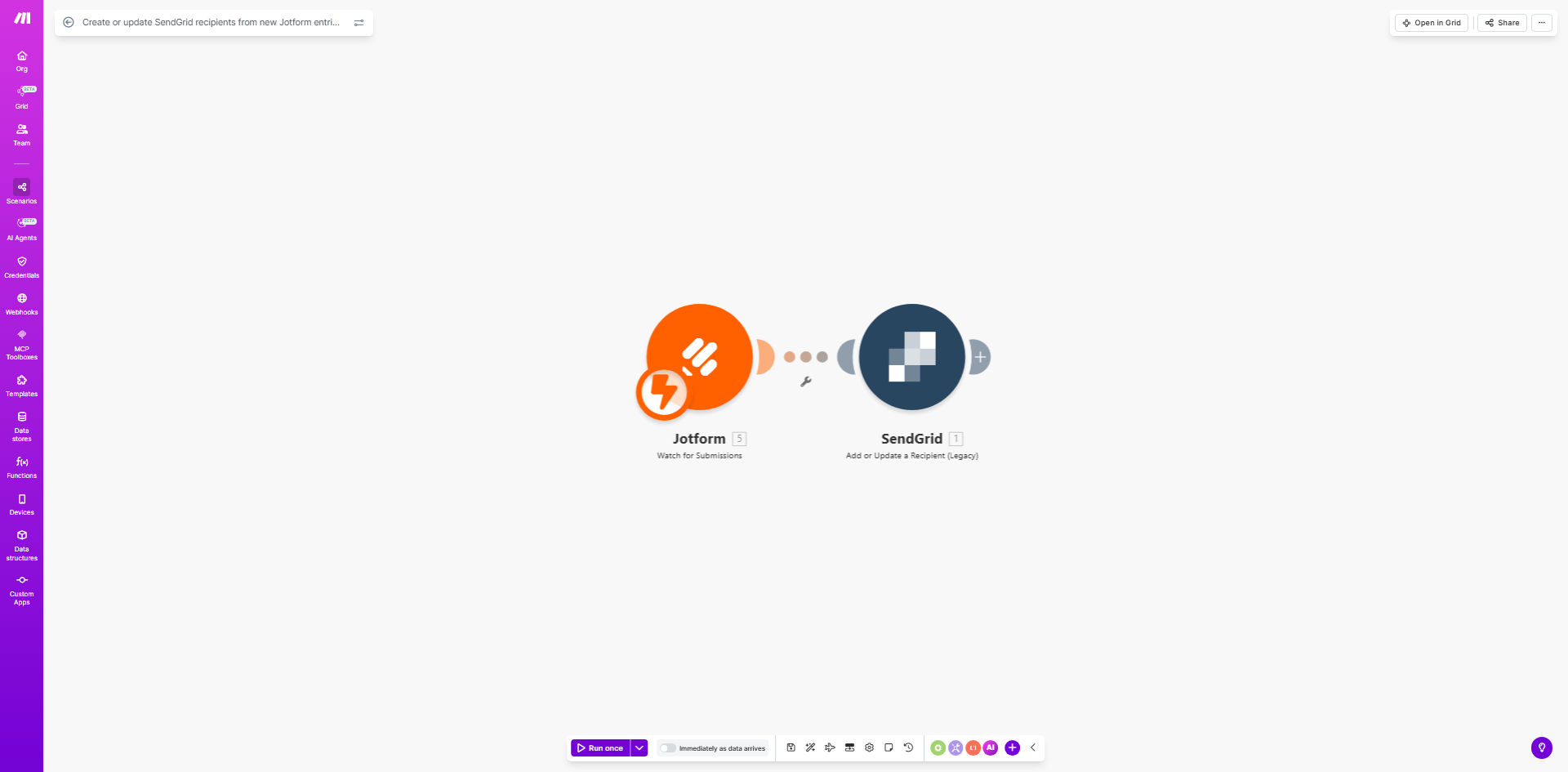
Diagram showing JotForm integration with SendGrid through Make.com automation

What This Workflow Does

This automation solves the tedious manual process of transferring contact information from JotForm submissions to your SendGrid email marketing platform. Every time someone fills out your form, their information is automatically added or updated in your SendGrid recipient lists.

The workflow eliminates spreadsheet exports, CSV imports, and the risk of human error in your email marketing data management. It ensures your campaigns reach the right people with their most current information, improving deliverability and engagement rates.

How It Works

1. Trigger: New JotForm Submission

The workflow starts whenever someone submits your JotForm. Make.com instantly receives the form data including all fields you've configured.

2. Data Processing

The system maps form fields to corresponding SendGrid recipient fields. You can customize which information transfers and how it's structured.

3. Recipient Management

Make.com checks if the email already exists in your SendGrid lists. Based on your configuration, it either updates the existing record or creates a new recipient.

4. List Assignment

The contact is automatically added to your specified SendGrid lists or segments, ready for your next email campaign.

Who This Is For

This automation benefits any business using JotForm for lead generation combined with SendGrid for email marketing. Ideal users include:

  • Marketing teams managing newsletter signups
  • E-commerce stores collecting customer registrations
  • Event organizers processing attendee information
  • Service businesses capturing client inquiries
  • Educational institutions handling student applications

What You'll Need

  1. An active JotForm account with at least one form
  2. A SendGrid account with API access enabled
  3. A Make.com account (free tier available)
  4. Basic understanding of your form fields and SendGrid recipient structure

Quick Setup Guide

  1. Copy this template to your Make.com account
  2. Connect your JotForm account in the first module
  3. Connect your SendGrid account in the recipient management module
  4. Map your JotForm fields to SendGrid recipient fields
  5. Specify which SendGrid lists should receive new contacts
  6. Test with a form submission and verify the SendGrid update
  7. Activate the scenario to go live

Key Benefits

Save 5-10 hours per month by eliminating manual data transfers between your forms and email platform.

Improve email deliverability with always-accurate recipient information and reduced bounce rates.

Enable instant follow-up by adding new contacts to campaigns immediately after form submission.

Reduce human error with automated data transfer that's more reliable than manual processes.

Scale your marketing without adding administrative overhead as your subscriber base grows.

Pro tip: Use this automation with JotForm's conditional logic to segment contacts into different SendGrid lists based on their form responses.

Frequently Asked Questions

Common questions about JotForm and SendGrid integration

Connecting JotForm with SendGrid eliminates manual data entry between your form submissions and email marketing system. This ensures your email lists are always up-to-date with the latest contact information from form submissions, improving deliverability and segmentation accuracy.

For example, when a customer signs up for your newsletter through a JotForm, their information immediately appears in SendGrid ready for your next campaign, without any manual transfer.

Automated recipient updates ensure your email lists reflect the most current information from form submissions. This reduces bounce rates from outdated emails and allows for immediate follow-up with new subscribers or customers.

A real estate agency using this automation saw their email open rates increase by 22% because contacts were added to campaigns while their interest was highest.

This automation works best with lead capture forms, newsletter signups, customer registration forms, and any form collecting email addresses and contact information you want to include in your email marketing campaigns.

The most effective implementations typically involve forms where timely follow-up is valuable, such as webinar registrations, product inquiries, or service requests.

  • Lead capture forms
  • Newsletter signups
  • Event registrations
  • Customer onboarding

Yes, the workflow allows mapping any JotForm field to corresponding SendGrid recipient fields. You can customize which form data gets transferred and how it's structured in SendGrid.

For instance, you might map a "Company Name" field from JotForm to SendGrid's custom fields, or combine first and last name fields into SendGrid's full name field.

The workflow can be configured to either update existing recipients with new information or skip duplicates based on your preference. This prevents overwriting important data while keeping records current.

Most businesses choose to update existing records to ensure their customer data stays current, while maintaining historical information like engagement metrics.

The integration uses secure API connections between all services. Data is encrypted in transit, and Make.com doesn't store your form submissions long-term, maintaining high security standards.

All connections use OAuth authentication where possible, and API keys are encrypted in Make.com's system following industry-standard security protocols.

Yes, GrowwStacks specializes in custom automation solutions. Our team can build a tailored integration that matches your specific form structure, SendGrid configuration, and business workflows.

We've created specialized versions of this integration for clients needing advanced features like conditional list assignments based on form responses, data validation before transfer, or integration with additional systems.

  • Custom field mapping
  • Advanced segmentation rules
  • Multi-system integration
  • Data validation steps

Need a Custom Form-to-Email Automation?

This free template is a starting point. Our team builds fully tailored automation systems for your specific business needs.