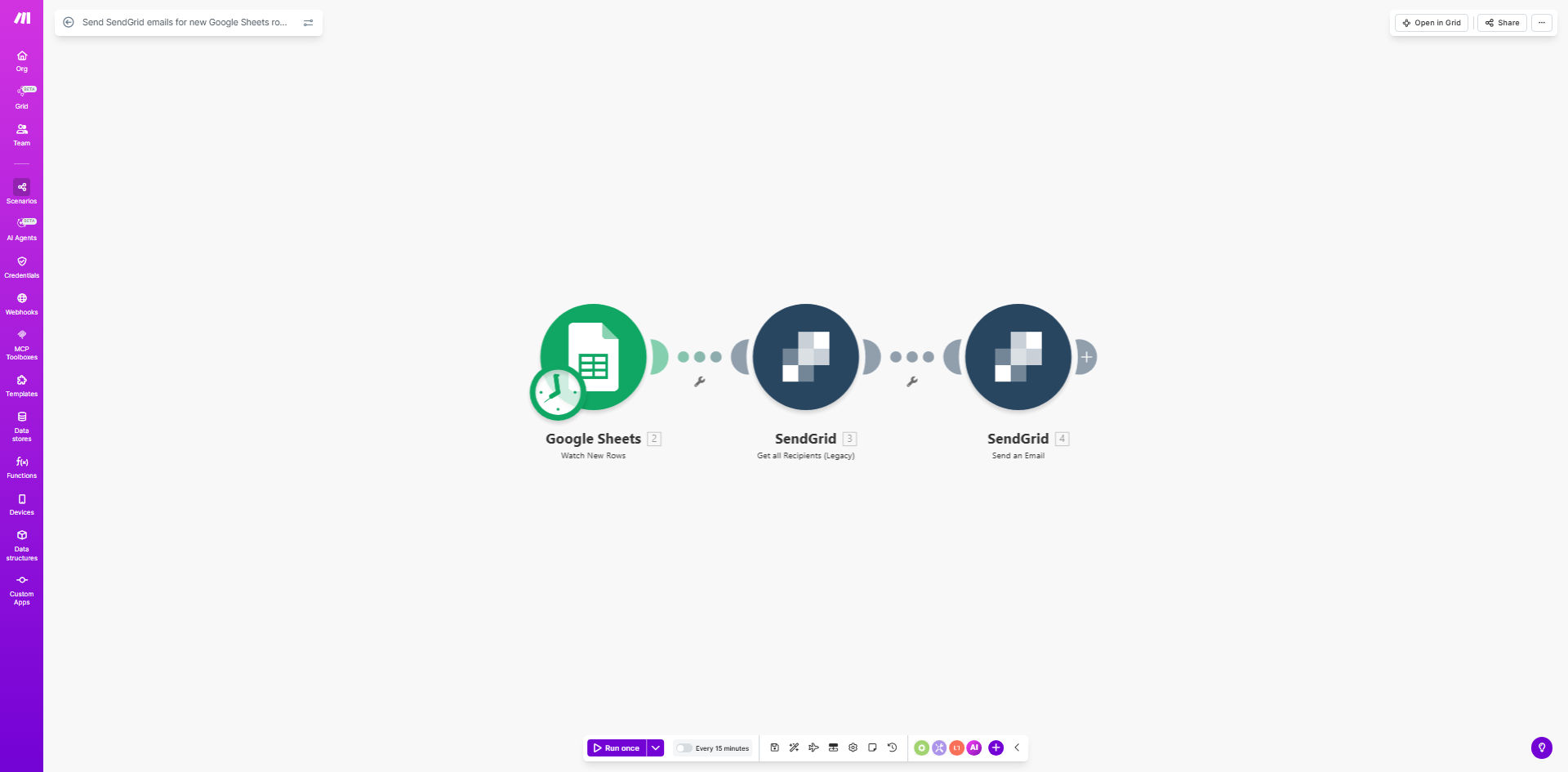
What This Workflow Does
This automation solves the tedious process of manually sending emails based on spreadsheet data. Whenever your team adds new customer information, order details, or event registrations to Google Sheets, the workflow automatically sends customized emails through SendGrid.
Businesses use this to automate customer communications like welcome emails, order confirmations, appointment reminders, and marketing campaigns. The system eliminates human error from manual copying/pasting while ensuring timely, consistent messaging.
How It Works
1. New row detection
Make.com continuously monitors your Google Sheet for new rows added to a specified worksheet. The workflow triggers whenever it detects fresh data.
2. Data extraction
The system pulls all relevant information from the new row, including email addresses, names, and any other personalization fields you need for your messages.
3. Email composition
Using SendGrid's template system, the workflow dynamically inserts spreadsheet data into pre-designed email layouts. You can customize subject lines, body content, and attachments.
4. Recipient management
The automation handles recipient lists intelligently, sending to individual addresses or groups based on your spreadsheet configuration and SendGrid contact lists.
Who This Is For
This workflow benefits any business that maintains customer or prospect data in spreadsheets and needs to send regular communications:
- E-commerce stores sending order confirmations
- Service businesses scheduling appointment reminders
- Marketing teams running targeted campaigns
- Nonprofits communicating with donors
- Educators managing student communications
What You'll Need
- A Google Sheets spreadsheet with your data
- A SendGrid account with API access
- A Make.com account (free tier available)
- Email templates configured in SendGrid
- Clear column headers in your spreadsheet
Quick Setup Guide
- Connect your Google Sheets account in Make.com
- Authorize access to your SendGrid account
- Select your spreadsheet and worksheet
- Map spreadsheet columns to email fields
- Choose your SendGrid template
- Test with sample data
- Activate the automation
Pro tip: Create a "status" column in your spreadsheet to track which rows have been processed. This prevents duplicate emails if the workflow runs multiple times.
Key Benefits
Saves 5-10 hours per week by eliminating manual email sending. Staff can focus on higher-value work instead of repetitive data entry.
Reduces errors by 90% compared to manual processes. Automated systems don't forget to send emails or mix up recipient details.
Improves response times by sending communications immediately when data enters your system, rather than waiting for staff availability.
Scales effortlessly to handle hundreds or thousands of emails with no additional effort. The system works just as well for 10 emails as for 10,000.
Provides consistency in branding and messaging across all customer communications, reinforcing your professional image.