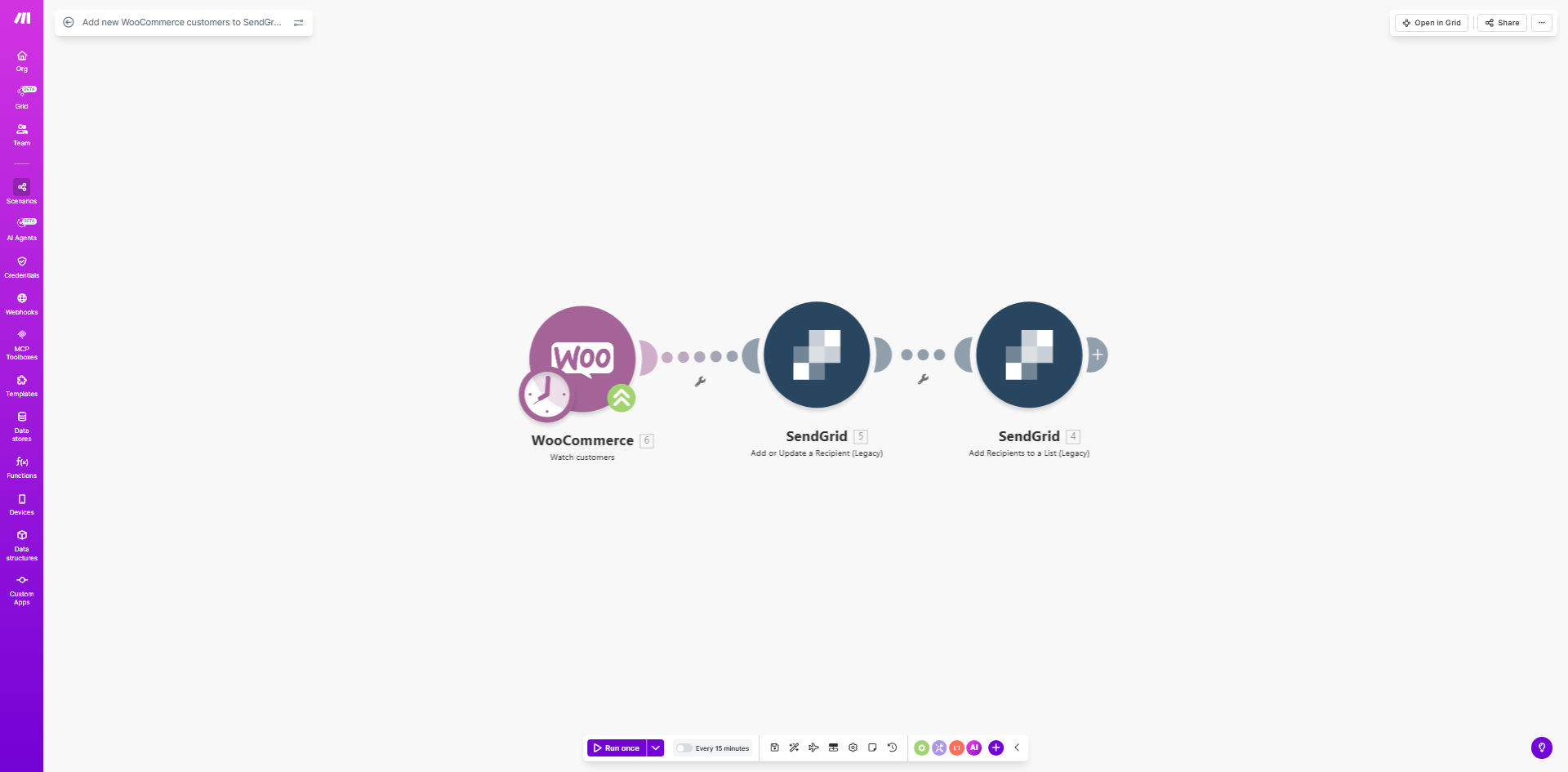
What This Workflow Does
This automation solves a critical challenge for ecommerce businesses: keeping your email marketing lists perfectly synchronized with your newest customers. Every time someone completes a purchase or creates an account in WooCommerce, their contact information is automatically added to your specified SendGrid mailing list.
Manual customer list management is time-consuming and prone to errors. This workflow eliminates those problems while ensuring your welcome sequences and promotional emails reach customers immediately after their first purchase. The integration maintains data consistency between your store and email platform, improving deliverability and campaign effectiveness.
How It Works
1. New customer trigger
The workflow monitors your WooCommerce store for new customer registrations through Make.com's WooCommerce webhook. This captures both account creations and guest checkout emails.
2. Data formatting
Customer information is processed to match SendGrid's contact format. The workflow maps WooCommerce fields (name, email, etc.) to corresponding SendGrid recipient properties.
3. List assignment
The system adds the customer to your designated SendGrid contact list. You can configure multiple lists based on customer segments (e.g., first-time buyers vs. returning customers).
4. Confirmation
The workflow verifies successful addition to SendGrid and can optionally trigger follow-up actions like sending a confirmation email to your marketing team.
Pro tip: Extend this workflow to include customer metadata like purchase history or product categories. This enables powerful segmentation in your SendGrid email campaigns.
Who This Is For
This automation is ideal for:
- Ecommerce stores using WooCommerce that want to automate email list growth
- Marketing teams tired of manual customer data exports and imports
- Businesses running welcome email sequences or post-purchase campaigns
- Stores with high order volume where manual list management isn't scalable
What You'll Need
- A WooCommerce store with API access enabled
- A SendGrid account with API keys
- A Make.com account (free plan sufficient for basic implementation)
- Your SendGrid list ID where contacts should be added
Quick Setup Guide
- Copy this template to your Make.com account
- Connect your WooCommerce store by entering your store URL and API credentials
- Add your SendGrid API key and specify the target list ID
- Test with a new test customer in WooCommerce
- Activate the scenario to begin automatic syncing
Key Benefits
Save 5+ hours monthly by eliminating manual customer list exports and imports between platforms.
Improve email deliverability by ensuring customer data stays current in SendGrid, reducing bounce rates.
Increase marketing ROI through timely, automated welcome sequences that convert new customers.
Reduce human error with 100% accurate data transfer between systems.
Scale effortlessly as your store grows - the automation handles 10 or 10,000 new customers with equal reliability.