CRM Integration Email Marketing Automation

Automatically Add Salesforce Contacts to SendGrid

Sync new CRM contacts to your email lists in real-time without manual work

Get This Workflow → Make.com · Free Template
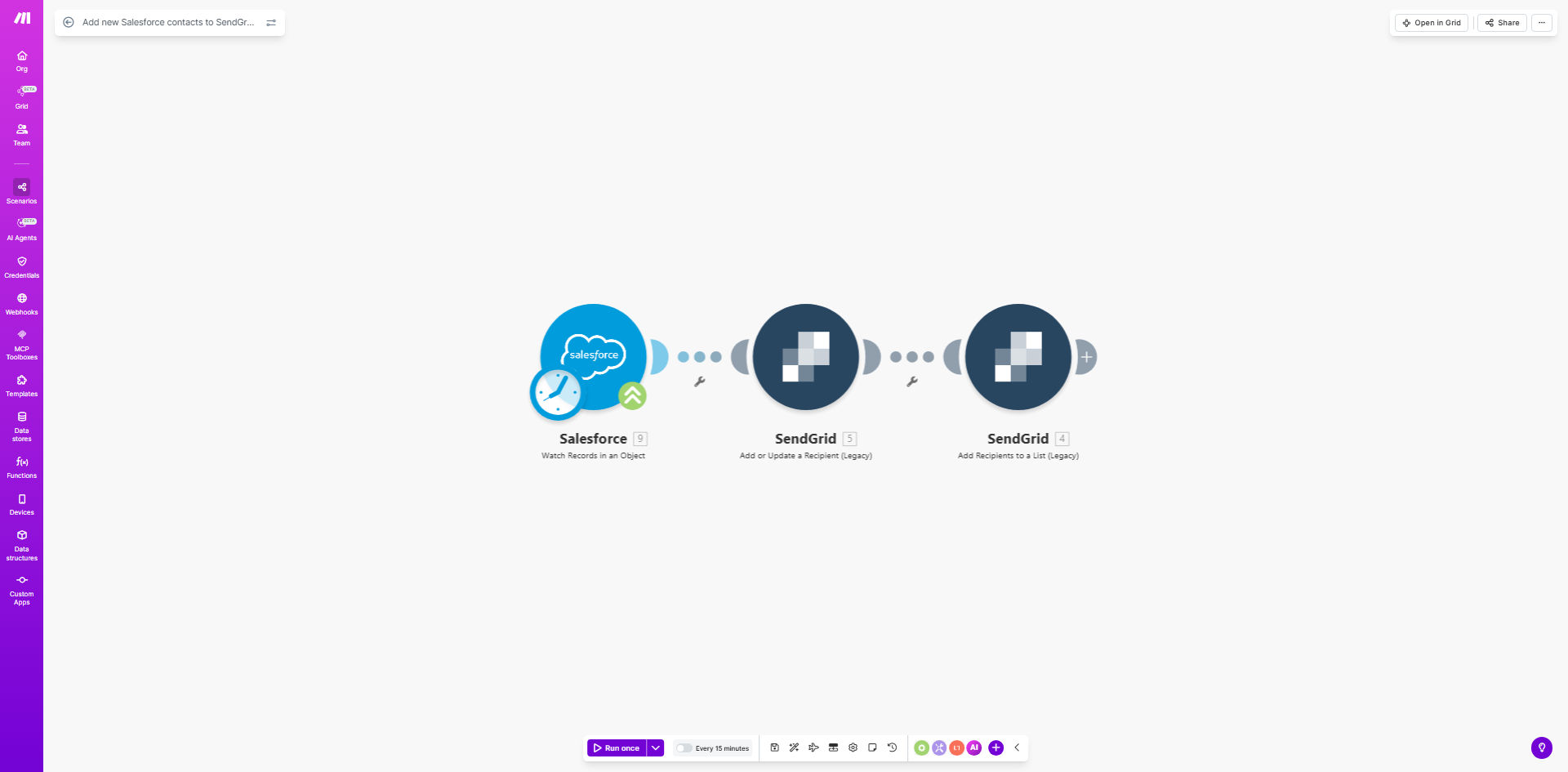
Salesforce to SendGrid contact sync workflow diagram

What This Workflow Does

This automation bridges the gap between your Salesforce CRM and SendGrid email marketing platform. Whenever a new contact is created in Salesforce, the workflow automatically adds them to your designated SendGrid contact list with all relevant fields mapped.

Marketing teams waste countless hours manually exporting and importing contacts between systems. This template eliminates that friction, ensuring your email campaigns always target your complete, up-to-date audience while maintaining data accuracy and compliance.

How It Works

1. New Contact Trigger

The workflow monitors your Salesforce instance for new contact creations using Make.com's real-time trigger.

2. Data Validation

Each contact is checked for required fields (especially email) and marketing consent flags to ensure compliance.

3. Field Mapping

Salesforce contact properties are mapped to corresponding SendGrid contact fields according to your configuration.

4. List Assignment

The contact is added to your specified SendGrid list, with options for conditional routing based on Salesforce data.

5. Duplicate Prevention

The system checks for existing contacts in SendGrid before adding, preventing duplicate entries.

Who This Is For

This solution delivers the most value for:

  • Marketing teams managing growing contact databases
  • Businesses running email campaigns from Salesforce leads
  • Organizations needing GDPR/compliance-aware syncs
  • Teams wasting time on manual CRM-marketing platform transfers

What You'll Need

  1. Active Salesforce account with admin access
  2. SendGrid account with API access
  3. Make.com free or paid plan
  4. Marketing consent tracking in Salesforce (recommended)

Quick Setup Guide

  1. Install the template from Make.com
  2. Connect your Salesforce and SendGrid accounts
  3. Map your contact fields between systems
  4. Set your target SendGrid list(s)
  5. Configure duplicate handling preferences
  6. Activate the workflow

Pro tip: Create separate SendGrid lists for different contact types (leads vs customers) and use Salesforce field values to route contacts appropriately.

Key Benefits

Time savings: Eliminates 5-10 hours per week of manual contact syncing for the average marketing team.

Improved deliverability: Ensures email lists stay current with accurate contact data from your CRM.

Better segmentation: Leverage Salesforce data to create targeted SendGrid lists from day one.

Compliance assurance: Automatically respects marketing consent preferences during transfers.

Reduced errors: Removes human mistakes from manual data entry between systems.

Frequently Asked Questions

Common questions about CRM-email marketing automation

The integration automatically adds new Salesforce contacts to your SendGrid lists, ensuring your email campaigns always reach the most current audience. This eliminates manual data entry errors and saves 5-10 hours per week for marketing teams managing growing contact databases.

For example, when sales reps add new leads in Salesforce, they immediately become available for nurture campaigns in SendGrid without any manual export/import steps. This tight integration means your marketing automation can begin engaging contacts sooner.

Standard fields include name, email, company, and any custom fields you configure. The template maps Salesforce contact fields to corresponding SendGrid contact properties during the sync process while maintaining GDPR compliance.

You can customize which fields transfer based on your needs. Common mappings include job title for segmentation, phone number for SMS campaigns, and custom fields like product interest for personalized content.

Yes, the workflow supports conditional logic to add contacts to specific SendGrid lists based on Salesforce criteria like lead source, industry, or custom fields. This enables targeted email campaigns from the moment contacts enter your CRM.

For instance, you could route contacts from trade shows to a dedicated nurture sequence while sending webinar attendees different content, all based on their Salesforce lead source value.

The workflow triggers in real-time whenever a new contact is created in Salesforce. For existing contacts, you can set up scheduled syncs (daily/weekly) through Make.com's interval settings to keep lists updated.

Real-time syncing is ideal for sales-driven organizations, while scheduled batches work better for marketing teams that plan campaigns in advance and want to process contacts in groups.

The template includes duplicate prevention that checks for existing emails before adding. You can configure it to either skip duplicates or update the existing SendGrid contact with new Salesforce data.

Updating existing contacts ensures your marketing platform always has the most current information from your CRM, like job changes or new phone numbers, while maintaining the contact's email history and engagement data.

Yes, the template only transfers contacts who have opted in to communications within Salesforce. It preserves all consent flags and includes options to respect unsubscribe status during the sync process.

The workflow can be configured to check Salesforce opt-in fields and marketing preferences before adding contacts to SendGrid, helping maintain compliance with GDPR, CAN-SPAM, and other regulations.

Absolutely. Our team specializes in building tailored automation bridges between CRMs and marketing platforms. We can create custom field mappings, segmentation rules, and compliance features specific to your business needs and existing tech stack.

Whether you need complex conditional routing, integration with additional systems, or specialized compliance features, we'll design a solution that fits your exact requirements and saves your team countless hours.

Need a Custom CRM-Marketing Automation?

This free template is a starting point. Our team builds fully tailored automation systems for your specific business needs.