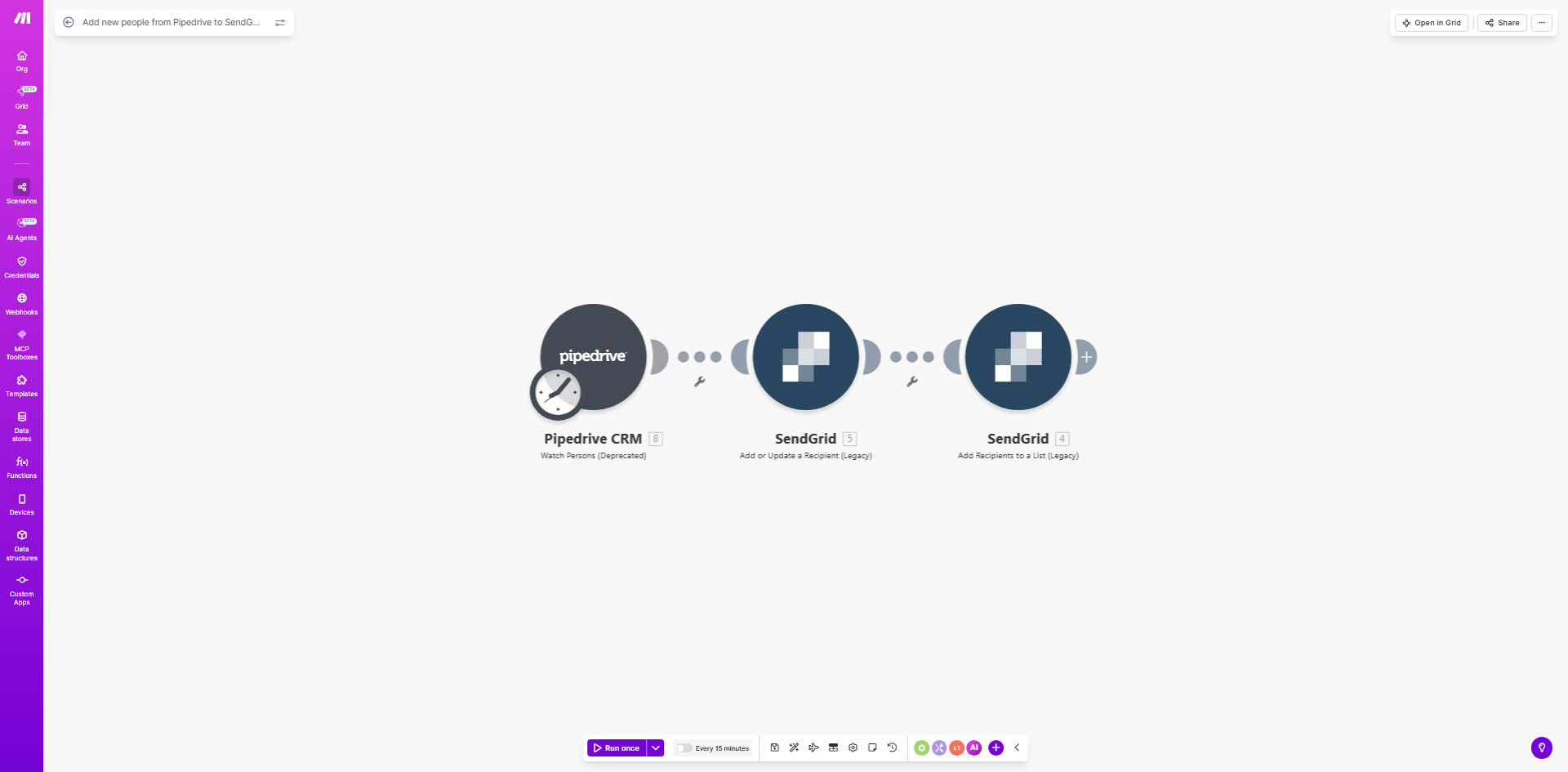
What This Workflow Does
This automation solves a critical gap between sales and marketing teams by instantly syncing new Pipedrive contacts to your SendGrid email lists. Every time your sales team adds a new lead in Pipedrive, the workflow automatically adds them to the appropriate SendGrid list with all relevant contact information.
Manual data transfer between CRMs and email platforms is time-consuming and prone to errors. This workflow eliminates those problems by creating a seamless, real-time connection between your sales pipeline and email marketing system. Marketing teams gain immediate access to new leads for nurturing campaigns, while sales teams can focus on selling rather than data entry.
How It Works
1. New Contact Detection
The workflow monitors your Pipedrive account for newly added people. It triggers instantly when any new contact is created in your specified Pipedrive pipeline.
2. Data Extraction
All relevant contact information is pulled from Pipedrive, including name, email, company, phone number, and any custom fields you've configured.
3. SendGrid Integration
The workflow connects to your SendGrid account and prepares the contact data for import according to your specified field mappings.
4. List Assignment
Based on your configuration, new contacts are added to specific SendGrid lists or segments. You can set rules based on Pipedrive deal stages, tags, or custom fields.
Pro tip: Use Pipedrive custom fields to categorize leads by interest or industry, then map these to SendGrid segments for targeted email campaigns.
Who This Is For
This workflow is ideal for:
- Sales teams using Pipedrive who want to automatically feed leads into email nurture sequences
- Marketing teams needing real-time access to new sales contacts for campaign targeting
- Businesses experiencing delays between lead capture and marketing outreach
- Organizations with separate sales and marketing teams needing better data synchronization
- Companies looking to reduce manual data entry errors between systems
What You'll Need
- An active Pipedrive account with administrator access
- A SendGrid account with API access enabled
- Make.com account (formerly Integromat)
- List of Pipedrive fields you want to sync to SendGrid
- SendGrid list IDs where contacts should be added
Quick Setup Guide
- Copy this template to your Make.com account
- Connect your Pipedrive account in the first module
- Connect your SendGrid account in the second module
- Map Pipedrive fields to corresponding SendGrid contact fields
- Specify which SendGrid lists should receive new contacts
- Test with a sample contact to verify the sync works
- Activate the scenario to begin automatic syncing
Key Benefits
Save 5+ hours weekly by eliminating manual contact transfers between sales and marketing platforms. Your team can focus on high-value activities instead of data entry.
Improve email deliverability by ensuring all contacts are properly formatted and validated before entering your SendGrid lists. The workflow handles field standardization automatically.
Enhance campaign relevance by leveraging Pipedrive deal stages and custom fields to segment contacts in SendGrid. Send more targeted emails based on where leads are in your sales funnel.
Reduce human error with automated data transfer that maintains 99.9% accuracy compared to manual processes prone to typos and omissions.
Accelerate lead nurturing by getting new contacts into email sequences immediately after they enter your CRM, rather than waiting for weekly imports.