Make.com Facebook Groups Wasabi Cloud Photo Backup Automation

Upload new Facebook Groups photos to Wasabi

Automatically backup your Facebook Groups photos to Wasabi cloud storage with this ready-to-use Make.com workflow

Get This Workflow → Make.com · Facebook Groups · Free Template
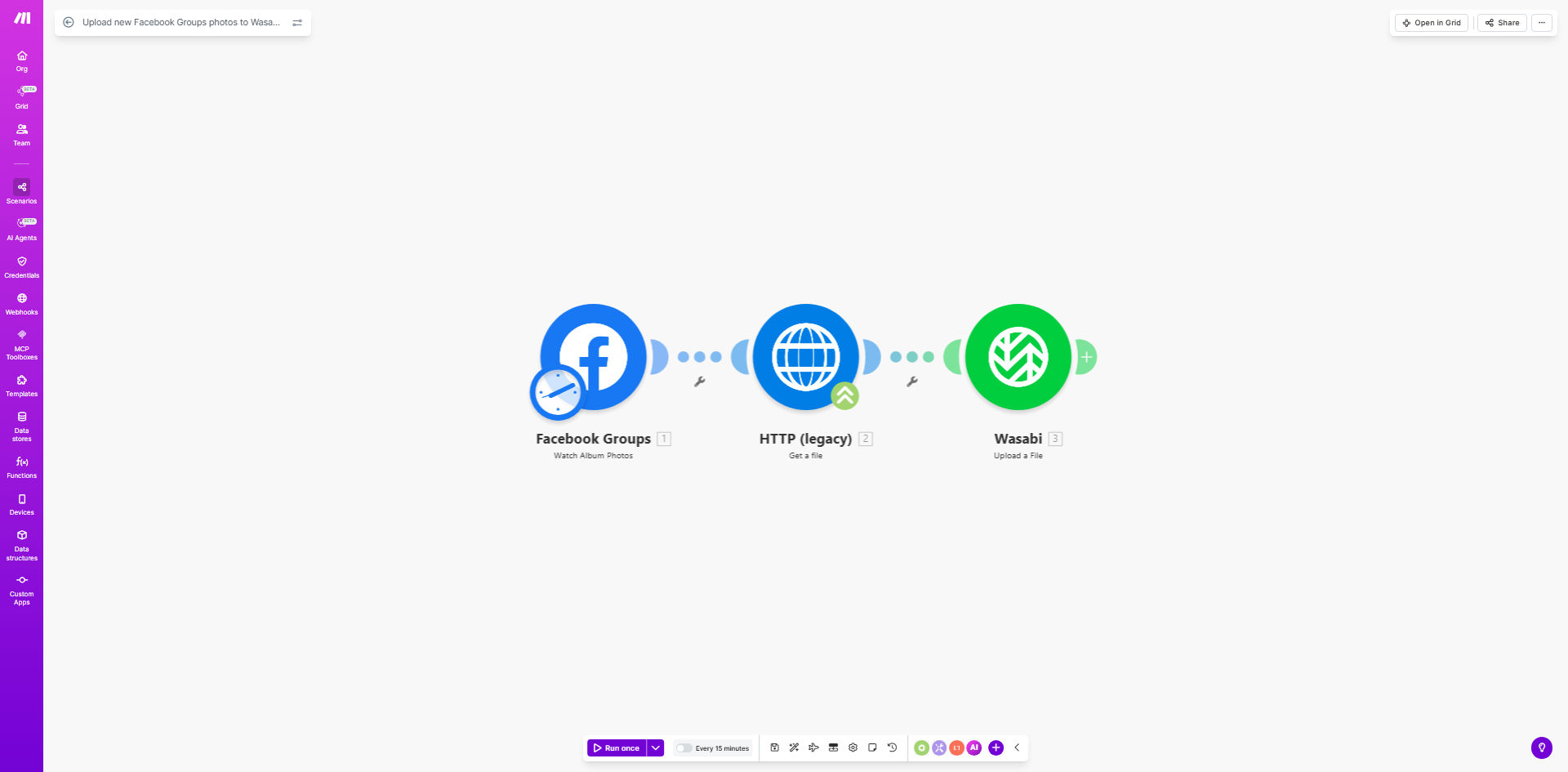
Facebook Groups to Wasabi workflow diagram

What This Workflow Does

This automation solves the common problem of losing valuable photos shared in Facebook Groups. Many community managers, educators, and event organizers rely on Facebook Groups as a photo-sharing hub, but Facebook doesn't provide reliable long-term storage or easy backup options.

The workflow automatically detects new photos added to your Facebook Group albums and uploads them directly to your Wasabi cloud storage. This creates a secure secondary copy of all your group's visual content while maintaining the original folder structure.

How It Works

1. Facebook Group Photo Monitoring

The workflow continuously checks your specified Facebook Group for new photo uploads using Facebook's API. It can monitor specific albums or the entire group's photo feed.

2. Photo Metadata Extraction

For each new photo detected, the system captures important metadata including upload date, uploader information, and any associated captions or comments.

3. Wasabi Cloud Upload

The original photo file is downloaded from Facebook and uploaded to your designated Wasabi bucket. The workflow maintains folder organization matching your Facebook Group structure.

Who This Is For

This automation is ideal for:

  • Community managers running active Facebook Groups
  • Educators using Groups for class photo sharing
  • Event organizers collecting participant photos
  • Small businesses managing customer community Groups
  • Nonprofits archiving volunteer activity photos

What You'll Need

  1. A Facebook Group where you have admin or moderator access
  2. Wasabi cloud storage account with API access enabled
  3. Make.com account (free plan works for basic usage)
  4. Facebook Developer account to create API credentials

Quick Setup Guide

  1. Connect your Facebook account in Make.com using OAuth
  2. Specify which Facebook Group to monitor
  3. Configure your Wasabi storage connection details
  4. Set your preferred folder structure in Wasabi
  5. Test with a new photo upload to verify the flow

Key Benefits

Never lose important group photos again - Facebook's content policies and technical issues can sometimes result in lost photos. This workflow ensures you always have a backup.

Save hours of manual downloading - What would take hours each month to manually download and organize is now fully automated.

Maintain organization automatically - The workflow preserves your existing Facebook Group folder structure in Wasabi.

Compliance-ready archival - Wasabi's immutable storage options help meet data retention requirements for educational or nonprofit groups.

Frequently Asked Questions

Common questions about Facebook Groups and cloud storage automation

Facebook Groups photos are vulnerable to accidental deletion, account suspensions, or platform changes. Cloud storage provides a secure, independent copy you control.

For example, many educators lost years of class photos when Facebook changed group privacy settings. Automated backups prevent such data loss scenarios while maintaining easy access.

Wasabi offers S3-compatible storage at significantly lower costs than major providers, with no egress fees. This makes it ideal for archival purposes.

Unlike some competitors, Wasabi maintains high durability (99.999999999%) while charging flat rates. For Facebook Group backups that may grow large over time, this predictable pricing is valuable.

Yes, with some customization. The template handles one Group by default, but can be expanded to monitor multiple Groups.

Each Group would need its own monitoring trigger in Make.com, with logic to route photos to appropriate Wasabi folders. Our team can help set this up for organizations managing multiple communities.

Facebook API changes would require workflow updates. We monitor these changes and update our templates accordingly.

When Facebook makes breaking API changes, we typically release updated versions of affected workflows within 1-2 business days. Subscribers receive notifications about available updates.

Yes, with workflow modifications. The basic template preserves original files, but can be enhanced with image processing steps.

Common additions include adding copyright watermarks, creating thumbnail versions, or converting to standardized formats. These transformations happen during the backup process before files reach Wasabi.

All connections use encrypted protocols. Facebook API calls use OAuth 2.0, while Wasabi transfers occur over HTTPS with S3-compatible security.

The workflow doesn't store your photos on intermediate servers - files stream directly from Facebook to Wasabi through Make.com's secure infrastructure.

Absolutely. Our team specializes in building custom automation solutions for Facebook Group management and cloud storage workflows.

We can create tailored solutions that handle multiple Groups, add advanced features like facial recognition tagging, or integrate with your existing digital asset management systems. Custom workflows typically take 2-4 weeks to develop and deploy.

  • Free initial consultation
  • No-obligation quote
  • Ongoing support included

Need a Custom Facebook Groups Automation?

This free template is a starting point. Our team builds fully tailored automation systems for your specific business needs.