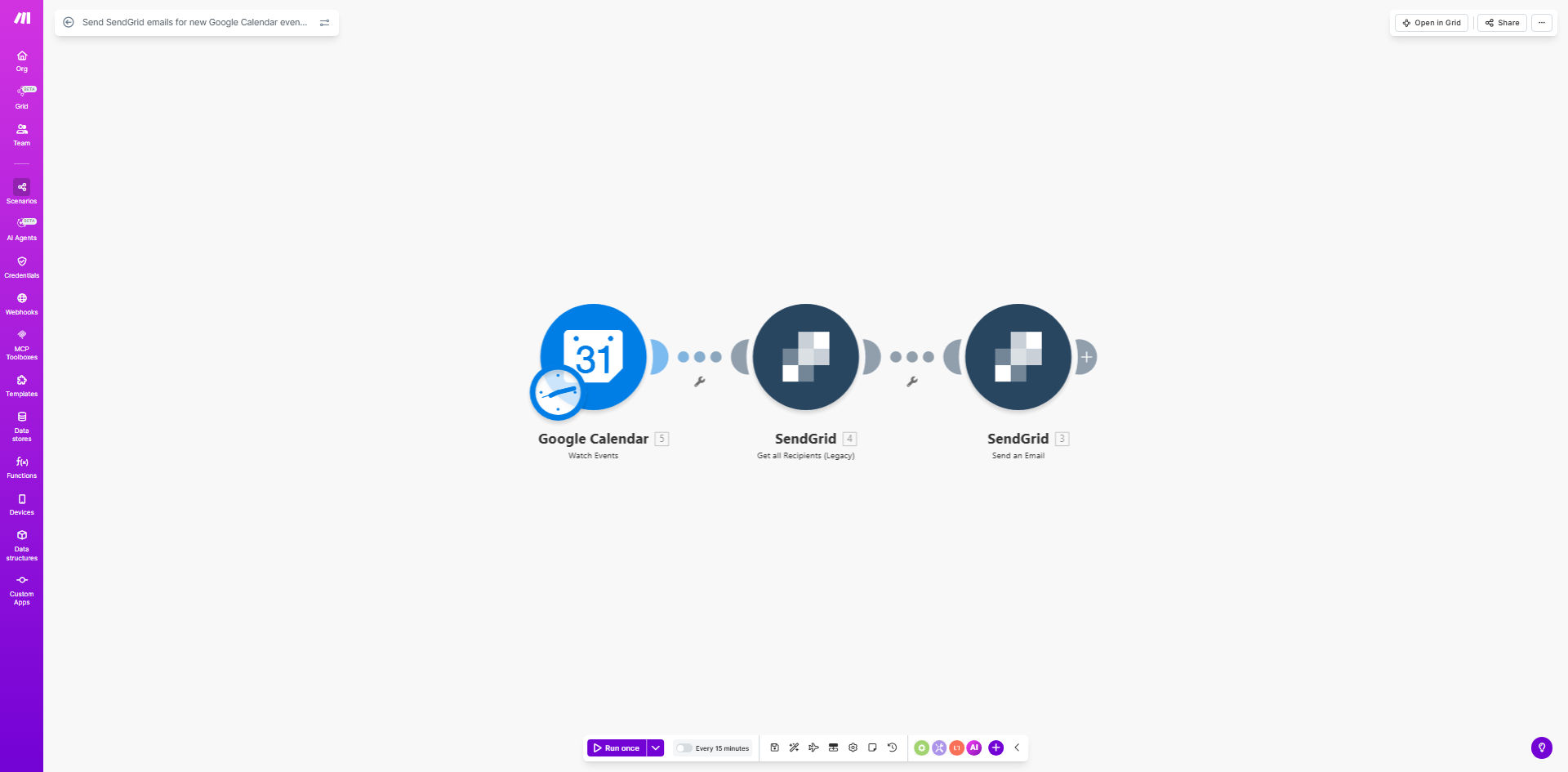
What This Workflow Does
This automation solves the common problem of manually sending email notifications for newly scheduled calendar events. Every time an event is added to your selected Google Calendar, the workflow automatically triggers a professional email through SendGrid to your specified recipients.
The system eliminates the risk of forgetting to send meeting invitations or reminders, ensuring all participants receive timely notifications with event details. It's particularly valuable for businesses that schedule recurring appointments, client meetings, or team events where consistent communication is essential.
How It Works
1. New Event Detection
The workflow monitors your specified Google Calendar for new events. When an event is created, Make.com captures all relevant details including title, description, date/time, and attendees.
2. Data Processing
The system extracts key information from the calendar event and formats it for email delivery. You can customize which fields to include and how they appear in the notification.
3. Email Composition
Using your pre-designed SendGrid template, the workflow populates dynamic fields with event details. The email can include attachments, buttons (like "Add to Calendar"), and personalized content.
4. Recipient Management
Emails are sent to addresses you specify in the workflow setup. You can send to static lists, pull from calendar attendees, or use conditional logic to determine recipients.
5. Delivery Confirmation
SendGrid handles the actual email delivery with enterprise-grade reliability. You'll get delivery reports and can track opens/clicks through SendGrid's dashboard.
Pro tip: Create different SendGrid templates for various event types (meetings vs. webinars) and use calendar event properties to select the appropriate template automatically.
Who This Is For
This automation benefits any business or team that schedules events requiring attendee notifications:
- Consulting firms scheduling client appointments
- Education providers managing class schedules
- Event organizers coordinating webinars or workshops
- Sales teams booking product demos
- HR departments arranging interviews or training sessions
What You'll Need
- A Make.com account (free plan available)
- Google Calendar with events to monitor
- SendGrid account with API access
- Email template designed in SendGrid
- List of recipient email addresses (or method to determine them)
Quick Setup Guide
- Clone the template in your Make.com account
- Connect your Google Calendar account and select which calendar to monitor
- Connect your SendGrid account and select your email template
- Configure recipient settings (static list or dynamic from event)
- Test with a sample calendar event to verify email delivery
- Activate the scenario to begin automated notifications
Key Benefits
Save 3-5 hours per week by eliminating manual email sending for every new calendar event. The automation handles notifications instantly.
Reduce no-shows by 30-40% with consistent, timely reminders that include all event details and any preparatory materials.
Professional communication using SendGrid's templating system ensures branded, well-formatted emails rather than basic calendar invites.
Scalable solution that works equally well for 10 events or 10,000 events per month without additional staff time.
Audit trail through SendGrid's reporting shows exactly when notifications were sent and who received them.