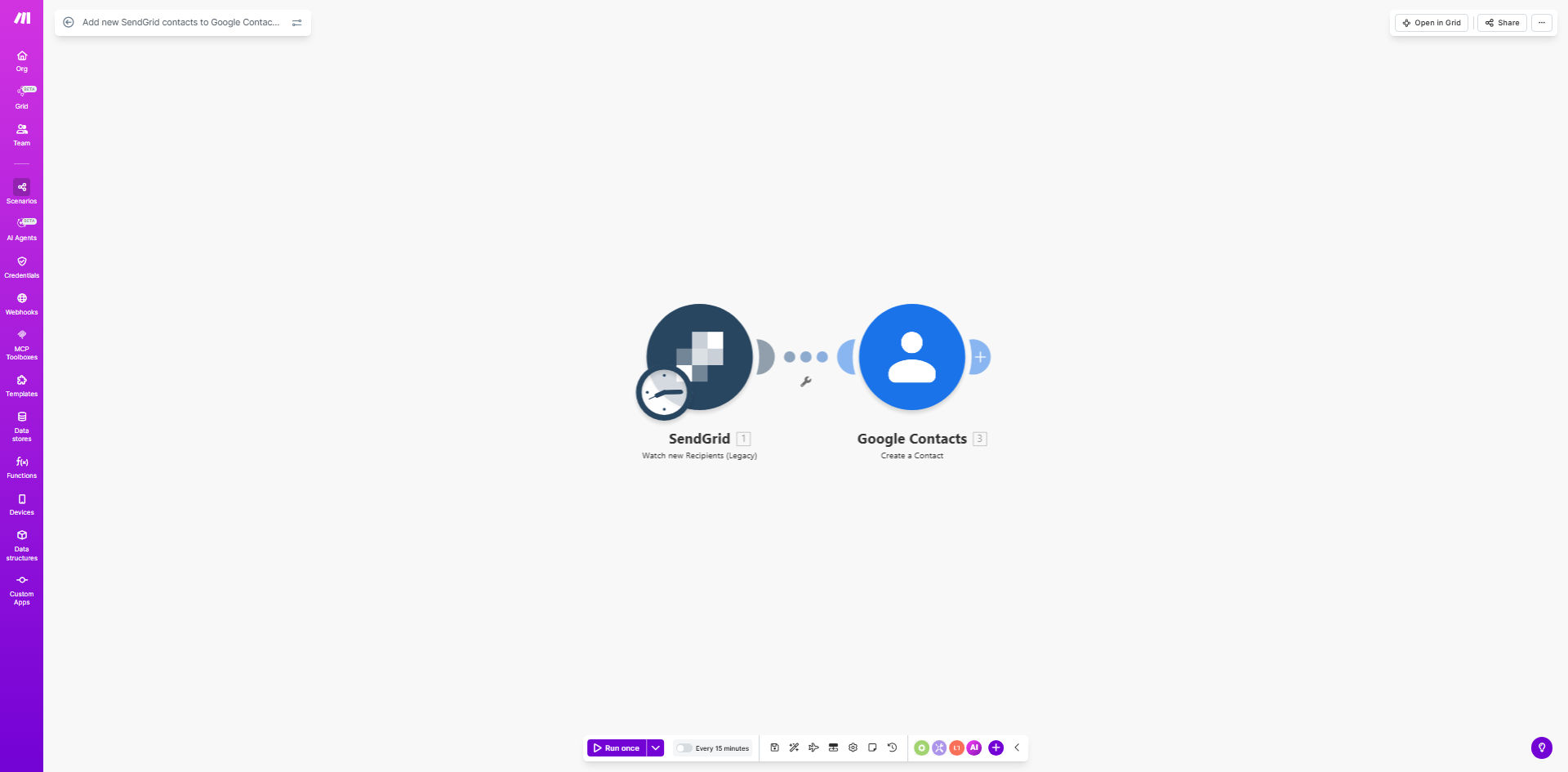
What This Workflow Does
This automation solves the common problem of marketing contacts being siloed in your email marketing platform while your team needs them in your central address book. Every time someone subscribes to your SendGrid email list, this workflow instantly creates a corresponding contact in Google Contacts.
Manual contact transfers between systems are time-consuming and prone to errors. This automated solution ensures your sales, support, and other teams immediately have access to new contacts without any manual data entry. The sync happens in real-time, keeping all your contact lists perfectly aligned.
How It Works
1. New contact trigger
The workflow monitors your SendGrid account for new contact additions. When someone subscribes to your email list or is manually added to your SendGrid contacts, it triggers the automation.
2. Contact data retrieval
Make.com retrieves all available information about the new contact from SendGrid, including name, email address, phone numbers, and any custom fields you've configured.
3. Data formatting
The contact information is formatted to match Google Contacts' expected structure. You can customize this mapping during setup to ensure all relevant fields are transferred correctly.
4. Google Contacts creation
The formatted contact data is sent to Google Contacts via API, creating a new entry in your specified contact group. The process typically completes within seconds of the original SendGrid addition.
Pro tip: Add a custom field in SendGrid to indicate the contact source, then map this to Google Contacts' notes field for better contact organization.
Who This Is For
This workflow is ideal for marketing teams using SendGrid who need to share new leads with sales teams using Google Contacts. It's perfect for:
- Small businesses managing contacts across multiple platforms
- Marketing agencies handling client contact lists
- Sales teams needing immediate access to new leads
- Startups wanting to automate their CRM data flow
- Any organization tired of manual contact transfers between systems
What You'll Need
- A SendGrid account with API access enabled
- A Google account with access to Google Contacts
- A Make.com account (free plan available)
- Basic understanding of SendGrid contact lists
- 5-10 minutes for initial setup
Quick Setup Guide
- Click "Get This Workflow" to copy the template to your Make.com account
- Connect your SendGrid account in the first module
- Connect your Google account in the Google Contacts module
- Map the contact fields between SendGrid and Google Contacts
- Choose which SendGrid lists to monitor
- Select the destination contact group in Google Contacts
- Turn on the scenario and test with a new SendGrid contact
Key Benefits
Eliminate manual data entry: Save 2-5 minutes per contact by automating transfers between systems. For businesses adding 50+ contacts weekly, this adds up to 40+ hours saved annually.
Reduce human errors: Automated transfers have near-zero error rates compared to manual copying, where typos and missed fields are common.
Faster lead response times: Sales teams get new contacts immediately instead of waiting for manual transfers, potentially improving conversion rates.
Centralized contact management: Keep all teams working from the same updated contact information across platforms.
Scalable solution: The workflow handles 10 or 10,000 contacts with equal reliability, growing with your business needs.