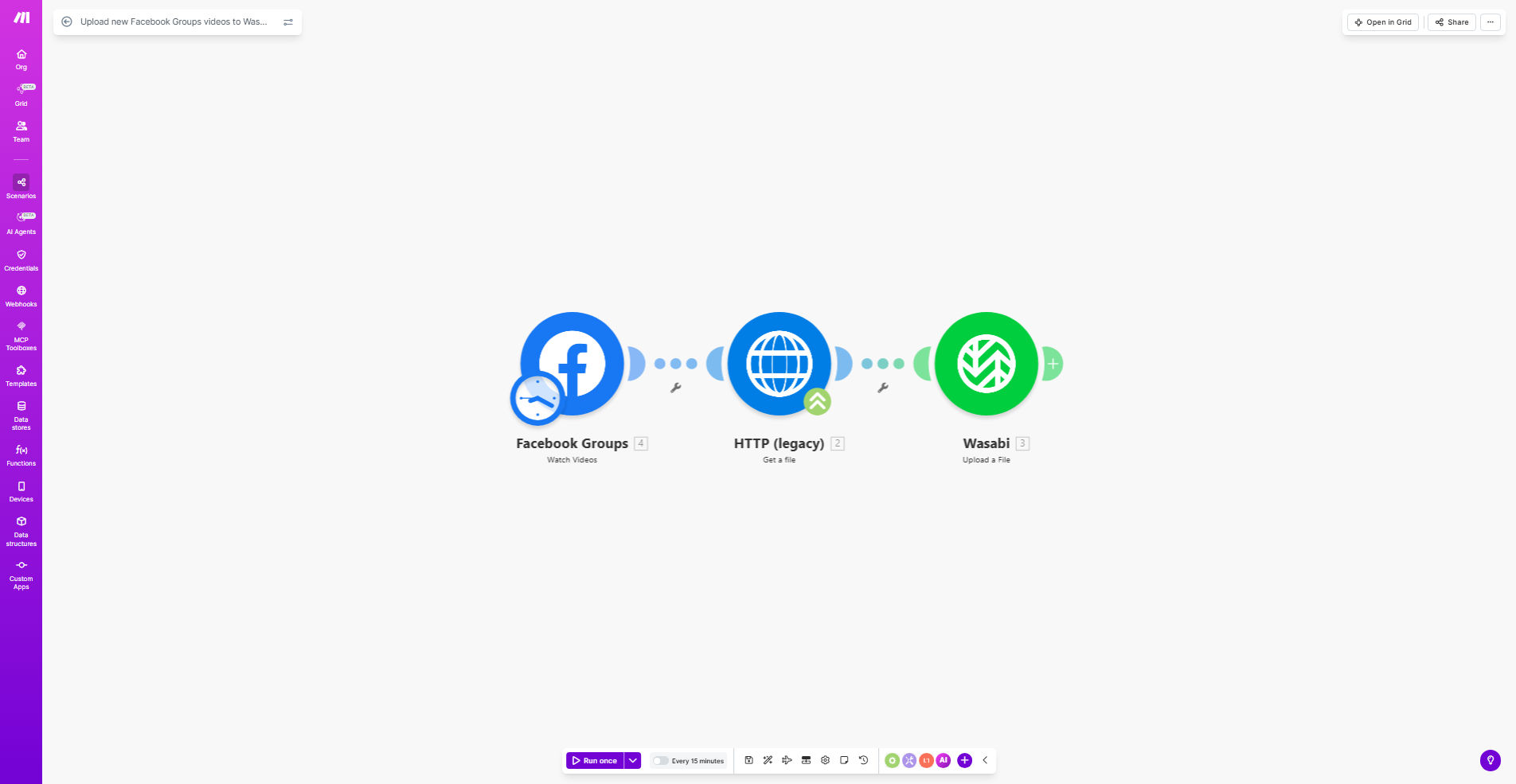
What This Workflow Does
This automation solves the challenge of preserving valuable video content from Facebook Groups. Many community managers and moderators struggle with content disappearing when posts are removed or accounts face restrictions. The workflow automatically detects new videos posted in your Facebook Groups and securely transfers them to your Wasabi cloud storage.
Instead of manually downloading and re-uploading videos—a time-consuming process that's easy to forget—this system creates a reliable backup of all your group's video content. It maintains an organized archive that remains accessible regardless of what happens to the original Facebook posts.
How It Works
1. Monitoring Facebook Groups
The workflow continuously checks your specified Facebook Groups for new video posts using Make.com's Facebook connector. It can monitor multiple groups simultaneously.
2. Detecting New Videos
When a member uploads a video, the system immediately identifies the new content and extracts the video file along with relevant metadata like post date and author information.
3. Transferring to Wasabi
The video file is securely transmitted to your designated Wasabi bucket. You can configure specific folder structures (e.g., by group name or date) for better organization.
4. Confirmation & Logging
The system records each successful transfer and can optionally notify you via email or Slack. Failed transfers trigger automatic retries with error reporting.
Who This Is For
This automation is ideal for:
- Facebook Group administrators managing educational or community content
- Businesses using private groups for customer training or support
- Content creators who want to archive their video posts
- Nonprofits preserving community discussions and events
- Marketing teams maintaining brand content libraries
What You'll Need
- A Facebook account with admin/mod rights to the target groups
- A Wasabi cloud storage account (free trial available)
- A Make.com account (free plan sufficient for basic usage)
- The Facebook Group IDs you want to monitor
- Wasabi bucket name and access credentials
Quick Setup Guide
- Clone the template from Make.com to your account
- Connect your Facebook account in the Facebook module
- Enter the Group IDs you want to monitor
- Configure your Wasabi connection with bucket details
- Set your preferred folder structure naming convention
- Test with a recent video post to verify the transfer
- Activate the scenario to begin automatic monitoring
Pro tip: Create separate buckets or folders for different groups to maintain organization. Consider adding date-based subfolders (YYYY/MM) for easier historical searching.
Key Benefits
Preserve valuable content: Never lose important group videos due to accidental deletions or account issues. Your Wasabi archive remains independent of Facebook's content policies.
Save 2-5 hours weekly: Eliminate manual download/upload routines that typically take community managers 30+ minutes daily.
Cost-effective storage: Wasabi's pricing model (no egress fees) makes video archiving affordable at just $5.99/TB/month.
Future-proof access: Maintain control over your community's video assets regardless of platform changes or content moderation decisions.
Scalable solution: The system automatically handles increased video volume as your groups grow, without additional effort.