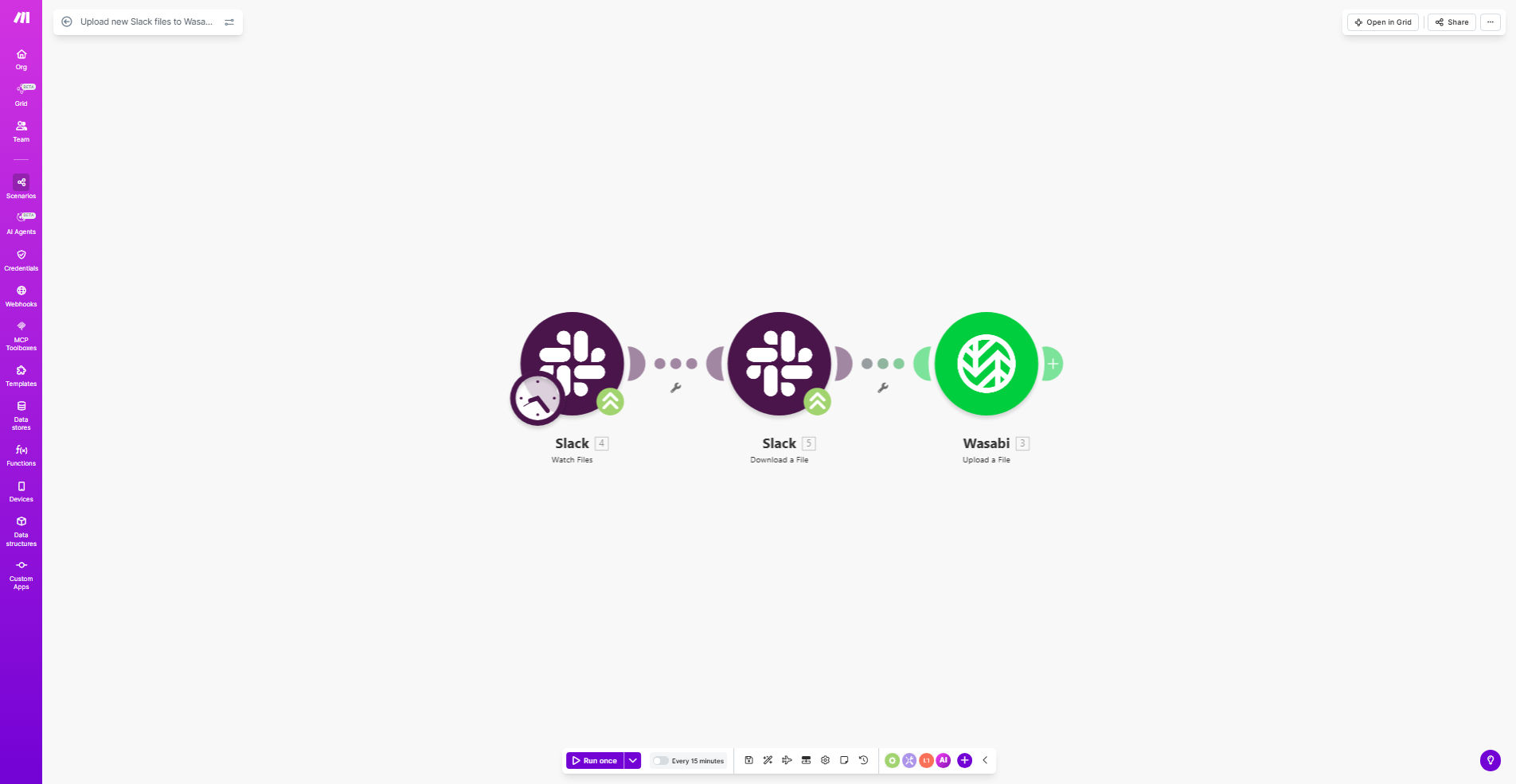
What This Workflow Does
This automation solves the critical business problem of losing important files shared in Slack conversations. Many companies rely on Slack for document sharing, but Slack's file retention policies mean these assets can disappear unexpectedly. The workflow automatically saves every new Slack file to Wasabi cloud storage, creating a secure, searchable archive.
Key benefits include compliance with data retention regulations, protection against accidental file deletion in Slack, and centralized access to all shared files regardless of when they were posted. The system works in real-time, capturing files as soon as they're shared in any channel you specify.
How It Works
1. Slack Trigger
The workflow monitors specified Slack channels for new file uploads using Slack's API. You can configure it to watch all channels or only specific ones relevant to your compliance needs.
2. File Processing
Each new file is processed to extract metadata including uploader, channel, timestamp, and file type. The system can optionally filter files by type (e.g., only backup PDFs and spreadsheets).
3. Wasabi Upload
Files are securely transferred to your Wasabi S3 bucket with automatic folder organization by date and channel. The original Slack metadata is preserved as object tags for future searchability.
Pro tip: Configure Wasabi lifecycle policies to automatically move older files to colder storage tiers, reducing costs while maintaining compliance.
Who This Is For
This automation delivers the most value for:
- Legal and financial teams who share sensitive documents via Slack
- Customer support departments needing to archive case attachments
- Remote teams collaborating on files that need version history
- Companies subject to data retention regulations (HIPAA, FINRA, etc.)
What You'll Need
- A Slack workspace with admin access to create API credentials
- A Wasabi cloud storage account with S3 bucket created
- Make.com account (free tier available)
- 5 minutes to configure the template
Quick Setup Guide
- Duplicate the template in your Make.com account
- Connect your Slack workspace via OAuth
- Enter your Wasabi S3 bucket credentials
- Select which Slack channels to monitor
- Activate the scenario and test with a sample file
Key Benefits
Never lose important Slack files again with automatic backups that preserve all metadata and context. Unlike manual downloads, this captures every file as it's shared.
Reduce compliance risks by maintaining proper retention of business communications and attachments. Wasabi's immutable buckets provide audit-proof storage.
Cut cloud storage costs by using Wasabi's affordable S3-compatible storage instead of paying for Slack's extended file retention.
Improve team productivity with instant access to historical files without digging through Slack history or relying on coworkers to resend lost files.