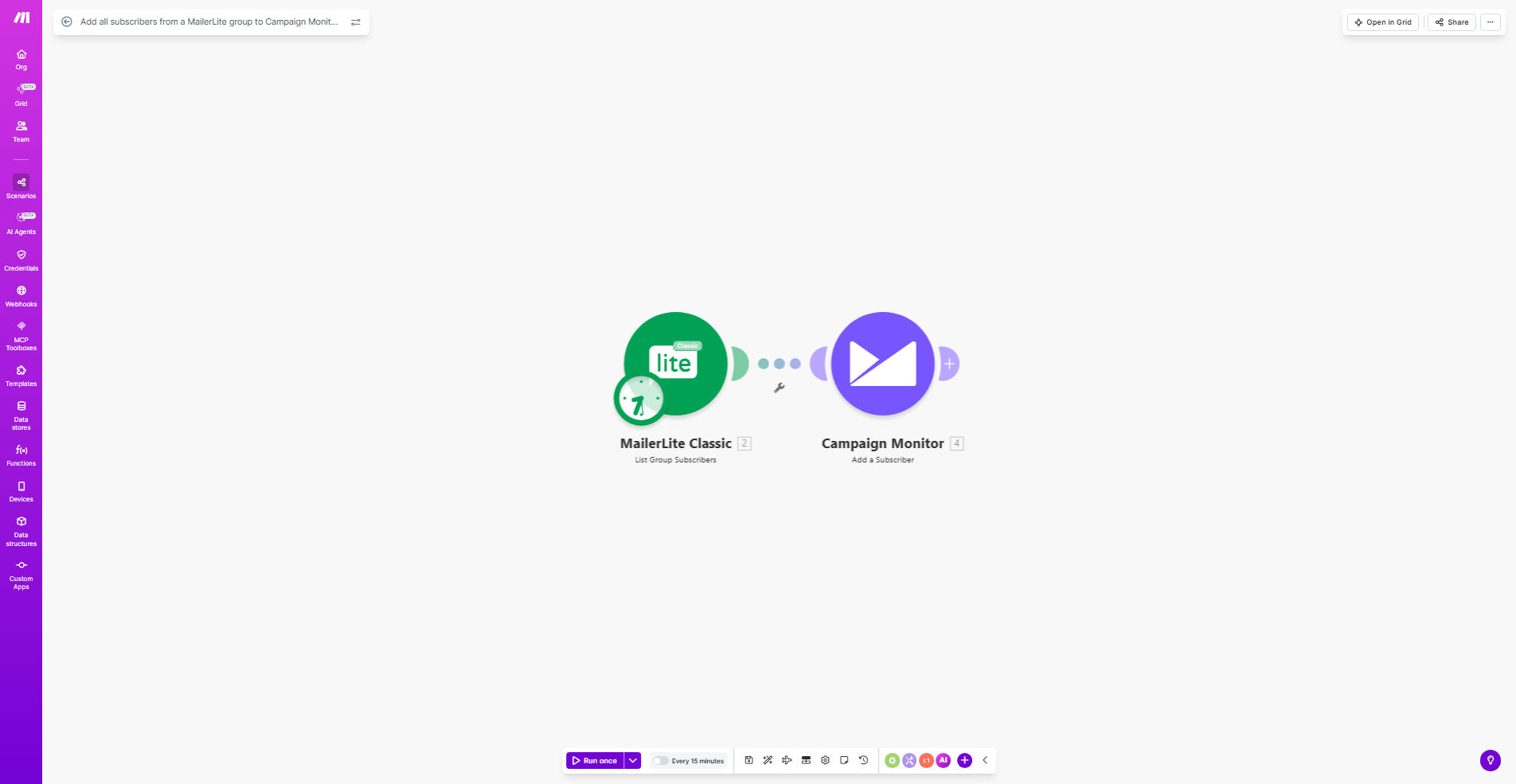
What This Workflow Does
This automation solves a common pain point for businesses transitioning between email marketing platforms or maintaining subscriber lists across multiple services. Instead of manually exporting CSV files from MailerLite and importing them into Campaign Monitor - a process that's time-consuming and prone to errors - this workflow handles the entire transfer automatically.
The template connects to both platforms' APIs to securely pull subscriber data from your specified MailerLite group and push it to your chosen Campaign Monitor list. It preserves essential subscriber information including email addresses, names, and custom fields while handling the technical complexities of API integration behind the scenes.
How It Works
1. Retrieving MailerLite subscribers
The workflow starts by connecting to your MailerLite account via API and fetching all subscribers from your specified group. It handles pagination automatically to ensure all subscribers are retrieved, even from large lists.
2. Processing subscriber data
Each subscriber record is processed to extract relevant information and format it according to Campaign Monitor's API requirements. The system can optionally filter subscribers based on custom criteria you define.
3. Adding to Campaign Monitor
The processed subscriber data is then sent to Campaign Monitor's API, where it's added to your designated list. The workflow includes error handling to manage cases where subscribers already exist in the destination list.
Pro tip: Schedule this workflow to run automatically after your regular MailerLite email broadcasts to keep your Campaign Monitor list continuously updated with new subscribers.
Who This Is For
This automation is ideal for:
- Businesses migrating from MailerLite to Campaign Monitor
- Agencies managing client email lists across different platforms
- Marketing teams maintaining separate lists for different campaigns
- Ecommerce stores syncing customer segments to different email services
What You'll Need
- A Make.com account (free tier available)
- MailerLite API key with appropriate permissions
- Campaign Monitor API credentials
- The MailerLite group ID you want to sync from
- The Campaign Monitor list ID you want to sync to
Quick Setup Guide
- Click "Get This Workflow" to copy the template to your Make.com account
- Connect your MailerLite account in the first module
- Connect your Campaign Monitor account in the destination module
- Enter your MailerLite group ID and Campaign Monitor list ID
- Test with a small group first to verify the mapping
- Schedule the workflow or run it manually as needed
Key Benefits
Save 2-3 hours per list transfer by eliminating manual CSV exports and imports between platforms. What used to be a multi-step process now happens automatically with one click.
Reduce human error in subscriber data transfers. Automated syncing ensures all fields map correctly without typos or formatting issues common in manual processes.
Maintain list hygiene by keeping your Campaign Monitor audience updated whenever your MailerLite group changes. No more outdated or incomplete subscriber lists.
Flexible scheduling options let you run the sync daily, weekly, or triggered by specific events in your marketing workflow.