Email Marketing List Management Automation

Add new AWeber subscribers to Campaign Monitor

Automatically sync new subscribers between these email marketing platforms

Get This Workflow → Make.com · Free Template
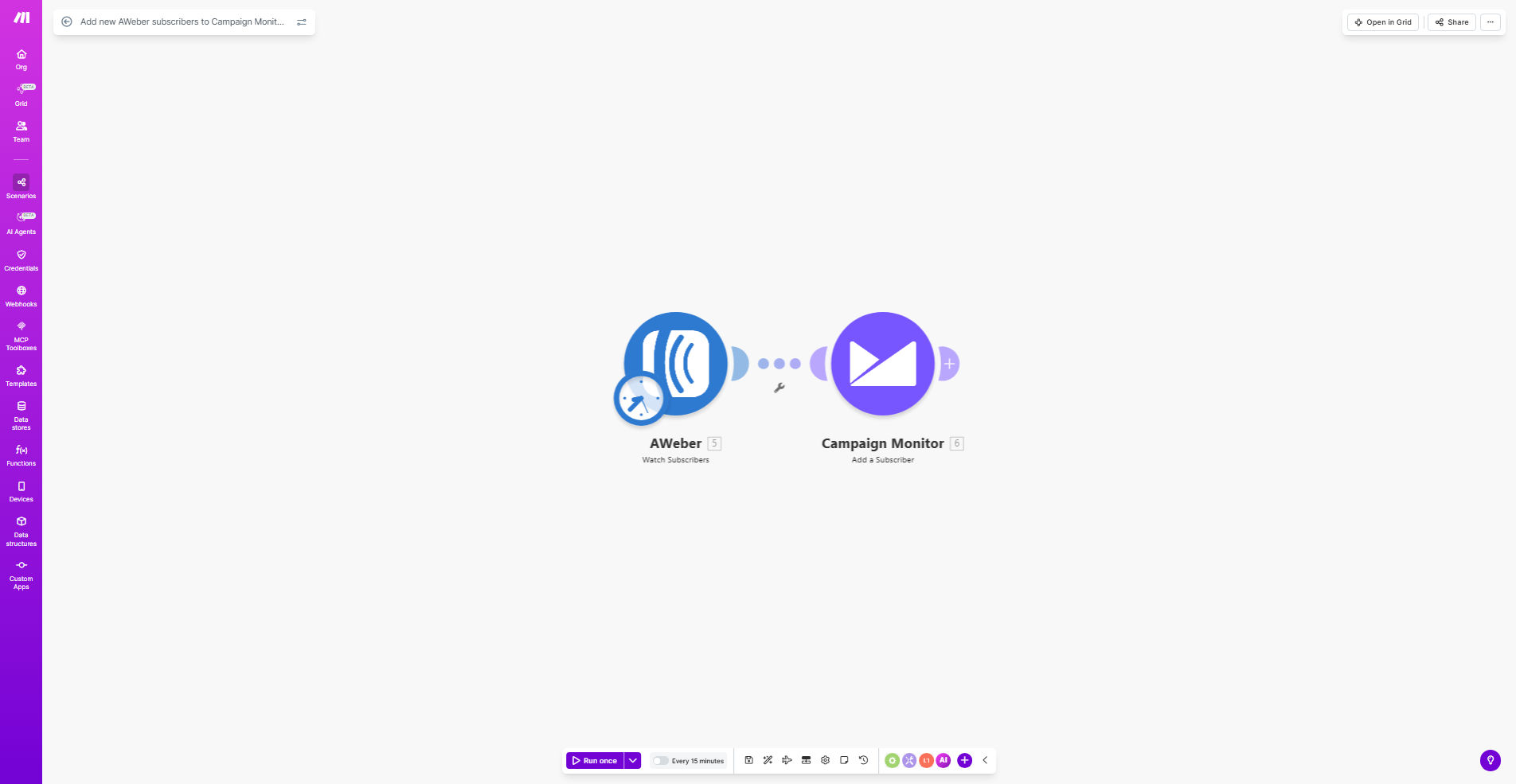
AWeber to Campaign Monitor integration workflow diagram

What This Workflow Does

This automation solves a common pain point for marketers using both AWeber and Campaign Monitor. When you collect new email subscribers through AWeber forms, landing pages, or other sources, they're automatically added to your specified Campaign Monitor lists without any manual work.

The workflow eliminates the need to export/import CSV files or maintain duplicate data entry processes. It ensures your Campaign Monitor lists always reflect your latest AWeber subscribers, helping you maintain list hygiene and campaign effectiveness across both platforms.

How It Works

1. New subscriber trigger

The workflow monitors your AWeber account for new subscribers being added to your lists.

2. Data mapping

Subscriber details (email, name, custom fields) are extracted and formatted for Campaign Monitor's API.

3. List assignment

The subscriber is added to your specified Campaign Monitor list with proper field mapping.

4. Error handling

The system automatically retries failed attempts and notifies you of any persistent issues.

Who This Is For

This automation is ideal for:

  • Marketing teams using AWeber for lead capture but Campaign Monitor for campaigns
  • Agencies managing client accounts across both platforms
  • Businesses transitioning from AWeber to Campaign Monitor who need overlapping coverage
  • Anyone tired of manual subscriber list management between these tools

What You'll Need

  1. Active AWeber account with API access
  2. Campaign Monitor account with API keys
  3. Make.com account (free tier available)
  4. 5 minutes to configure the template

Quick Setup Guide

  1. Click "Get This Workflow" to copy the template to your Make.com account
  2. Connect your AWeber and Campaign Monitor accounts
  3. Specify which AWeber lists to monitor and which Campaign Monitor lists to update
  4. Map the subscriber fields between platforms
  5. Turn on the workflow and test with a new AWeber signup

Pro tip: Create a dedicated "Synced from AWeber" segment in Campaign Monitor to easily track these subscribers separately from other list additions.

Key Benefits

Time savings: Eliminates hours of manual list management each month.

Data accuracy: Reduces human error in subscriber transfers between platforms.

Campaign readiness: Ensures new leads are immediately available for nurture sequences.

Platform flexibility: Lets you use each tool for its strengths while maintaining unified lists.

Frequently Asked Questions

Common questions about email list synchronization

Syncing subscribers between these platforms ensures your email lists stay updated across both systems automatically. This eliminates manual transfers and reduces errors when running campaigns through different platforms.

Many businesses prefer AWeber's signup forms but Campaign Monitor's campaign tools. This workflow gives you the best of both without the administrative overhead.

The workflow transfers subscriber email addresses, names, and any custom fields you configure. You can map specific AWeber fields to corresponding Campaign Monitor fields during setup.

Typical transferred data includes email, first/last name, signup source, and any custom fields like company or job title that exist in both systems.

The sync happens in real-time whenever a new subscriber is added to AWeber. Make.com monitors your AWeber account continuously for new additions.

In testing, we've seen new subscribers appear in Campaign Monitor within 15-30 seconds of signing up through AWeber forms.

Yes, you can add filters to only sync subscribers who meet specific criteria like list membership, tags, or custom field values in AWeber.

For example, you might only sync subscribers who opted in through specific forms or who have particular interest tags applied.

The workflow can be configured to either skip existing subscribers or update their information in Campaign Monitor with the latest data from AWeber.

Most users choose to update existing records to keep all subscriber data current across platforms.

Make.com provides enterprise-grade reliability with automatic retries if any step fails. You'll receive notifications if errors require attention.

In our experience, the workflow successfully processes over 99% of subscriber transfers on the first attempt.

Absolutely. Our team specializes in building tailored email marketing automation systems that connect all your tools and workflows.

We can create custom solutions that integrate AWeber, Campaign Monitor, and any other platforms you use with your unique business logic and processes.

  • Custom field mappings and transformations
  • Multi-step nurture sequences across platforms
  • Advanced segmentation logic

Need a Custom Email Marketing Automation?

This free template is a starting point. Our team builds fully tailored automation systems for your specific business needs.