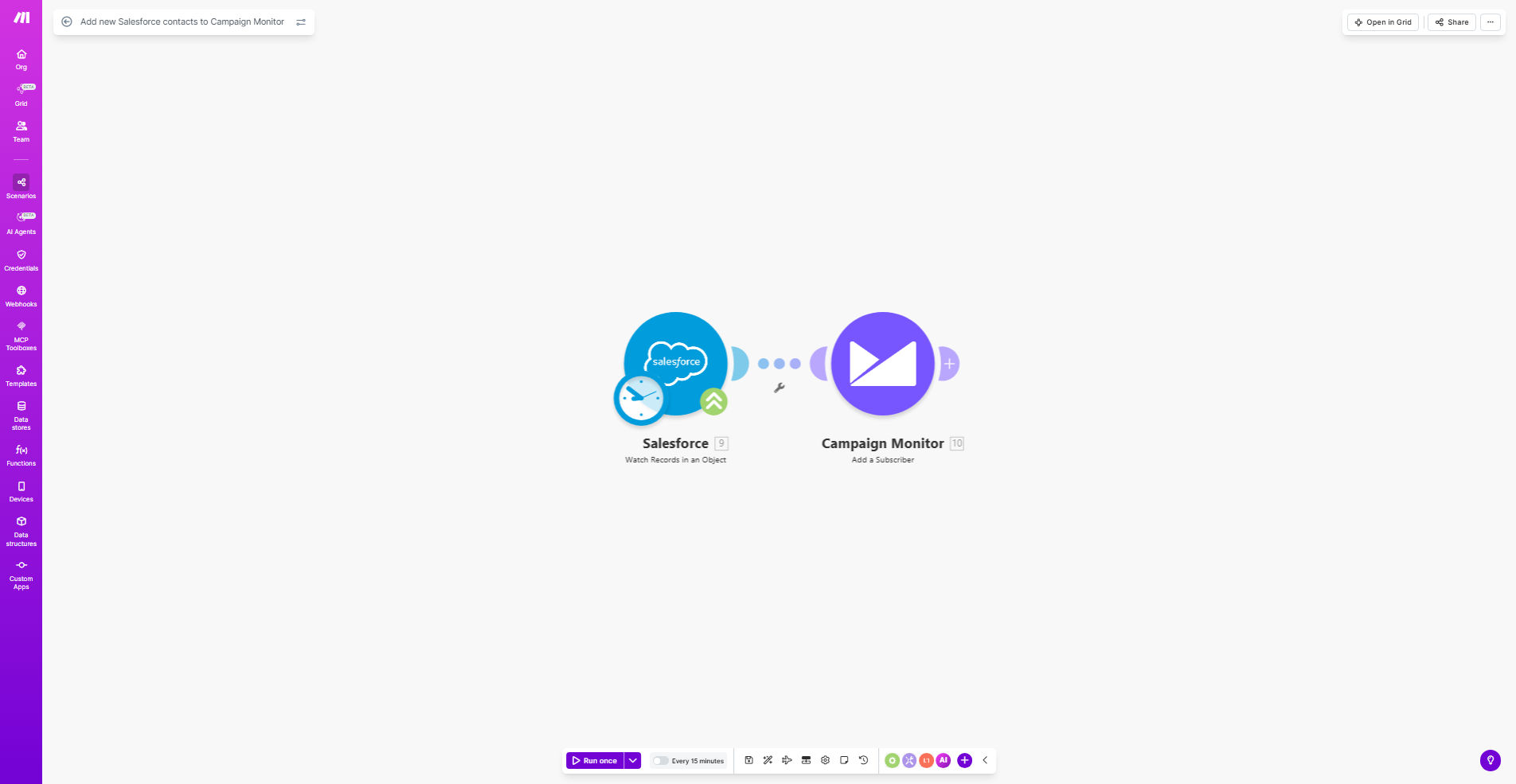
What This Workflow Does
This automation solves the common challenge of manually transferring new Salesforce contacts to email marketing platforms like Campaign Monitor. Marketing teams often waste hours each week copying and pasting contact details between systems, risking data errors and delayed campaign delivery.
The workflow automatically detects new contact records in Salesforce and adds them as subscribers to your specified Campaign Monitor list. It maintains data integrity by mapping Salesforce fields to corresponding Campaign Monitor fields, ensuring all relevant contact information transfers accurately.
How It Works
1. New Contact Detection
The workflow monitors Salesforce for newly created contact records using real-time triggers or scheduled checks.
2. Data Validation
Each contact is validated to ensure required fields (like email address) are present and properly formatted before processing.
3. Field Mapping
Configured field mappings transfer Salesforce data to the correct Campaign Monitor subscriber fields, including custom fields.
4. List Subscription
The contact is added to your specified Campaign Monitor list with all mapped data, ready for email campaigns.
Pro tip: Add a custom field in Salesforce to track which contacts have been synced, creating an audit trail for troubleshooting.
Who This Is For
This automation benefits:
- Marketing teams managing Salesforce leads and email campaigns
- Businesses with high lead volume needing efficient list management
- Organizations wanting to ensure no leads fall through the cracks
- Teams looking to reduce manual data entry errors
What You'll Need
- A Make.com account (free plan available)
- Salesforce account with API access
- Campaign Monitor account with API keys
- Admin access to both platforms for initial setup
- Clear field mapping plan between systems
Quick Setup Guide
- Install the template in your Make.com account
- Connect your Salesforce and Campaign Monitor accounts
- Specify which Salesforce object contains contacts
- Select your target Campaign Monitor list
- Map Salesforce fields to Campaign Monitor fields
- Test with sample data before activating
Key Benefits
Eliminate manual data entry - Save 2-5 hours per week typically spent transferring contacts between systems.
Improve campaign timing - New leads enter your email funnel immediately after Salesforce capture.
Reduce human errors - Automated field mapping prevents typos and missed fields.
Maintain list hygiene - Consistent data formatting improves email deliverability.
Scale effortlessly - Handles contact volume increases without additional staff time.