Make.com Email Marketing Form Automation Campaign Monitor Jotform

Automatically Add Campaign Monitor Subscribers from Jotform Entries

Never miss a lead again - instantly grow your email list from form submissions

Get This Workflow → Make.com · Email Marketing · Free Template
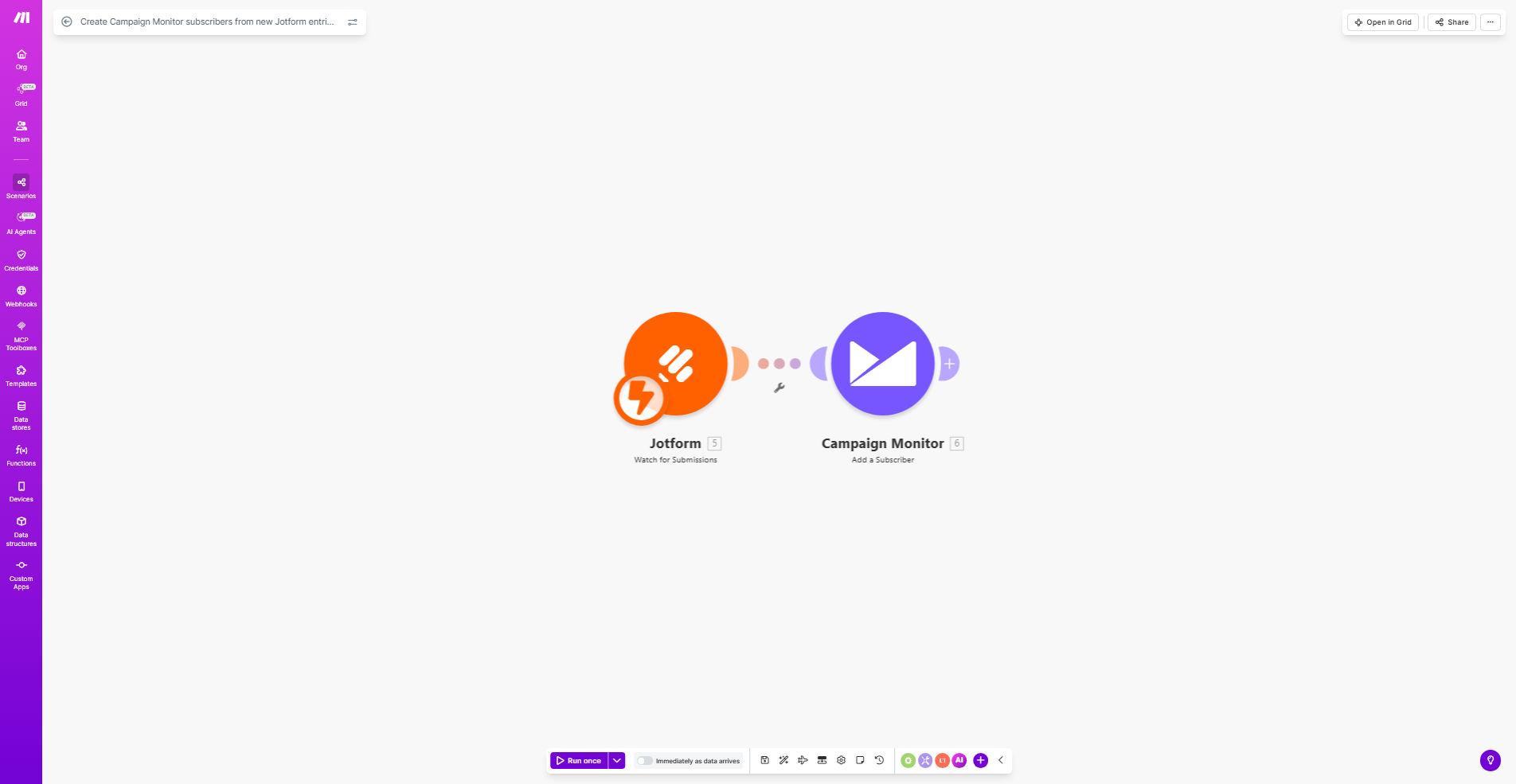
Make.com workflow diagram showing Jotform to Campaign Monitor integration

What This Workflow Does

This automation solves the common problem of lost leads and manual data entry between form submissions and email marketing systems. Every time someone fills out your Jotform, their information is automatically added as a subscriber to your Campaign Monitor email list without any manual intervention.

The workflow eliminates the risk of human error in transcribing form data and ensures immediate follow-up opportunities through your email marketing campaigns. It's particularly valuable for businesses running lead generation forms, event registrations, or customer feedback surveys who want to grow their email lists efficiently.

How It Works

1. New Jotform Submission Trigger

The workflow monitors your Jotform account for new submissions. Each time someone completes your form, it instantly triggers the automation process.

2. Data Extraction and Mapping

Make extracts the relevant form fields (name, email, custom fields) and maps them to corresponding Campaign Monitor subscriber fields according to your configuration.

3. Campaign Monitor Integration

The system connects to your Campaign Monitor account via API and creates a new subscriber with all the mapped information. You can specify which list they should be added to.

4. Optional Custom Fields

The workflow can also populate custom fields in Campaign Monitor with additional form data, enabling more sophisticated segmentation and personalization in your email campaigns.

Who This Is For

This automation is ideal for:

  • Marketing teams wanting to streamline lead capture
  • Event organizers needing automatic attendee email list updates
  • Ecommerce businesses collecting customer feedback
  • Nonprofits managing donor communications
  • Educators handling course registrations

What You'll Need

  1. An active Jotform account with at least one form
  2. A Campaign Monitor account with API access enabled
  3. A Make.com account (free plan sufficient for basic usage)
  4. Basic understanding of your form fields and desired subscriber fields

Quick Setup Guide

  1. Copy the template to your Make.com account
  2. Connect your Jotform account in the trigger module
  3. Connect your Campaign Monitor account in the action module
  4. Map your form fields to Campaign Monitor subscriber fields
  5. Specify which Campaign Monitor list to add subscribers to
  6. Test with a form submission and verify the subscriber appears
  7. Turn on the scenario to go live

Pro tip: Add a custom field in Jotform asking how they heard about you, then use this to tag subscribers in Campaign Monitor for better segmentation.

Key Benefits

Save 5+ hours per month by eliminating manual data entry between forms and email marketing platforms. Your team can focus on creating campaigns rather than administrative work.

Capture 100% of leads with instant, error-free transfers from form to email list. No more lost opportunities due to human oversight or data entry mistakes.

Improve email campaign performance by starting customer journeys immediately after form submission when interest is highest.

Maintain data consistency across platforms with automated field mapping that follows your exact specifications every time.

Scale your lead generation without proportional increases in administrative workload as your form submissions grow.

Frequently Asked Questions

Common questions about email list automation and integration

Automating email list building ensures you never miss capturing a lead from form submissions. Manual processes often lead to missed opportunities when team members forget to add contacts or make data entry errors.

For example, a real estate agency using automation saw their lead-to-email conversion rate increase from 78% to 99.9% while reducing administrative time by 85%.

  • Eliminates manual data transfer errors
  • Operates 24/7 without supervision
  • Provides instant lead follow-up capability

You can transfer any form field data including name, email, phone numbers, custom fields, and submission metadata. The workflow maps these fields to corresponding Campaign Monitor subscriber fields automatically.

A fitness studio uses this to track which class types respondents are interested in, then sends targeted email sequences about those specific classes.

By capturing leads immediately, you can start nurturing them faster through email sequences. Faster lead follow-up increases conversion rates by 7x on average according to Harvard Business Review.

Automation also reduces the labor costs associated with manual list management while improving data accuracy for better segmentation and targeting.

Yes, the workflow can tag subscribers or add them to specific lists based on their form responses. This enables highly targeted email campaigns.

For instance, a software company segments trial signups by business size (small/medium/enterprise) and sends appropriately scaled onboarding sequences.

  • Create dynamic segments from dropdown responses
  • Tag subscribers based on checkbox selections
  • Route to different lists by lead score thresholds

The workflow can be configured to either skip existing subscribers or update their information with the new form data. This prevents duplicate entries while keeping contact information current.

Most businesses choose to update existing records to maintain the most recent customer information, especially for fields like job titles or phone numbers that may change over time.

Automated workflows have near-perfect reliability when properly configured. They operate 24/7 without human error, ensuring every qualified form submission becomes a subscriber.

The system provides detailed logs of all transfers for accountability and troubleshooting. You can review exactly when each subscriber was added and what data was transferred.

Absolutely. Our team specializes in building tailored email marketing automations that connect your specific forms with your email service provider. We handle complex integrations that go beyond basic field mapping.

For a client in the healthcare sector, we built a system that validates form submissions against their CRM before adding to email lists, with custom consent tracking for GDPR compliance.

  • Custom conditional logic based on form responses
  • Integration with your existing CRM or database
  • Specialized compliance features for regulated industries

Need a Custom Email List Automation?

This free template is a starting point. Our team builds fully tailored automation systems for your specific business needs.