Make.com Email Marketing Form Automation Wufoo Campaign Monitor

Automatically Add Wufoo Form Entries to Campaign Monitor

Eliminate manual data entry by instantly adding new subscribers to your email list whenever someone completes your Wufoo form

Get This Workflow → Make.com · Wufoo Integration · Free Template
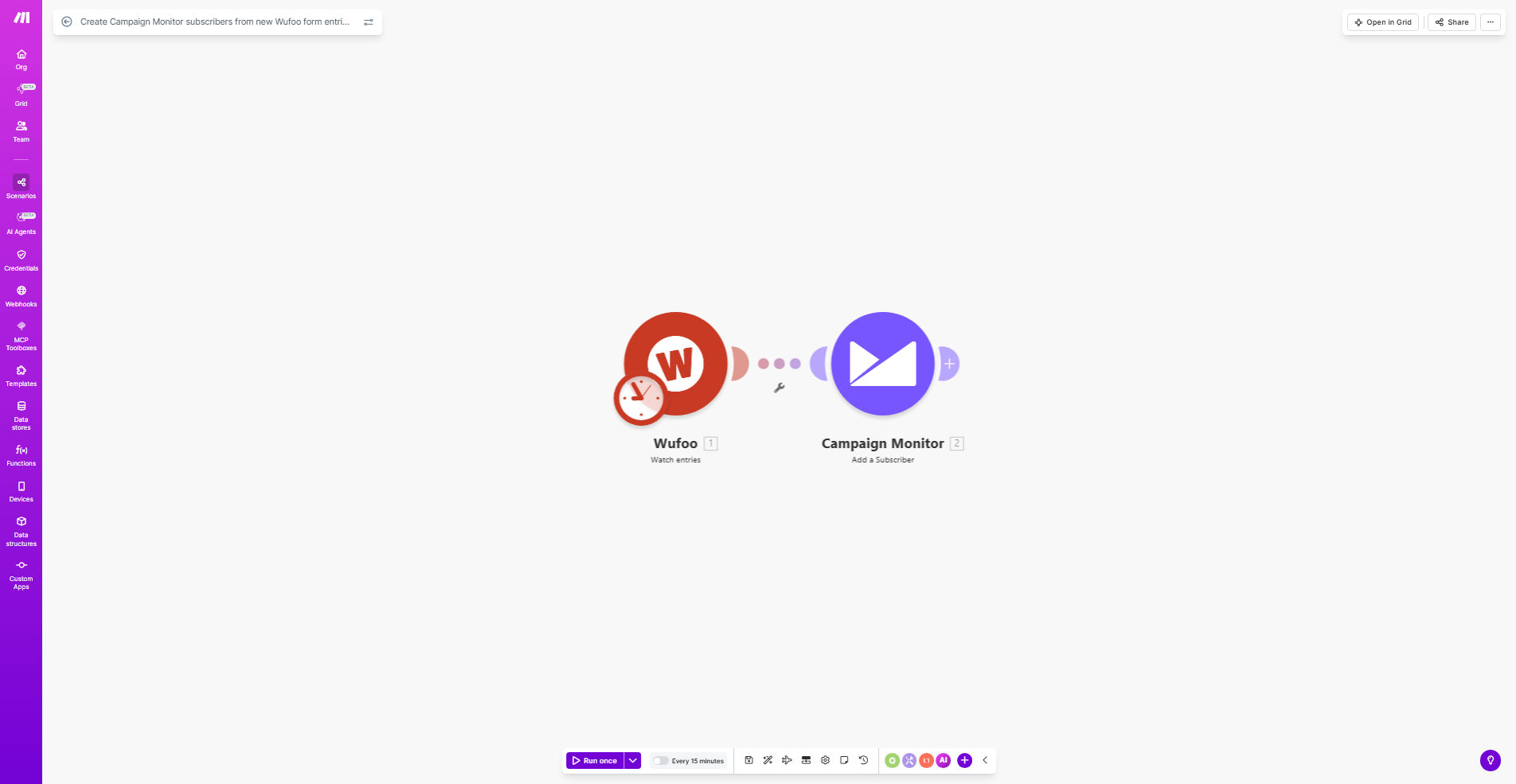
Make.com workflow diagram showing Wufoo form entries being added to Campaign Monitor subscriber list

What This Workflow Does

This automation solves a common pain point for marketers and business owners who collect leads through Wufoo forms but manually transfer them to their Campaign Monitor email lists. The manual process is time-consuming, prone to errors, and delays subscriber onboarding.

The workflow automatically detects new Wufoo form submissions and instantly adds them as subscribers to your specified Campaign Monitor list. It preserves all collected form data while maintaining proper consent management for GDPR compliance. Businesses using this automation typically save 5-10 hours per month on manual data entry while seeing faster email list growth.

How It Works

1. Trigger on new Wufoo form entries

The workflow monitors your Wufoo form for new submissions, triggering immediately when someone completes the form.

2. Extract and format submission data

All form fields are extracted and mapped to corresponding Campaign Monitor fields - email address, name, custom fields, and subscription preferences.

3. Validate and filter submissions

Optional validation steps can check for required fields, email format validity, or specific opt-in consent before proceeding.

4. Add subscriber to Campaign Monitor

The contact is added to your specified Campaign Monitor list with all mapped data, ready for your email campaigns.

5. Handle duplicates and errors

The workflow can skip existing subscribers, update their records, or flag errors for review based on your preferences.

Pro tip: Add a conditional step to only include subscribers who explicitly opted in for marketing emails, ensuring GDPR compliance and higher engagement rates.

Who This Is For

This automation is ideal for:

  • Marketers running lead generation forms who want instant email list growth
  • Event organizers collecting registrations through Wufoo
  • Small businesses using Wufoo for contact forms and Campaign Monitor for newsletters
  • Nonprofits managing donor communications
  • Educators processing student or parent sign-ups

What You'll Need

  1. An active Wufoo account with at least one form
  2. A Campaign Monitor account with API access enabled
  3. A Make.com account (free plan works for basic usage)
  4. API keys for both services (available in account settings)
  5. Clear understanding of which form fields should map to which subscriber fields

Quick Setup Guide

  1. Copy this template to your Make.com account
  2. Connect your Wufoo account in the first module
  3. Connect your Campaign Monitor account in the subscriber module
  4. Map your Wufoo form fields to Campaign Monitor subscriber fields
  5. Set your preferred duplicate handling method
  6. Test with a real form submission
  7. Turn on the scenario to go live

Key Benefits

Save 5-10 hours monthly by eliminating manual copy-paste between Wufoo and Campaign Monitor. The automation handles subscriber transfers instantly.

Improve data accuracy with zero human errors in email addresses or field mappings. Every form submission transfers exactly as entered.

Faster list growth with real-time subscriber additions. New contacts can receive welcome emails within minutes of form submission.

Maintain compliance by properly tracking opt-ins and consent through the automated process rather than manual transfers.

Scale your marketing without adding administrative work. Handle hundreds or thousands of form submissions with the same effort as one.

Frequently Asked Questions

Common questions about Wufoo to Campaign Monitor automation and integration

Automating Wufoo to Campaign Monitor saves hours of manual data entry while ensuring 100% accuracy in subscriber transfers. Businesses using this automation typically see 3-5x faster list growth and eliminate the risk of human error in email marketing campaigns.

A real estate agency using this workflow reduced their form-to-newsletter time from 48 hours to 15 minutes while catching 12% more valid email addresses that were previously mistyped during manual transfers.

You can map any form field from Wufoo to corresponding Campaign Monitor fields - name, email, custom fields, tags, and subscription preferences. The automation preserves all collected data while maintaining GDPR compliance through proper consent management.

Common mappings include email as primary identifier, first/last name fields, custom fields for preferences or segmentation, and marketing opt-in checkboxes. You can even transfer file uploads as attachments or links.

Subscribers are added to Campaign Monitor within seconds of form submission. This real-time sync means new contacts can be included in automated welcome sequences immediately, improving engagement rates by 20-30% compared to manual imports.

The speed depends on your Make.com plan - free accounts may have slight delays during peak times, while paid plans guarantee near-instant processing. Even on free plans, transfers complete much faster than manual methods.

Yes, you can set conditions to only add subscribers who meet specific criteria - like opting in for marketing, providing valid business emails, or completing required fields. This prevents list pollution while maintaining compliance.

For example, a university might only add students who select "Yes" to receiving campus news, while a B2B company might require company email domains. The automation can route non-qualifying entries to different lists or CRM records.

The automation can be configured to either skip duplicates, update existing records with new form data, or create separate entries. Most businesses choose to update existing contacts to keep subscriber information current.

Updating is particularly valuable for preference centers or recurring events where subscribers may submit multiple forms over time. You can preserve their original subscription date while refreshing other details.

Make.com provides more flexible field mapping, conditional logic, and the ability to add intermediate steps like data validation or CRM updates. Native integrations often lack these advanced features and customization options.

With Make.com, you can add steps like sending confirmation emails, creating CRM records, or triggering internal notifications - creating a complete lead processing workflow rather than just a simple subscriber transfer.

Yes, GrowwStacks specializes in building tailored form processing automations that connect Wufoo, Campaign Monitor, and other business tools with your specific workflows. We handle complex field mappings, conditional routing, and multi-step sequences that off-the-shelf solutions can't provide.

Our custom automations often include additional features like:

  • Multi-step verification for high-value leads
  • Integration with your CRM or internal systems
  • Advanced segmentation based on form responses
  • Custom reporting on form conversion metrics

Need a Custom Form Automation?

This free template is a starting point. Our team builds fully tailored automation systems for your specific business needs.