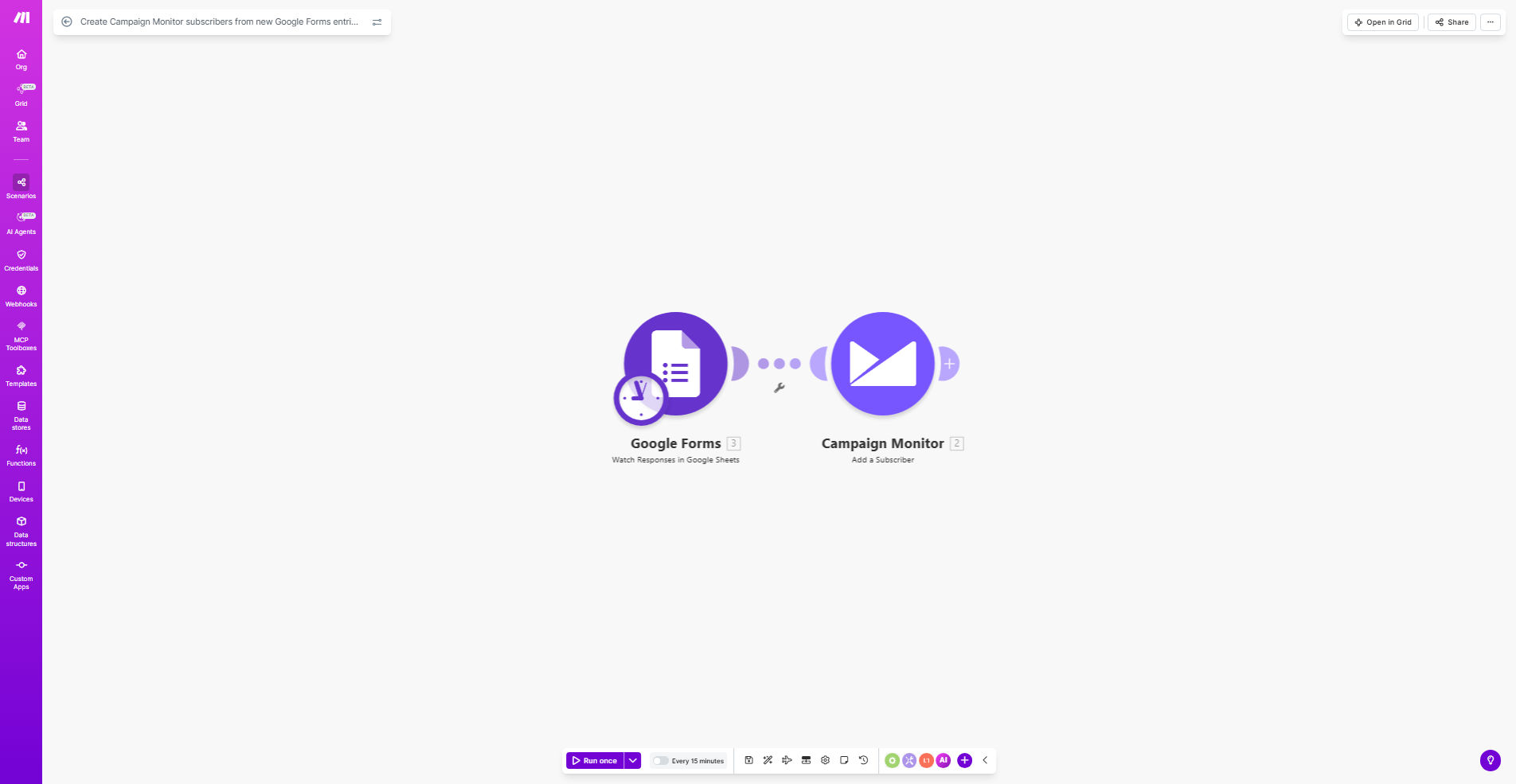
What This Workflow Does
This automation solves the tedious manual process of transferring new leads from Google Forms submissions to your Campaign Monitor email list. Every time someone completes your form - whether it's an event registration, contact request, or newsletter signup - their information automatically becomes a subscriber in your chosen Campaign Monitor list.
The workflow eliminates spreadsheet exports, copy-pasting email addresses, and the inevitable human errors that come with manual data entry. It ensures your email marketing campaigns reach everyone who's expressed interest through your forms while maintaining accurate subscriber records.
How It Works
1. New form submission triggers the workflow
The automation monitors your specified Google Form for new responses. Each submission instantly initiates the workflow without any manual intervention.
2. Data extraction and formatting
The system extracts all relevant information from the form response, including email addresses, names, and any custom fields you've configured. It formats this data to match Campaign Monitor's subscriber requirements.
3. Subscriber creation in Campaign Monitor
The workflow connects to your Campaign Monitor account via API and creates a new subscriber with all the collected information. You can specify which list they should be added to and configure any tags or custom fields.
Pro tip: Use hidden fields in your Google Form to capture additional metadata like the submission timestamp or source URL, which can then be passed to Campaign Monitor as custom fields.
Who This Is For
This automation is ideal for:
- Marketers who collect leads through forms and want to grow their email lists efficiently
- Event organizers needing to automatically add registrants to email sequences
- Businesses running webinars or courses with signup forms
- Nonprofits managing volunteer or donation form responses
- Any team using Google Forms where respondents should receive email follow-ups
What You'll Need
- A Google Forms form collecting email addresses
- A Campaign Monitor account with API access enabled
- A Make.com account (formerly Integromat)
- Basic understanding of how to connect APIs in Make.com
Quick Setup Guide
- Copy this template to your Make.com account
- Connect your Google Forms account in the first module
- Connect your Campaign Monitor account in the second module
- Map the form fields to corresponding Campaign Monitor fields
- Specify which Campaign Monitor list should receive new subscribers
- Test with a form submission and verify the subscriber appears correctly
Key Benefits
Save 5-10 hours per month by eliminating manual subscriber management. No more exporting CSVs or copying email addresses between systems.
Reduce human error with automated data transfer that maintains perfect consistency between form responses and subscriber records.
Improve email campaign effectiveness by ensuring your list includes every interested contact immediately after they submit your form.
Maintain compliance with clear records of when and how subscribers opted into your communications.
Enable advanced segmentation by passing form response data to Campaign Monitor for targeted messaging.