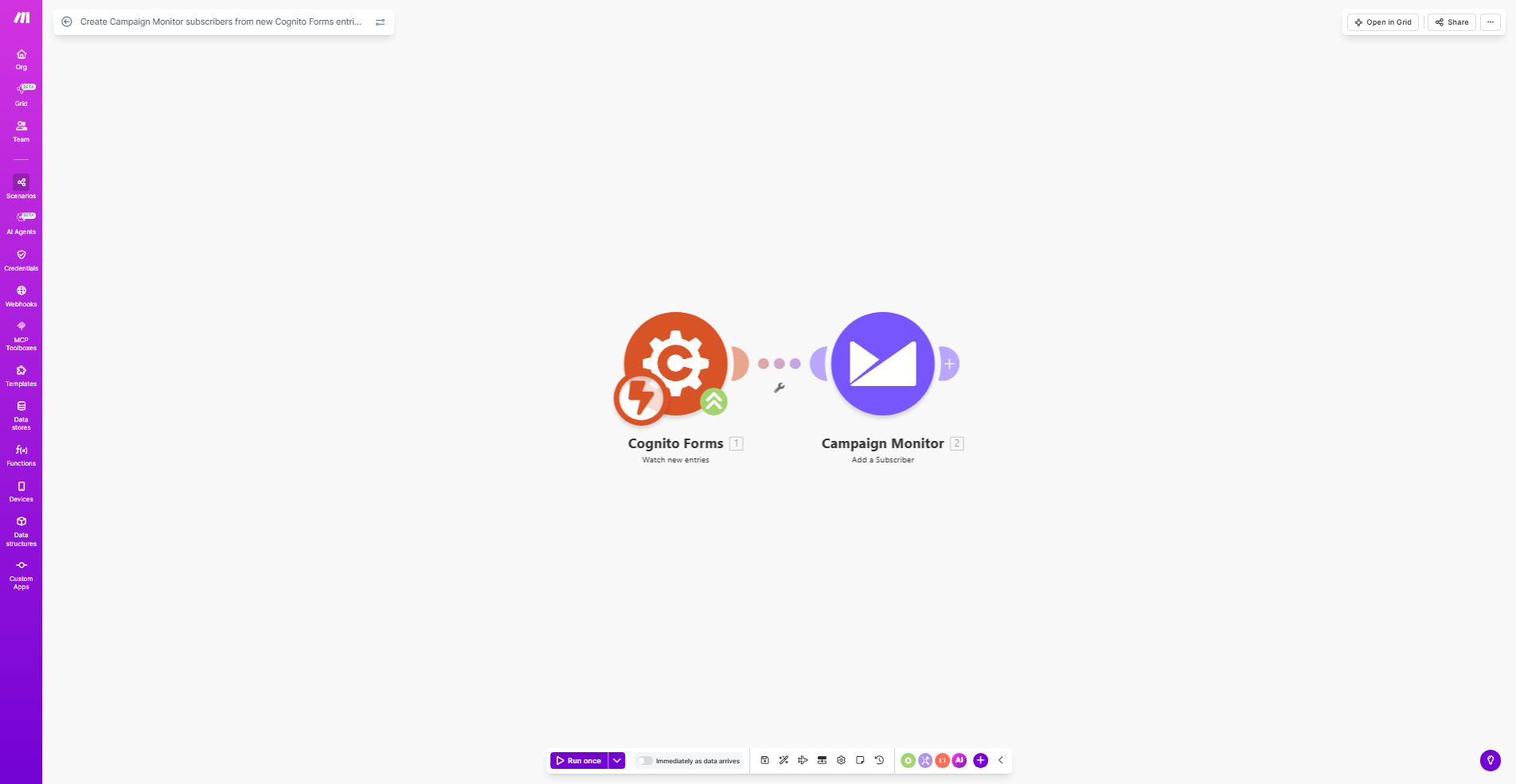
What This Workflow Does
This automation solves the common problem of leads getting stuck between your contact forms and email marketing system. When potential customers fill out your Cognito Form, their information often sits dormant until someone manually transfers it to Campaign Monitor. This delay creates missed opportunities and increases the risk of human error in data entry.
The workflow automatically captures every form submission and instantly adds the contact as a subscriber to your designated Campaign Monitor list. It handles field mapping between systems, ensuring names, email addresses, and custom form data flow accurately into your email marketing platform. This creates a seamless lead-to-nurture pipeline that operates 24/7 without manual intervention.
How It Works
1. New form submission trigger
The workflow monitors your Cognito Forms account for new entries. Each time someone completes your form, it instantly triggers the automation process.
2. Data validation and processing
The system checks for required fields (like email address), validates formatting, and applies any spam filters you've configured. This ensures only qualified leads proceed to the next step.
3. Campaign Monitor subscriber creation
Validated form data is mapped to Campaign Monitor's subscriber fields according to your configuration. The workflow then creates a new subscriber record in your specified list, including all mapped custom fields.
4. Success confirmation
The system verifies the subscriber was successfully added and can optionally notify your team or trigger follow-up actions in other connected apps.
Who This Is For
This automation benefits businesses that:
- Use Cognito Forms for lead capture (contact forms, event registrations, surveys)
- Run email marketing campaigns through Campaign Monitor
- Want to eliminate manual data transfer between systems
- Need to improve lead response times
- Want to reduce human error in subscriber management
What You'll Need
- Active Cognito Forms account with at least one published form
- Campaign Monitor account with API access enabled
- Make.com account (free plan sufficient for basic implementation)
- List of form fields you want to map to subscriber fields
Quick Setup Guide
- Clone the template from Make.com to your account
- Connect your Cognito Forms account in the first module
- Connect your Campaign Monitor account in the second module
- Map form fields to corresponding Campaign Monitor subscriber fields
- Specify which Campaign Monitor list should receive new subscribers
- Test with a form submission and verify the subscriber appears correctly
- Activate the workflow to begin automatic processing
Pro tip: Create a dedicated "Form Submissions" list in Campaign Monitor to keep these automated additions separate from other subscriber sources for better tracking.
Key Benefits
Eliminate manual data entry - Save 2-5 hours per week by automating subscriber additions instead of copying/pasting form data.
Faster lead nurturing - New subscribers enter your email sequence within minutes rather than days, improving conversion rates by up to 30%.
Perfect data accuracy - Automated field mapping prevents typos and missed fields that commonly occur with manual transfers.
Scalable lead capture - Handle hundreds of daily form submissions without adding staff or changing processes.
Improved analytics - Track form-to-subscriber conversion rates and optimize your forms based on actual performance data.