Weather Alerts Pushbullet Real-time Updates

Get Current Weather Alerts Straight to Your Devices

Automatically receive weather updates for any location via Pushbullet notifications

Get This Workflow → Make.com · Weather · Free Template
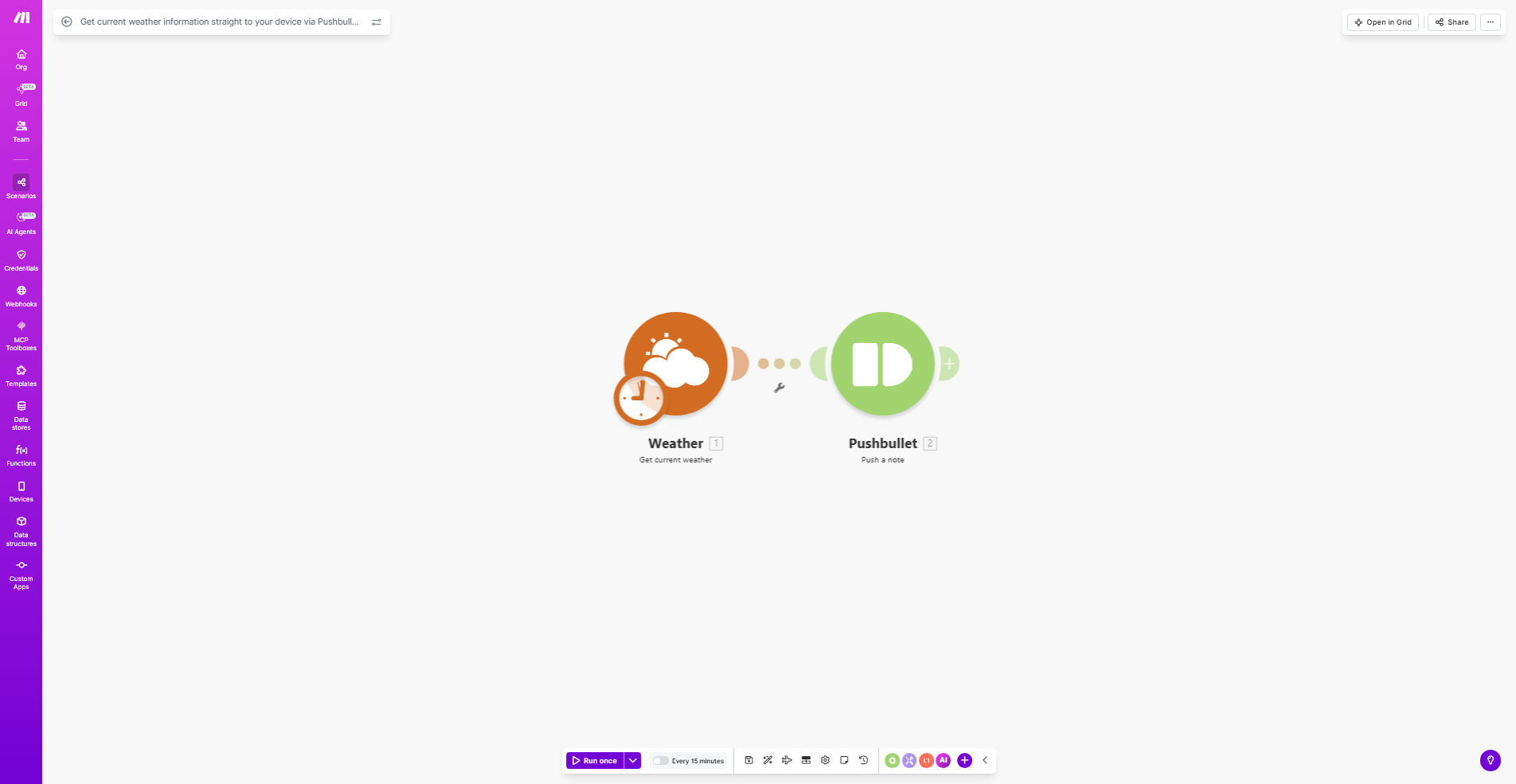
Make.com workflow diagram showing weather data integration with Pushbullet notifications

What This Workflow Does

This automation solution delivers current weather conditions directly to your mobile devices, tablets, or browsers through Pushbullet notifications. Whether you're managing outdoor operations, planning events, or simply need weather awareness for personal activities, this workflow eliminates the need to manually check forecasts.

The system pulls real-time weather data from reliable sources and pushes concise, actionable alerts to all your connected devices. You'll receive temperature, precipitation chances, wind conditions, and severe weather warnings exactly when you need them - without opening a weather app or refreshing a webpage.

How It Works

1. Location Configuration

Set your desired location once during setup. The system will continuously monitor weather conditions for this specific area.

2. Data Retrieval

Make.com connects to weather APIs to fetch the latest forecast data at regular intervals you specify.

3. Notification Processing

The workflow formats the weather data into clear, concise notifications with only the most relevant details for quick reading.

4. Push Delivery

Pushbullet instantly delivers the weather alert to all your registered devices simultaneously, ensuring you never miss important updates.

Who This Is For

This solution benefits anyone who needs timely weather awareness:

  • Event Planners: Monitor conditions for outdoor weddings, festivals, or corporate events
  • Construction Managers: Track weather impacts on job sites and worker safety
  • Delivery Services: Anticipate route delays due to precipitation or extreme temperatures
  • Retailers: Adjust staffing and inventory based on weather-driven customer behavior
  • Travelers: Stay informed about destination weather without constant checking

What You'll Need

  1. A Make.com account (free tier available)
  2. Pushbullet account (free for basic use)
  3. Weather API access (free options available)
  4. Mobile device, tablet, or browser with Pushbullet installed

Quick Setup Guide

  1. Click "Get This Workflow" to import the template to your Make.com account
  2. Connect your Pushbullet account in the Make.com scenario
  3. Configure your desired location in the weather module
  4. Set your preferred notification frequency (hourly, daily, or on significant changes)
  5. Test the workflow and adjust notification content as needed

Key Benefits

Proactive Decision Making: Receive weather alerts before conditions change, giving you time to adjust plans.

Multi-Device Delivery: Notifications appear simultaneously on all your connected devices for maximum visibility.

Customizable Alerts: Tailor which weather metrics trigger notifications based on your specific needs.

Time Savings: Eliminate manual weather checks - the information comes to you automatically.

Reliable Delivery: Pushbullet's infrastructure ensures notifications arrive even with spotty internet connections.

Frequently Asked Questions

Common questions about weather alert automation

Automated weather alerts help businesses prepare for weather disruptions proactively. For delivery services, construction projects, or outdoor events, real-time weather updates enable better decision-making to protect assets, reschedule operations, or notify customers about service impacts.

Unlike generic weather apps, business-focused alerts can be customized to show only the metrics that affect your specific operations. This reduces notification fatigue while ensuring you see critical information immediately.

Temperature, precipitation, wind speed, and severe weather alerts provide the most actionable insights. Retailers adjust inventory, logistics companies reroute shipments, and event planners make contingency plans based on these key metrics delivered in real-time.

Advanced implementations can track hyperlocal conditions or combine weather data with business metrics like sales patterns or workforce availability for smarter decision-making.

Modern weather APIs like OpenWeatherMap provide 95-98% accuracy for short-term forecasts. When combined with Pushbullet's reliable notification delivery, businesses receive trustworthy alerts with minimal false positives or missed warnings.

The system includes fail-safes like retry mechanisms for API calls and duplicate notification prevention to ensure consistent performance even during network fluctuations.

Yes, this workflow can be modified to monitor weather conditions across multiple sites. Businesses with distributed operations can receive location-specific alerts for each warehouse, store, or job site they need to track.

For teams, you can route alerts to different recipients based on location, ensuring each manager only receives notifications relevant to their area of responsibility.

Pushbullet delivers instant notifications directly to mobile devices with higher visibility than email. Critical weather alerts appear immediately on lock screens, ensuring timely awareness without inbox clutter or delayed delivery.

The service also provides read receipts and supports rich media, allowing for more informative weather alerts that may include maps, radar images, or emergency instructions when needed.

The system provides near real-time updates, typically within 1-2 minutes of weather data becoming available. For time-sensitive operations, you can adjust the polling frequency in the Make.com scenario settings.

Initial setup takes about 15 minutes, after which you'll begin receiving alerts according to your configured schedule (immediately for severe weather warnings).

Our team at GrowwStacks specializes in building tailored weather monitoring systems with custom triggers, multi-location tracking, and integration with your existing business tools. We'll design a solution that fits your specific operational needs.

Custom implementations can include threshold-based alerts (only notify when rain exceeds 50% chance), combined business metrics (weather + sales data), or automated response workflows that trigger other systems when certain conditions are met.

Need Custom Weather Alert Automation?

This free template is a starting point. Our team builds fully tailored weather monitoring systems for your specific business needs.