What This Workflow Does
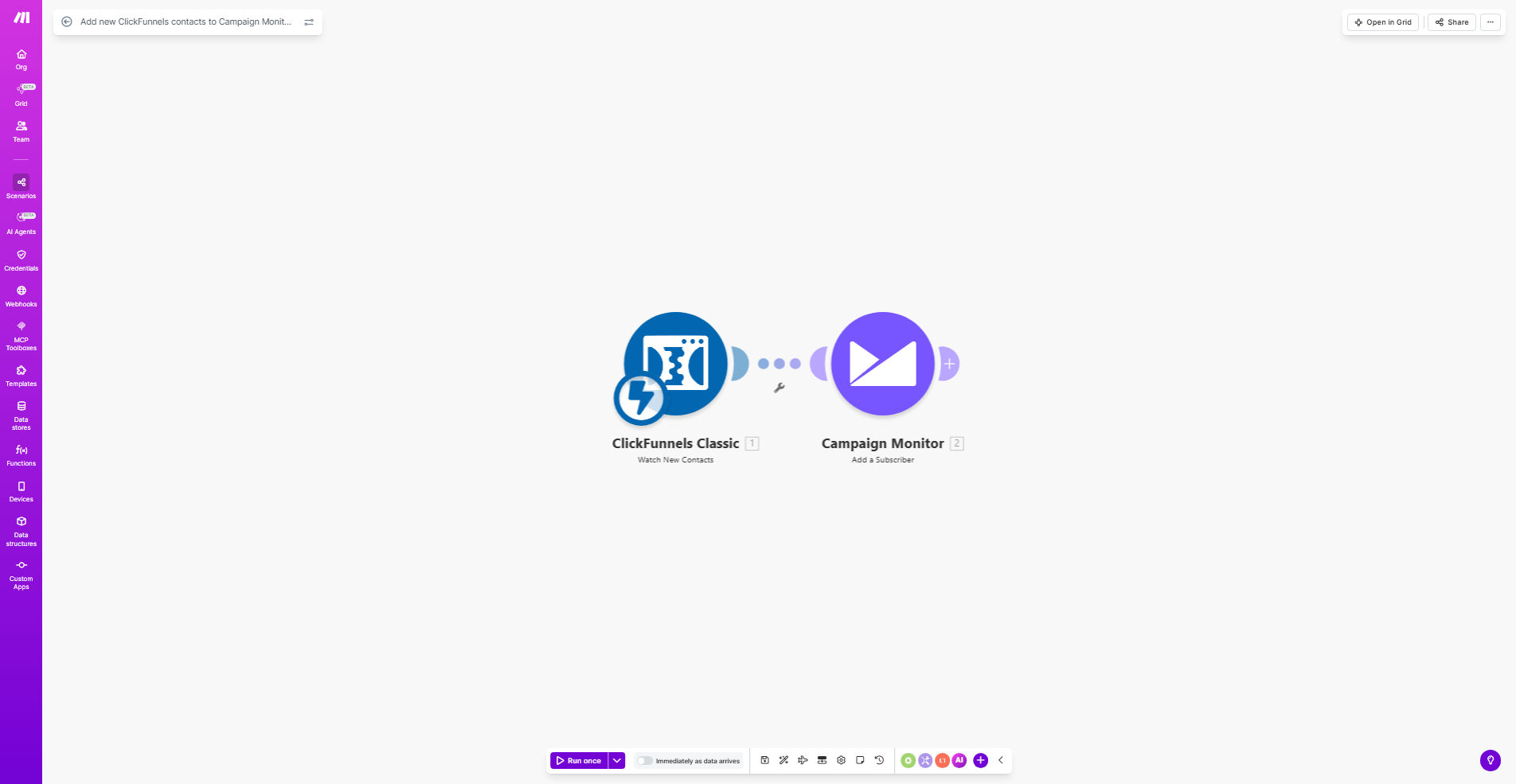
This automation solves a critical gap in digital marketing systems - connecting lead capture forms in ClickFunnels with email marketing in Campaign Monitor. Every time a visitor completes a form on your funnel page, their contact information automatically flows into your designated Campaign Monitor subscriber list.
The workflow eliminates manual exports, spreadsheet management, and copy-paste work that often delays follow-up emails. It ensures:
- 100% of funnel leads enter your email sequences
- Contacts arrive in Campaign Monitor within seconds
- Consistent data formatting across both platforms
- Reliable triggering of welcome email sequences
How It Works
1. New Contact Detection
The workflow constantly monitors your ClickFunnels account for new contact creations. When triggered, it captures all submitted form data including custom fields.
2. Data Formatting
Make transforms the raw ClickFunnels data into Campaign Monitor's expected format, handling field mappings and any necessary data conversions.
3. List Subscription
The processed contact information gets added to your specified Campaign Monitor list with proper consent flags and subscription preferences.
4. Error Handling
If any issues occur (like duplicate emails), the workflow logs the error and can notify your team via email or Slack.
Who This Is For
This automation delivers maximum value for:
- Digital course creators using ClickFunnels for lead magnets
- Ecommerce brands running funnel-based promotions
- Marketing agencies managing multiple client accounts
- Coaches and consultants with high-value lead capture forms
- Any business using ClickFunnels with Campaign Monitor email
What You'll Need
- Active ClickFunnels account with contacts enabled
- Campaign Monitor account with API access
- Make.com account (free tier works for basic setup)
- Admin access to both platforms for API connections
- Existing Campaign Monitor list for new subscribers
Quick Setup Guide
- Clone the template in your Make.com account
- Connect your ClickFunnels API credentials
- Authorize access to your Campaign Monitor account
- Map ClickFunnels fields to Campaign Monitor fields
- Specify your target subscriber list ID
- Test with a new ClickFunnels form submission
- Activate the scenario for continuous monitoring
Pro tip: Add a delay module before Campaign Monitor to implement double opt-in flows. This gives contacts time to confirm before official list addition.
Key Benefits
Never miss a lead: Automatic transfers eliminate the risk of contacts getting lost in spreadsheets or forgotten in inboxes.
Faster email follow-up: New subscribers enter Campaign Monitor within seconds, triggering immediate welcome sequences while engagement is highest.
Reduced manual work: Saves 5-10 hours per month typically spent on manual data transfers between platforms.
Improved data accuracy: Automated field mapping prevents typos and formatting errors common in manual processes.
Scalable architecture: Handles increasing lead volume without additional staff time or resources.