Email Marketing Team Alerts Campaign Monitor Slack

Send Slack messages for new Campaign Monitor subscribers

Get instant team notifications when new contacts join your email list

Get This Workflow Make.com · Free Template
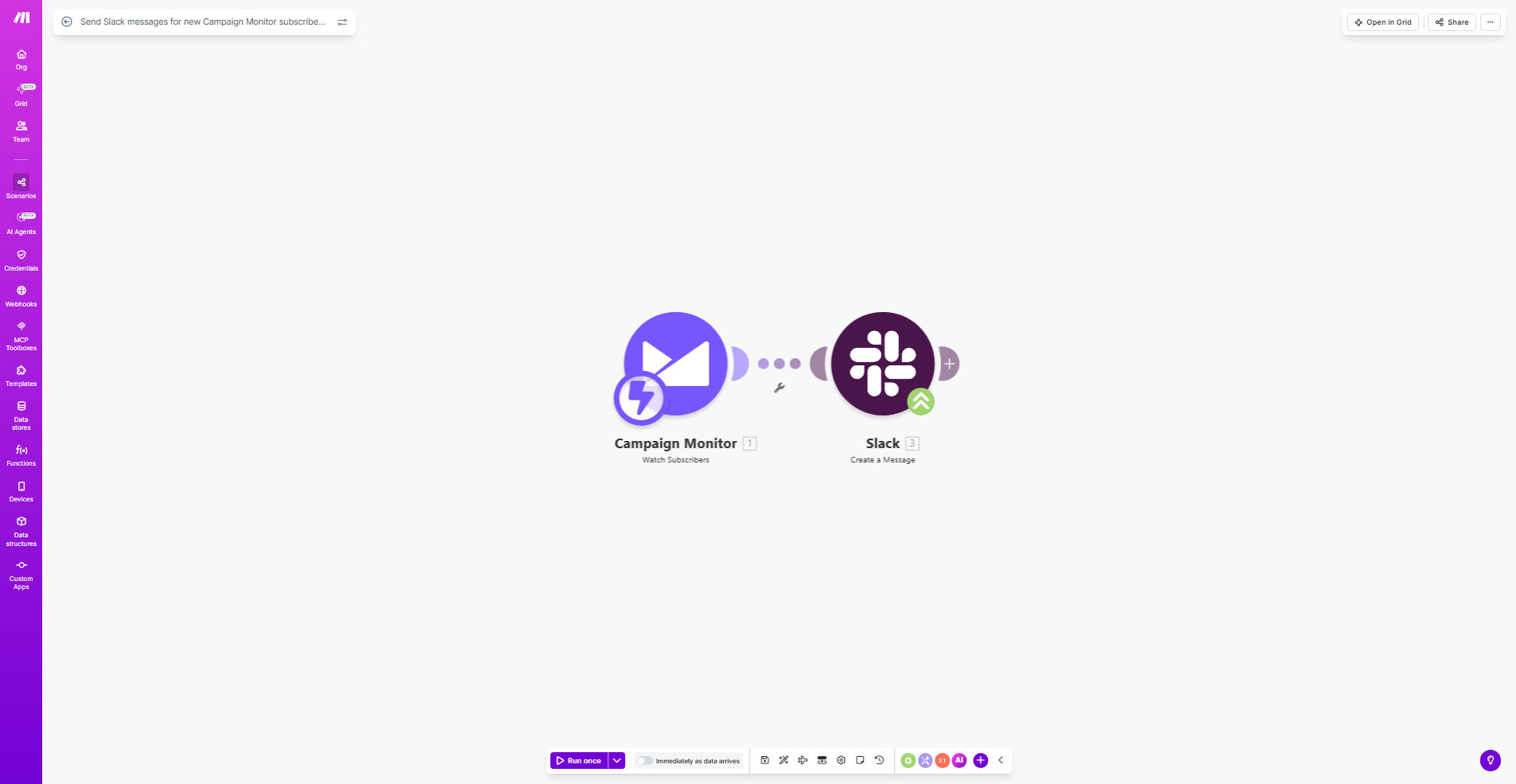
Make.com workflow diagram showing Campaign Monitor to Slack integration

What This Workflow Does

This automation bridges the gap between your email marketing platform and team communication by instantly notifying relevant team members in Slack whenever someone subscribes to your Campaign Monitor email list. Instead of manually checking your subscriber count or waiting for scheduled reports, your sales and marketing teams get real-time alerts that help them act while the lead is most engaged.

The workflow eliminates the need for constant platform switching and manual data sharing between departments. Marketing can monitor campaign performance through immediate subscriber feedback, while sales teams can identify hot leads faster. Customer success teams can also use these notifications to personalize onboarding sequences based on subscription timing.

How It Works

1. New subscriber trigger

The workflow monitors your specified Campaign Monitor list for new subscriber additions. This trigger activates immediately when someone completes your signup form or is manually added to your list.

2. Data extraction

Key subscriber details are pulled from Campaign Monitor, including email address, subscription date/time, and any custom fields you've configured (like name, company, or lead source).

3. Slack message formatting

The workflow structures this information into a clear Slack message format, highlighting the most important details your team needs to see at a glance.

4. Channel delivery

The notification gets posted to your designated Slack channel, optionally tagging specific team members or user groups who need to take action.

Pro tip: Add lead source tracking to your Campaign Monitor forms to include valuable context in Slack notifications, helping teams prioritize follow-ups.

Who This Is For

This automation delivers the most value for:

  • Marketing teams running email campaigns who need real-time visibility into list growth
  • Sales teams that want immediate alerts about new leads from email signups
  • Customer success teams that time onboarding sequences based on subscription dates
  • Agencies managing multiple client email lists who need centralized subscriber alerts
  • Startups where team members wear multiple hats and need cross-platform visibility

What You'll Need

  1. A Campaign Monitor account with at least one active subscriber list
  2. A Slack workspace with permissions to create incoming webhooks
  3. A Make.com account (free plan sufficient for basic implementation)
  4. 5-10 minutes to configure the template with your specific details

Quick Setup Guide

  1. Copy the template to your Make.com account
  2. Connect your Campaign Monitor account in the first module
  3. Select which subscriber list to monitor
  4. Configure your Slack connection in the second module
  5. Choose the channel and customize the message format
  6. Test with a new subscriber to verify the notification flow

Key Benefits

Real-time team alignment: Eliminates delays between subscriber acquisition and team awareness, enabling faster response times to engaged leads.

Reduced manual work: Saves hours previously spent compiling and sharing subscriber reports between departments.

Improved campaign tracking: Gives immediate feedback on which lead sources and campaigns are performing best.

Cross-team visibility: Helps sales, marketing, and customer success stay aligned on audience growth metrics.

Customizable alerts: Can be adapted to only notify about specific subscriber segments or high-value leads.

Frequently Asked Questions

Common questions about email-to-Slack automation

Automating subscriber notifications saves your marketing team hours of manual work while ensuring real-time awareness of list growth. This helps teams respond faster to engagement opportunities and monitor campaign performance more effectively.

Without automation, valuable subscriber data often sits siloed in Campaign Monitor until someone manually checks or runs a report. Real-time Slack notifications create immediate visibility across teams who need this information.

The workflow can send subscriber details like email address, signup date, and any custom fields you collect. You can customize which data points your team needs to see in Slack for immediate action.

Common useful fields include lead source, name, company, and subscription type. The template lets you format this information into clear Slack messages with emoji indicators for quick scanning.

By instantly alerting teams about new subscribers, you can trigger follow-up sequences faster, spot trends in signup sources, and coordinate cross-channel engagement while subscriber interest is highest.

Marketing teams gain immediate feedback on campaign effectiveness, while sales can identify hot leads based on subscription timing and source. This tight integration turns email signups into actionable business intelligence.

Yes, Make.com allows setting conditions to only notify about specific subscriber segments. For example, you might only want alerts for high-value list segments or subscribers from particular campaigns.

You can create rules based on any Campaign Monitor field - filtering by lead source, custom fields, or even time of signup. This prevents notification overload while ensuring teams see the most important subscriber activity.

This integration breaks down data silos between marketing and sales teams, enabling faster response times to leads and better alignment on audience growth metrics - all without manual reporting.

Companies using this automation typically see improved lead conversion rates thanks to quicker follow-up, plus better cross-department visibility into how email marketing contributes to pipeline growth.

Make.com's platform provides reliable delivery with error handling. If any step fails, the system can retry or notify admins, ensuring you never miss important subscriber activity.

The workflow includes built-in safeguards like rate limiting awareness and connection monitoring. You can also configure backup notification channels if Slack experiences downtime.

Absolutely. GrowwStacks specializes in tailored automation solutions that connect your specific email platform with Slack in ways that match your unique business processes and team workflows.

We can build custom integrations that include advanced filtering, multi-channel notifications, and connections to your CRM or other tools. Our solutions help teams work smarter by automating routine data sharing between systems.

  • Custom subscriber segmentation logic
  • Multi-step notification workflows
  • Integration with your existing tech stack

Need a Custom Email-to-Slack Automation?

This free template is a starting point. Our team builds fully tailored automation systems for your specific business needs.