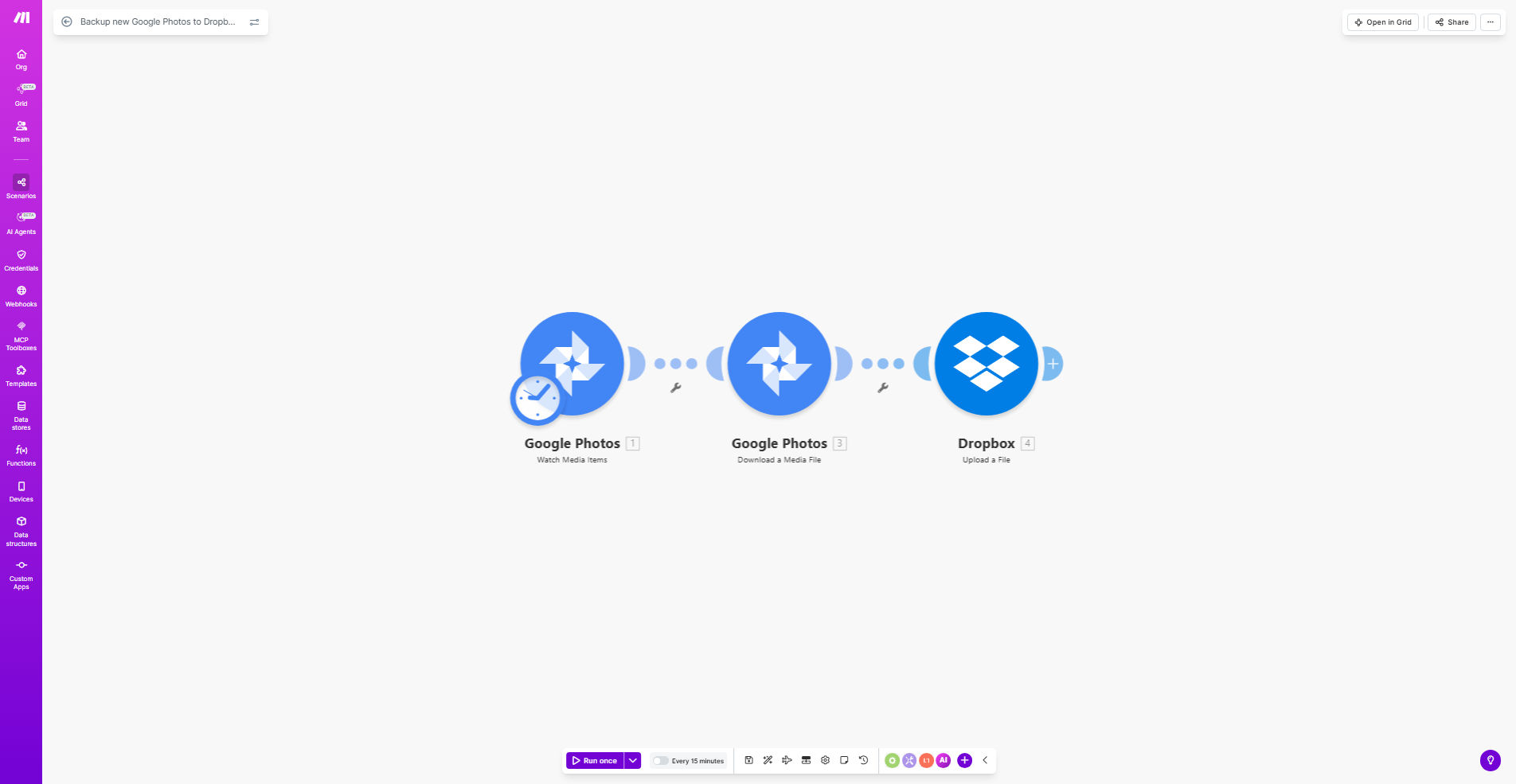
What This Workflow Does
This automation solves the common problem of photo backup redundancy. Many users store precious memories exclusively in Google Photos, risking permanent loss if the account is compromised or photos are accidentally deleted. The workflow automatically creates a second copy in Dropbox whenever new photos are added to your Google Photos albums.
The system monitors your specified Google Photos albums in real-time. When it detects new uploads, it immediately transfers the photos to your chosen Dropbox folder while preserving the original quality and metadata. This happens automatically without any manual intervention, giving you peace of mind that your photos are safely backed up.
How It Works
1. New photo detection
The workflow constantly monitors your connected Google Photos account for new additions to the specified albums. It uses Google's API to detect uploads instantly.
2. Photo retrieval
When a new photo is detected, the system retrieves the full-resolution image file along with its metadata (capture date, location, etc.) from Google Photos.
3. Dropbox transfer
The photo is then securely uploaded to your designated Dropbox folder. You can organize photos by date, album name, or other criteria in the folder structure.
4. Confirmation and logging
Each successful transfer is logged, and you can optionally receive email confirmations. Failed transfers automatically retry before notifying you.
Who This Is For
This automation is ideal for anyone who values their photo memories and wants automatic cloud backup protection. It's particularly valuable for:
- Families preserving childhood memories and special events
- Photographers needing automatic backup of mobile shots
- Travel bloggers and influencers who capture moments on the go
- Businesses documenting projects or inventory with photos
- Anyone using Google Photos as their primary photo storage
What You'll Need
- A Google account with Google Photos enabled
- A Dropbox account with available storage space
- A Make.com account (free plan works for basic usage)
- Approximately 5 minutes for initial setup
Quick Setup Guide
- Click "Get This Workflow" to open the template in Make.com
- Connect your Google Photos account when prompted
- Connect your Dropbox account and select the target folder
- Specify which Google Photos albums to monitor
- Activate the scenario and test with a new photo upload
Key Benefits
Never lose precious memories with automatic dual-cloud backup that protects against accidental deletion, account issues, or service outages.
Save hours of manual work by eliminating the need to periodically download and re-upload photos between services.
Access photos across platforms with copies available in both Google Photos and Dropbox ecosystems.
Peace of mind knowing your photos are automatically protected without requiring ongoing attention.