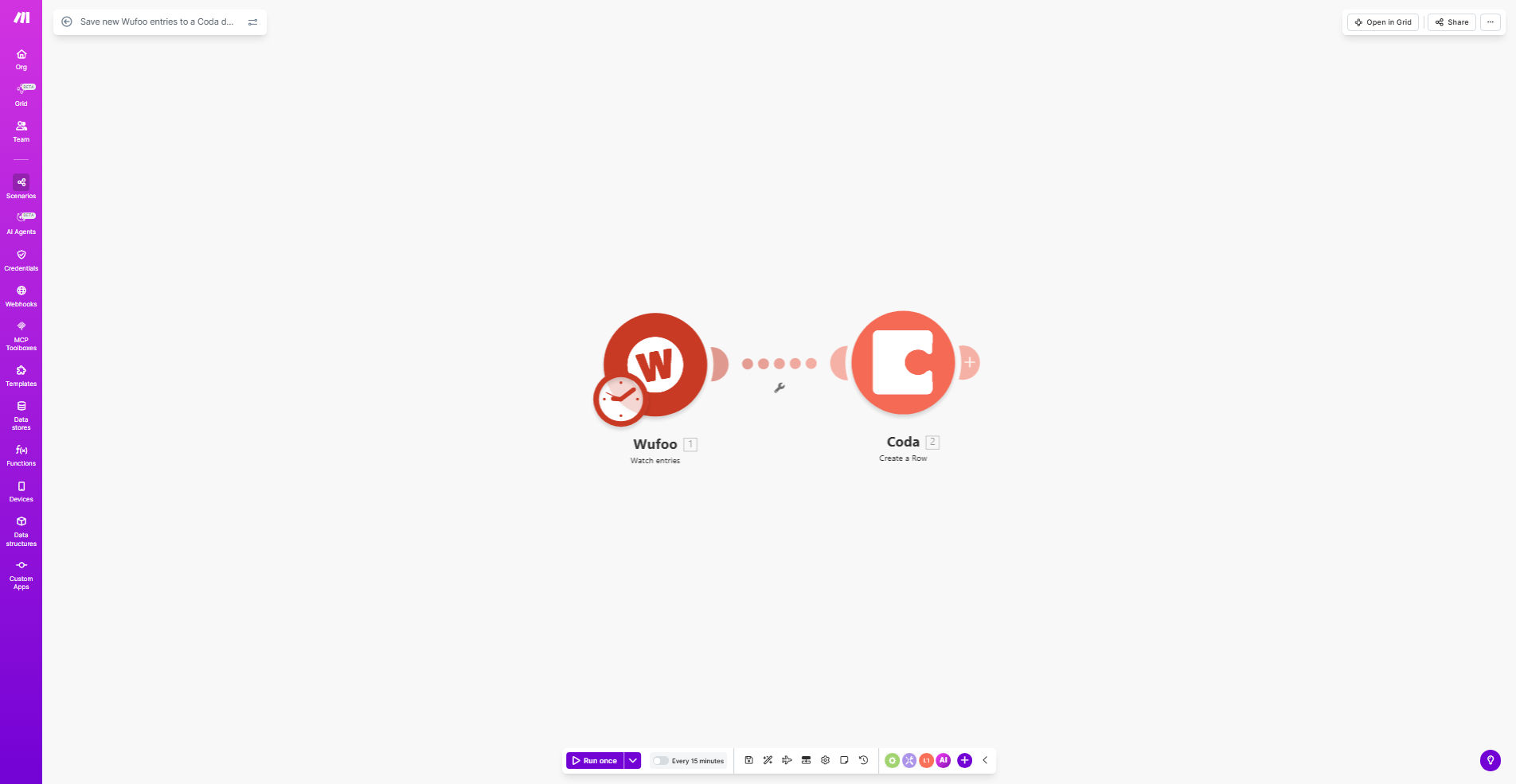
What This Workflow Does
This automation eliminates the tedious manual process of copying form responses from Wufoo into your Coda documents. Every time someone submits your selected Wufoo form, Make.com instantly captures all response data and creates a new row in your specified Coda table with all the form fields mapped automatically.
Businesses using this workflow typically save 3-5 hours per week previously spent on manual data entry, while achieving 100% accuracy in their response records. The automation works silently in the background, ensuring your team always has immediate access to the latest submissions in your centralized Coda workspace.
How It Works
1. Trigger: New Wufoo form submission
The workflow activates whenever someone completes your Wufoo form. Make.com receives the submission data in real-time through Wufoo's API connection.
2. Data processing
The system extracts all form field values, including custom fields and hidden fields you've configured. Timestamps and metadata about the submission are also captured.
3. Coda document update
Make.com authenticates with your Coda account and adds a new row to your specified table. Each form field maps to its corresponding column in Coda, maintaining your preferred data structure.
4. Error handling
If any issues occur during transfer, the workflow automatically retries and can notify your team via email or Slack if persistent failures are detected.
Who This Is For
This automation benefits any business or team that collects data through Wufoo forms and needs to:
- Centralize responses for team collaboration
- Eliminate spreadsheet copy-paste work
- Trigger downstream processes based on form submissions
- Maintain an audit trail of all responses
Common use cases include lead capture forms, customer feedback surveys, event registrations, and internal request systems.
What You'll Need
- An active Wufoo account with at least one form
- A Coda account with edit access to your target document
- A Make.com account (free plan works)
- Basic familiarity with Wufoo and Coda interfaces
Quick Setup Guide
- Copy this template to your Make.com account
- Connect your Wufoo account in the first module
- Select which form to monitor for submissions
- Connect your Coda account in the second module
- Specify the target document and table
- Map form fields to Coda columns (auto-detected)
- Test with a sample submission
- Turn on the workflow
Pro tip: Create a "Last Updated" column in your Coda table to easily sort by most recent submissions. The workflow can automatically populate this timestamp.
Key Benefits
Eliminate manual data entry - No more copying and pasting form responses between systems. The automation handles everything instantly when submissions arrive.
Real-time data availability - Your team sees responses in Coda within seconds of submission, enabling faster response times to leads or customer inquiries.
Reduced errors - Automated transfers have 100% accuracy compared to manual entry which typically has a 2-5% error rate according to industry studies.
Scalable solution - The workflow handles 1 submission or 10,000 with equal reliability, growing with your business needs.
Centralized records - All form responses live in your Coda doc where you can build custom views, dashboards, and connected workflows.