Make.com Jotform Coda Form Automation No-Code

Save new Jotform entries to a Coda doc

Automatically transfer form submissions to your Coda database without manual data entry

Get This Workflow → Make.com · Jotform to Coda · Free Template
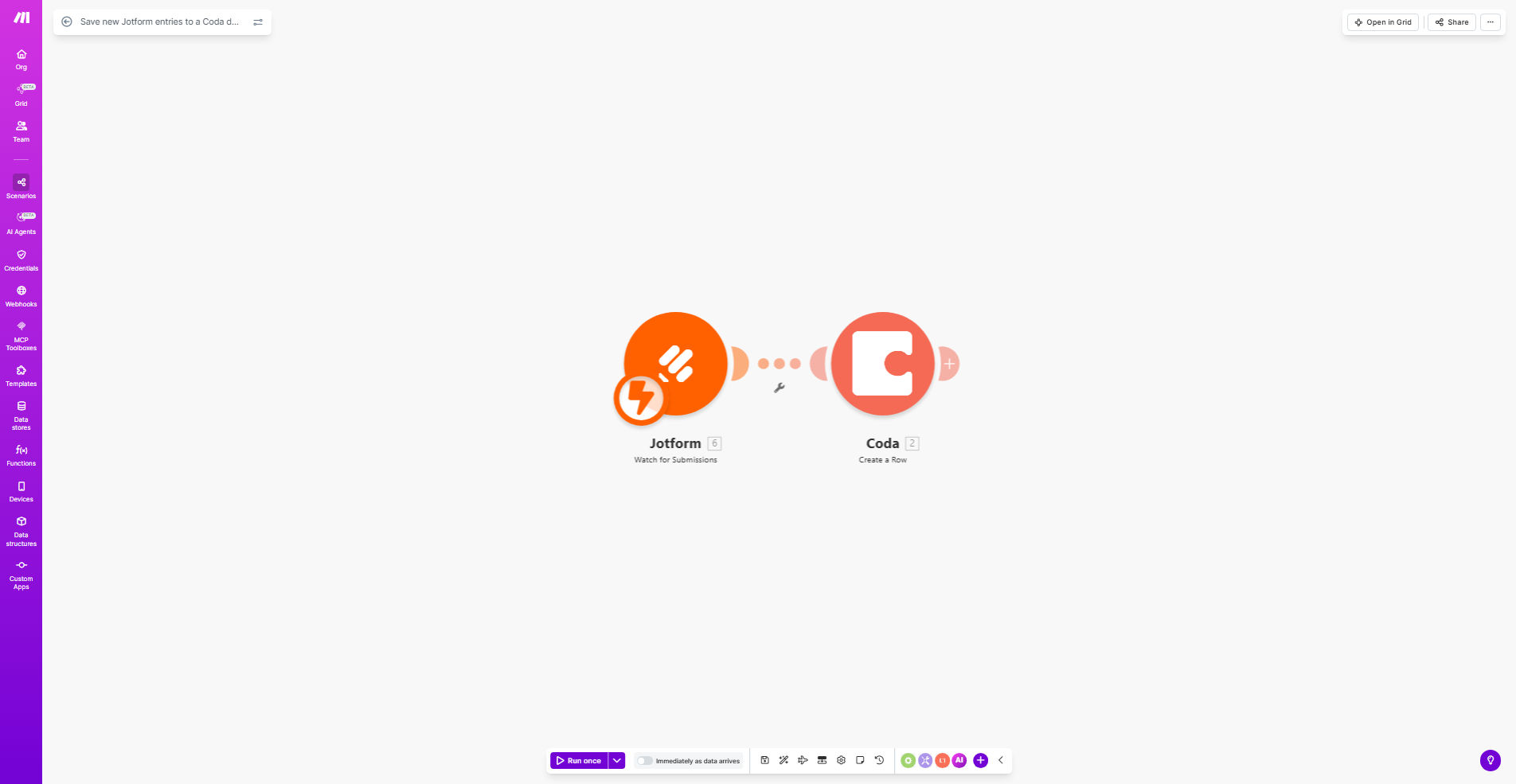
Make.com workflow diagram showing Jotform to Coda integration

What This Workflow Does

This automation solves the tedious problem of manually copying data from Jotform submissions into your Coda documents. Every time someone completes your form, the workflow instantly creates a new row in your specified Coda table with all the response data perfectly formatted.

Businesses waste countless hours transferring form responses between systems. This workflow eliminates that manual work while ensuring data accuracy. Whether you're collecting customer feedback, event registrations, or internal requests, your information automatically flows into Coda where you can analyze, sort, and collaborate on it.

How It Works

1. Form submission trigger

The workflow monitors your specified Jotform for new submissions. When someone completes the form, Make.com detects the new entry immediately.

2. Data extraction

The workflow pulls all response data including text answers, multiple choice selections, file upload links, and metadata like submission timestamps.

3. Coda document update

Make.com connects to your Coda account and adds a new row to your designated table. Each form field maps to the appropriate column in your Coda doc.

Pro tip: Add a "Status" column in Coda to track which submissions need follow-up. The workflow can automatically set this to "New" for each incoming entry.

Who This Is For

This automation benefits any business or team using Jotform for data collection and Coda for organization. Perfect for:

  • HR teams managing job applications
  • Event organizers tracking registrations
  • Product teams collecting customer feedback
  • Operations teams processing internal requests
  • Educators managing student submissions

What You'll Need

  1. A Jotform account with at least one active form
  2. A Coda account with edit access to your target document
  3. A Make.com account (free plan works for basic usage)
  4. API connections between Make.com and both Jotform/Coda

Quick Setup Guide

  1. Clone the template in your Make.com account
  2. Connect your Jotform account and select your form
  3. Connect your Coda account and select your target doc/table
  4. Map form fields to Coda columns in the workflow settings
  5. Test with a form submission and verify data appears in Coda
  6. Activate the workflow for automatic processing

Key Benefits

Eliminate data entry errors - Manual copying often introduces mistakes. This automation transfers information exactly as submitted.

Save 5+ hours weekly - No more switching between systems to copy-paste responses. The workflow handles it instantly.

Real-time data availability - Team members see submissions in Coda within seconds, enabling faster responses.

Centralized information - All form responses live in your Coda doc alongside related project data and team collaboration.

Scalable solution - Handles 10 or 10,000 submissions with equal reliability, growing with your needs.

Frequently Asked Questions

Common questions about Jotform to Coda automation and integration

Connecting Jotform to Coda eliminates manual data transfer between systems, reducing errors and saving hours per week. Your form responses automatically populate in Coda where you can analyze trends, create reports, and collaborate with your team using Coda's powerful document features.

For example, a marketing team can automatically collect webinar registrations in Jotform and have them appear in their Coda event tracker, complete with attendance status columns and team assignment fields.

This workflow works perfectly for customer feedback forms, event registrations, job applications, and any data collection where you need responses organized in a structured database. The automation preserves all field types including text, dropdowns, checkboxes, and file uploads.

Complex forms with conditional logic still work well, as the workflow captures the exact responses each submitter sees. Even multi-page forms transfer seamlessly to Coda.

The transfer happens in real-time, typically within 10-30 seconds after form submission. Make.com monitors your Jotform continuously and triggers the Coda update immediately when new responses arrive.

This near-instant transfer means your team can begin working with the data almost immediately, whether that's following up on leads, preparing for event attendees, or processing service requests.

Yes, during setup you define exactly which Jotform fields correspond to which Coda table columns. You can rename fields, combine multiple responses into one column, or skip unnecessary fields entirely.

This mapping flexibility lets you structure your Coda table exactly how you need it, regardless of your form's question order or field names. You can even add calculated columns in Coda that combine form data with other information.

Make.com includes error handling that retries failed transfers up to 3 times. If persistent issues occur, you'll receive email notifications with details about the failed records so you can manually intervene if needed.

The system maintains a log of all processed and failed transfers, giving you complete visibility. You can also configure backup actions like saving failed records to a Google Sheet as a secondary data store.

Absolutely. You can duplicate the workflow for different form-doc combinations, or modify the template to handle multiple forms feeding into one master Coda database with categorization columns.

For instance, a university department could route student application forms, faculty feedback forms, and event evaluation forms to different tables in the same Coda doc, with automatic tagging by form type.

Yes! GrowwStacks specializes in building tailored form automation systems that connect to your preferred databases with custom field mapping, data validation, and notification rules. We handle everything from setup to ongoing maintenance.

Our custom solutions can incorporate additional features like approval workflows, data enrichment from external APIs, conditional routing based on responses, and integration with your existing business systems beyond just Coda.

  • Custom field transformations
  • Multi-step approval processes
  • Automatic data validation

Need a Custom Form Automation?

This free template is a starting point. Our team builds fully tailored automation systems for your specific business needs.