Make.com Google Calendar Coda Automation Data Sync

Save new Google Calendar events to a Coda doc

Automatically sync calendar meetings to your Coda workspace without manual data entry

Get This Workflow → Make.com · Google Calendar · Free Template
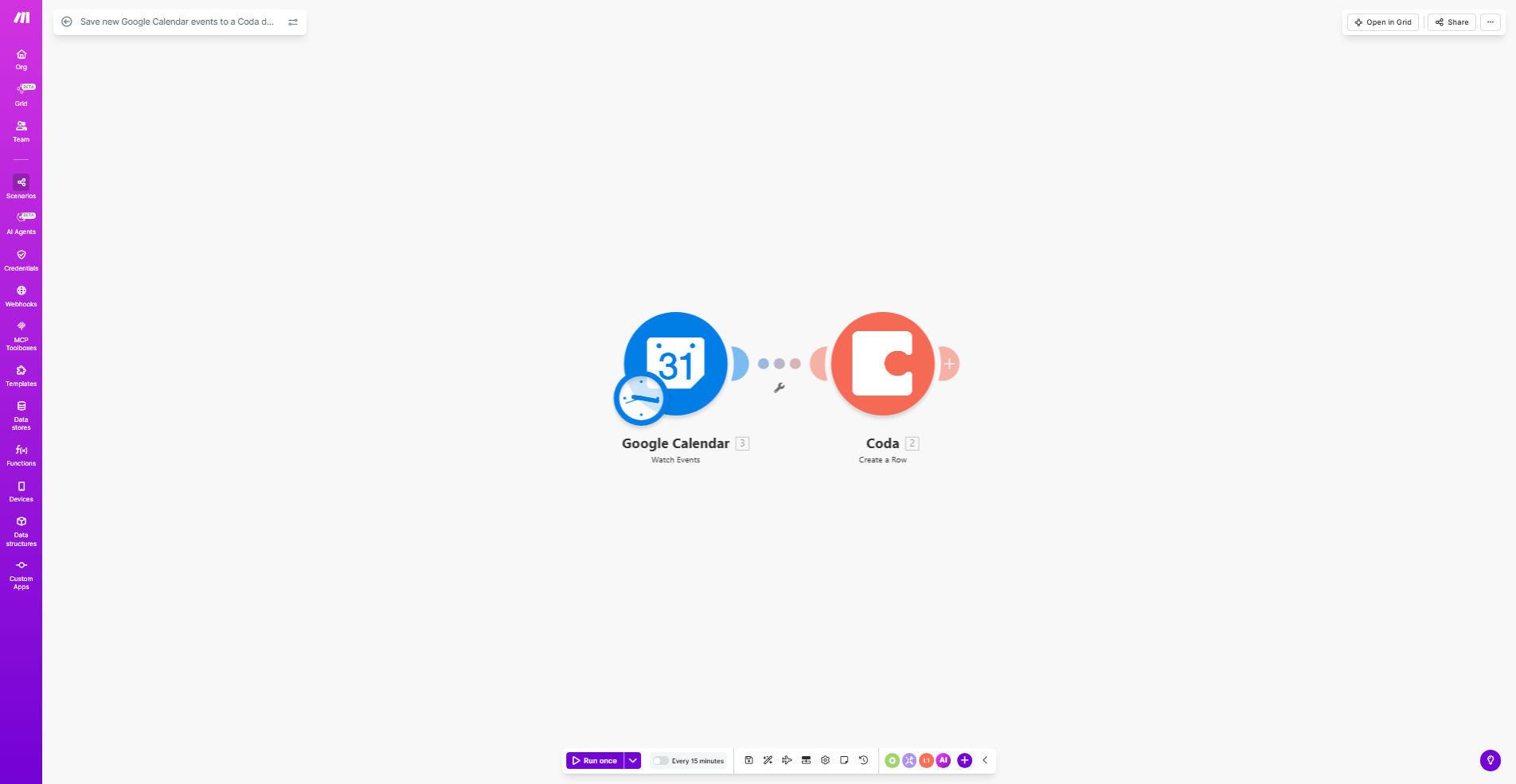
Make.com workflow interface showing Google Calendar to Coda integration

What This Workflow Does

This automation solves the common problem of manually transferring meeting details from Google Calendar to documentation systems. Every time you or your team creates a new calendar event, Make.com automatically adds it as a new row in your specified Coda table.

The workflow eliminates repetitive copy-paste work while ensuring your Coda doc always reflects the most current meeting information. It captures all relevant event details including titles, descriptions, times, attendees, and locations - creating a searchable, shareable record outside your calendar.

How It Works

1. Trigger: New Google Calendar Event

The workflow monitors your specified Google Calendar for new events. When one is detected, it immediately captures all available event data.

2. Data Processing

Make.com formats the calendar data to match your Coda table structure, handling date conversions and field mappings automatically.

3. Action: Create Coda Row

The processed event data gets added as a new row in your designated Coda table, with all fields populated according to your configuration.

Pro tip: Set up a dedicated "Calendar Sync" table in Coda with columns matching the Google Calendar fields you want to track. This keeps your event data organized and easily filterable.

Who This Is For

This workflow benefits any team or individual who needs to:

  • Maintain meeting records outside Google Calendar
  • Share event details with stakeholders who don't have calendar access
  • Analyze meeting patterns or attendance trends
  • Create automated meeting minutes or follow-up systems
  • Sync events across multiple documentation platforms

What You'll Need

  1. A Make.com account (free plan sufficient)
  2. Google Calendar with events to sync
  3. A Coda account and doc with a table ready to receive events
  4. Editor access to both Google Calendar and Coda doc

Quick Setup Guide

  1. Click "Get This Workflow" to copy the template to your Make.com account
  2. Connect your Google Calendar account in the first module
  3. Select which calendar to monitor for new events
  4. Connect your Coda account in the second module
  5. Specify the target doc and table where events should be added
  6. Map Google Calendar fields to your Coda table columns
  7. Turn on the scenario and test with a new calendar event

Key Benefits

Save 5-10 minutes per meeting by eliminating manual data entry between calendar and documentation systems.

Never miss recording an event - automation ensures 100% coverage even when team members forget to update docs.

Maintain data accuracy by removing human error in copying event details.

Enable powerful reporting by having all events in Coda where you can filter, analyze, and visualize meeting data.

Improve team collaboration by making calendar events accessible to stakeholders without calendar access.

Frequently Asked Questions

Common questions about calendar-to-doc automation and integration

Syncing Google Calendar with Coda creates a centralized record of all events that can be referenced, analyzed, or shared with team members who may not have calendar access. It eliminates manual copying of event details while enabling powerful reporting and collaboration features in Coda.

For example, marketing teams can automatically track campaign planning meetings alongside their project docs, while HR departments can maintain interview schedules visible to the whole hiring team.

This workflow transfers all standard Google Calendar fields including event title, description, start/end times, location, attendees, and organizer details. You can customize which fields to include during setup based on your specific tracking needs.

The template includes mappings for common fields, but you can add additional columns in Coda to capture any calendar data point you need to reference later.

Events typically sync to Coda within 1-2 minutes of being created in Google Calendar. The exact timing depends on Make.com's processing queue and your workflow's polling frequency settings.

For time-sensitive applications, you can adjust the scenario to check for new events more frequently, though this may impact your Make.com operation usage.

Yes, you can configure filters to only sync events from specific calendars, containing certain keywords, or meeting other criteria. This prevents cluttering your Coda doc with irrelevant meetings or personal events.

Common filtering approaches include syncing only events from shared team calendars, events tagged with project codes, or meetings scheduled during business hours.

Automation eliminates human error in transcription, saves 5-10 minutes per event, ensures no meetings are missed, and maintains perfect synchronization even when event details change. It also allows historical reporting on past events.

Teams using this workflow report 90% time savings on meeting documentation and eliminate the frustration of discovering missing or inaccurate meeting records.

Yes, the workflow can sync events from shared calendars that multiple team members contribute to. Each person's events will automatically appear in Coda without requiring them to manually update the document.

This works particularly well for:

  • Departmental calendars
  • Project team schedules
  • Cross-functional meeting tracking

Absolutely. Our team can build tailored solutions that sync calendars with Coda or other docs, add custom fields, trigger notifications, or integrate with your other business systems. We'll design it specifically for your workflow needs.

Custom implementations we've delivered include:

  • Automated meeting minute templates
  • Event-based task assignment systems
  • Calendar analytics dashboards
  • Multi-app synchronization solutions

Need a Custom Calendar Automation?

This free template is a starting point. Our team builds fully tailored automation systems for your specific business needs.