Make.com Coda Slack Automated Alerts Team Collaboration

Send Slack Messages for New Rows in a Coda Table

Automatically notify your team in Slack whenever new data is added to your Coda documents

Get This Workflow Make.com · Coda · Free Template
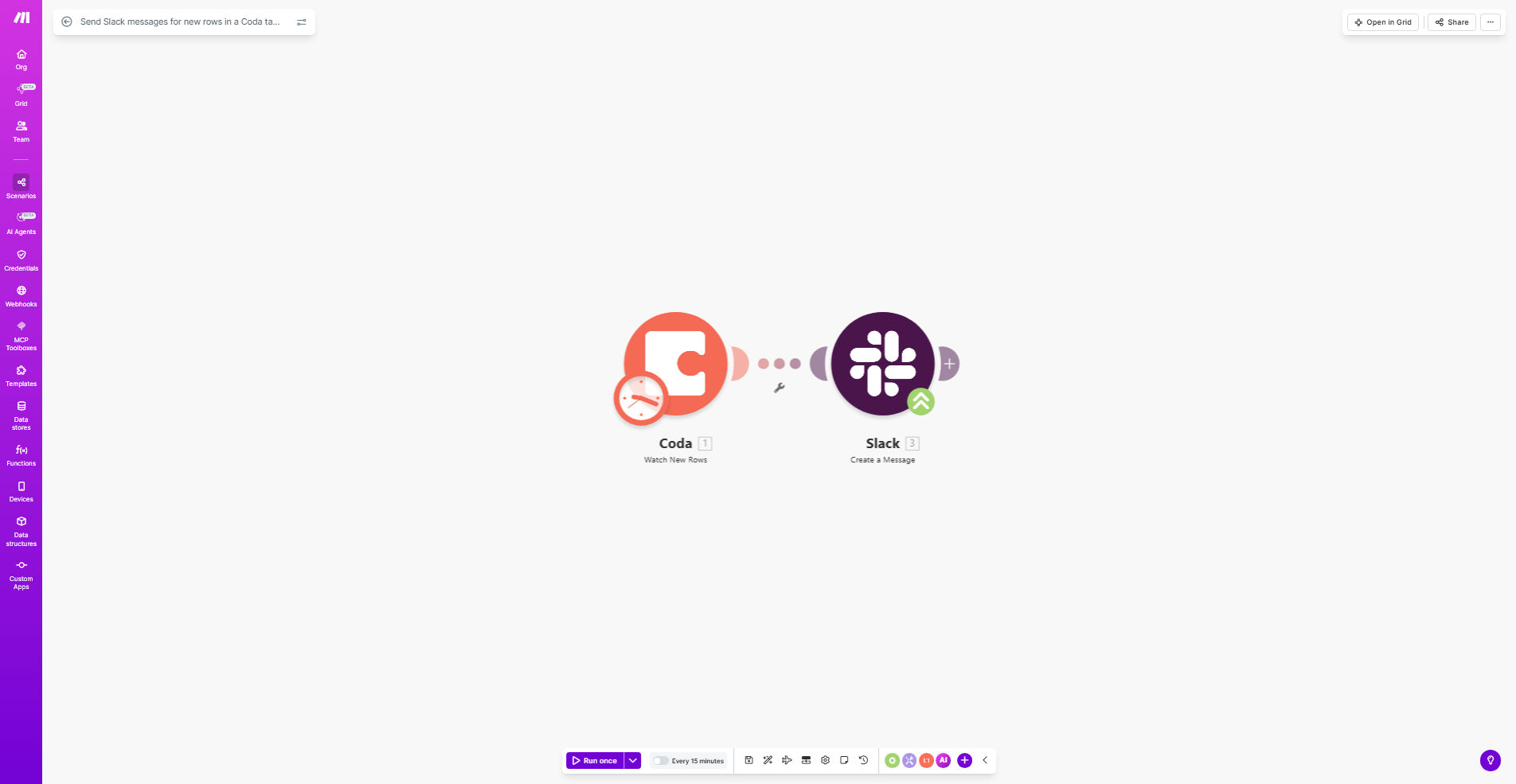
Make.com workflow diagram showing Coda table data triggering Slack notifications

What This Workflow Does

This automation bridges the gap between your Coda documentation and Slack communication. Whenever a team member adds new information to a monitored Coda table—whether it's a sales lead, project update, or task assignment—the workflow instantly pushes a formatted notification to your designated Slack channel.

The solution eliminates manual copy-pasting of updates between platforms, ensuring your entire team stays informed in real-time without requiring them to constantly check the Coda document. This is particularly valuable for distributed teams, fast-moving projects, or any situation where timely information sharing impacts business outcomes.

How It Works

1. Coda Trigger

The workflow monitors your specified Coda table for new row additions using Make.com's Coda module. It checks for changes at regular intervals (typically every 5-15 minutes) depending on your plan.

2. Data Processing

When a new row is detected, Make.com extracts the relevant fields you want to include in the Slack notification. You can map any column from your Coda table to appear in the message.

3. Slack Message Formatting

The workflow constructs a well-formatted Slack message using block elements. You can customize the layout to highlight key information, include emojis for visual scanning, and even add interactive buttons that link back to the Coda document.

4. Channel Delivery

The completed message is posted to your chosen Slack channel. You can configure different tables to notify different channels, or use conditional logic to route messages based on content in the Coda row.

Who This Is For

This workflow delivers the most value for teams that:

  • Use Coda as their central source of truth for projects, tasks, or data
  • Communicate primarily through Slack
  • Need real-time awareness of critical updates
  • Have multiple stakeholders who need visibility but don't actively monitor Coda
  • Want to reduce manual notification processes

Common use cases include sales lead notifications, bug tracking alerts, content calendar updates, and inventory management alerts.

What You'll Need

  1. A Make.com account (free plan available)
  2. Admin access to a Coda document with at least one table
  3. Slack workspace permissions to create incoming webhooks
  4. Basic familiarity with connecting apps in Make.com

Quick Setup Guide

  1. Clone the template from Make.com to your account
  2. Connect your Coda account and select the document/table to monitor
  3. Set up a Slack incoming webhook for your desired channel
  4. Map the Coda columns you want included in the Slack message
  5. Customize the message format with emojis, mentions, or buttons
  6. Test with a new row in your Coda table
  7. Activate the workflow for automatic monitoring

Pro tip: Use Slack message formatting to create visual hierarchy. For example, bold the most important field, use divider blocks between items, and include a "View in Coda" button linking directly to the row.

Key Benefits

Real-time team alignment: Reduce information lag by 90% compared to manual notification processes, ensuring everyone sees updates within minutes of entry.

Eliminate repetitive work: Save 5-15 minutes per notification by automating what would otherwise require copying, pasting, and formatting updates in Slack.

Reduce missed updates: Critical information reaches the right people immediately, rather than relying on team members to check Coda documents proactively.

Customizable notifications: Tailor messages to highlight the most relevant information for each use case, improving information absorption.

Scalable solution: The same workflow can monitor multiple Coda tables and route to different Slack channels as your needs grow.

Frequently Asked Questions

Common questions about Coda-Slack automation and integration

Connecting Coda and Slack creates real-time visibility for your team. When critical data changes in your Coda docs, immediate Slack notifications ensure everyone stays informed without manual checking, reducing delays in response times.

This integration is particularly valuable for remote teams where information sharing happens asynchronously. For example, when a customer support ticket gets logged in Coda, the right team members receive instant alerts to begin working on solutions.

Common triggers include new customer submissions, task assignments, project updates, or inventory changes. Focus on high-impact data that requires immediate team awareness to maintain operational efficiency.

Consider setting different notification rules for different tables. Your CRM table might alert the sales team for new leads, while your product roadmap table notifies executives about milestone completions.

  • Prioritize time-sensitive updates
  • Match alert frequency to data volatility
  • Consider creating separate workflows for different tables

Automation eliminates manual copy-pasting of updates into Slack, saving 5-15 minutes per alert. For teams receiving 20+ updates daily, this can recover 20+ hours monthly of productive work time.

The savings compound when you consider the context-switching cost. Instead of interrupting deep work to share updates, team members can focus while the automation handles communication.

Yes, Make.com allows full customization of Slack messages. You can include specific Coda fields, format with emojis, tag relevant team members, and even add interactive buttons linking back to the Coda doc.

Effective formatting might include bold headers for key information, divider blocks between items, and color-coded messages based on priority. For example, high-priority support tickets could appear in red with fire emojis.

The workflow can route notifications to different channels based on Coda data. For example, sales leads to #sales-team while support tickets go to #customer-support, using conditional logic in Make.com.

You can implement routing rules based on table names, specific column values, or even create a dedicated channel column in your Coda table that specifies where each notification should go.

Make.com provides 99.9% uptime for workflows. Notifications typically deliver within 10-30 seconds of Coda changes, with built-in error handling to retry failed attempts and alert you of any issues.

The system includes monitoring features that can notify you if the workflow stops running, ensuring you never miss critical updates due to technical failures.

Yes, GrowwStacks specializes in tailored Coda-Slack integrations. We can build advanced workflows with conditional alerts, data validation, multi-channel routing, and integration with other tools in your stack.

Our custom solutions might include parsing complex Coda data structures, implementing approval workflows before notifications send, or enriching Slack messages with data from additional sources like your CRM or support tools.

  • Custom routing logic based on your business rules
  • Integration with additional apps beyond Coda and Slack
  • Advanced error handling and monitoring

Need a Custom Coda-Slack Automation?

This free template is a starting point. Our team builds fully tailored automation systems for your specific business needs.