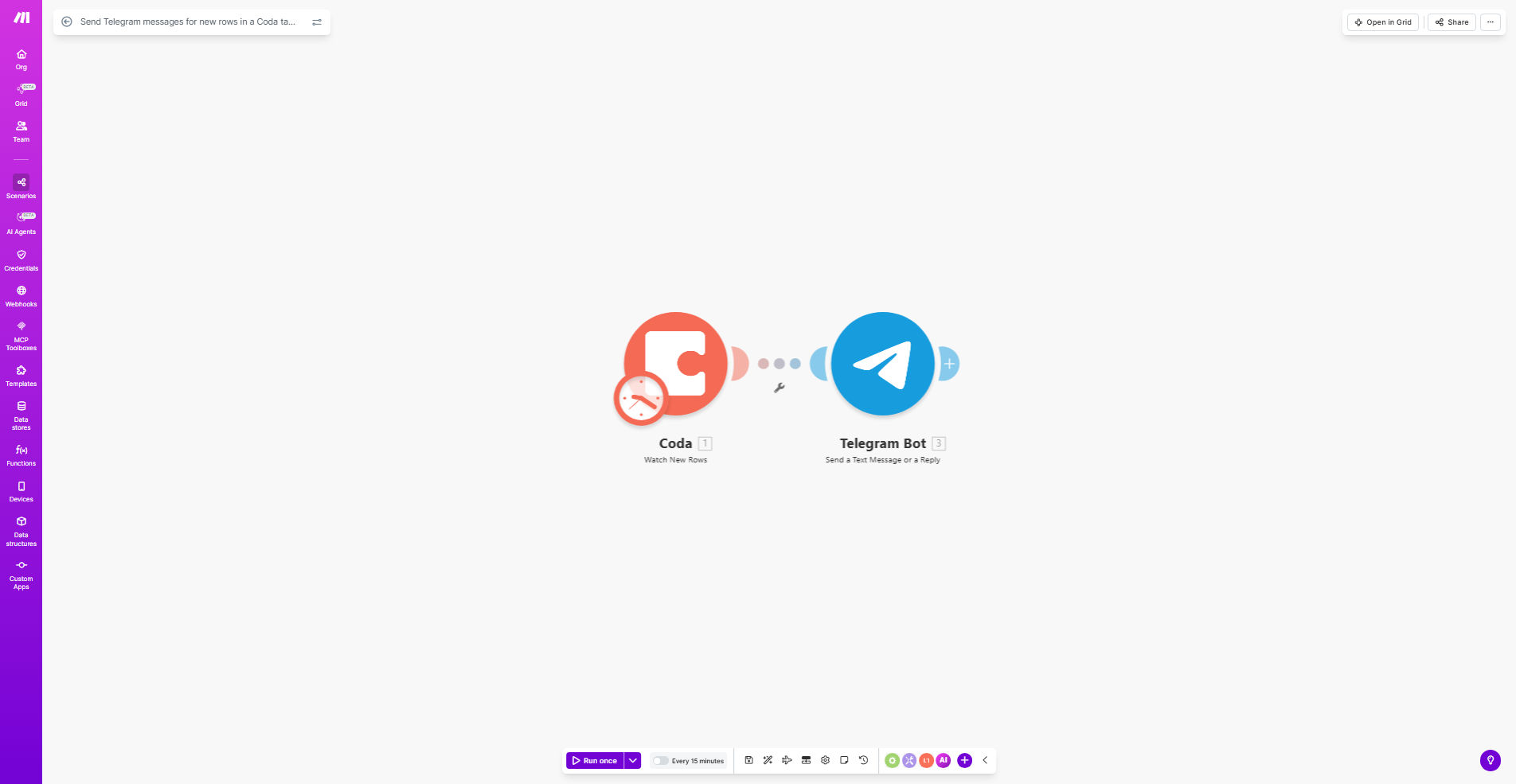
What This Workflow Does
This automation bridges the gap between your Coda documentation and Telegram communication channels. Whenever your team adds new information to a monitored Coda table, the system instantly sends a formatted message to your designated Telegram chat or group.
Perfect for distributed teams, this solution eliminates the need for manual update announcements or constant document refreshing. Whether you're tracking project milestones, customer feedback, inventory changes, or any collaborative data, this workflow ensures everyone stays informed in real-time through the messaging platform they already use daily.
How It Works
1. Monitoring Coda for Changes
The workflow regularly checks your specified Coda table for new rows using Make.com's polling mechanism. You can adjust the checking frequency based on how time-sensitive your updates are.
2. Capturing New Data
When Make.com detects a new row, it extracts the relevant columns you've configured. This could include timestamps, author information, status updates, or any other key data points from your table structure.
3. Formatting the Telegram Message
The template structures the notification with clear labels and optional Markdown formatting. You can customize the message template to highlight critical information or include direct links back to the Coda document.
4. Delivering to Telegram
Make.com sends the composed message to your pre-configured Telegram chat via the Telegram Bot API. Notifications appear instantly in the selected chat with all the context your team needs.
Pro tip: Add Telegram deep links to your Coda rows so team members can jump directly from the notification to the relevant document section with one tap.
Who This Is For
This automation delivers the most value for teams that:
- Use Coda as their primary documentation or project management system
- Communicate primarily through Telegram (common for remote and international teams)
- Need real-time awareness of data changes without constant document refreshing
- Manage time-sensitive information like support tickets, inventory updates, or live project tracking
- Want to reduce manual "FYI" messages about document updates
What You'll Need
- A Coda account with edit access to the table you want to monitor
- A Telegram account and permission to create a bot (requires admin rights in groups)
- A Make.com account (free tier available)
- 5-10 minutes for initial setup
Quick Setup Guide
- Connect your Coda account in Make.com using OAuth
- Identify your target table by pasting the Coda document URL
- Create a Telegram bot through @BotFather and note your API token
- Configure message format by selecting which columns to include
- Test your workflow by adding a new row to your Coda table
Key Benefits
Eliminate manual update announcements - Save 5-15 minutes per team member daily by automating what would otherwise be "I've updated the doc" messages.
Reduce document refresh fatigue - Team members can focus on their work knowing they'll get pinged only when relevant changes occur.
Improve response times - Critical updates reach team members instantly on their mobile devices through Telegram's push notifications.
Maintain a complete audit trail - Telegram chat history preserves all change notifications with timestamps for future reference.
Flexible formatting options - Customize messages with Markdown to highlight priorities or include quick-action buttons.