What This Workflow Does
This automation solves the common challenge of maintaining documentation parity between Trello (where work happens) and Coda (where documentation lives). Teams often waste hours manually copying card details from Trello into Coda docs, leading to outdated information and version control issues.
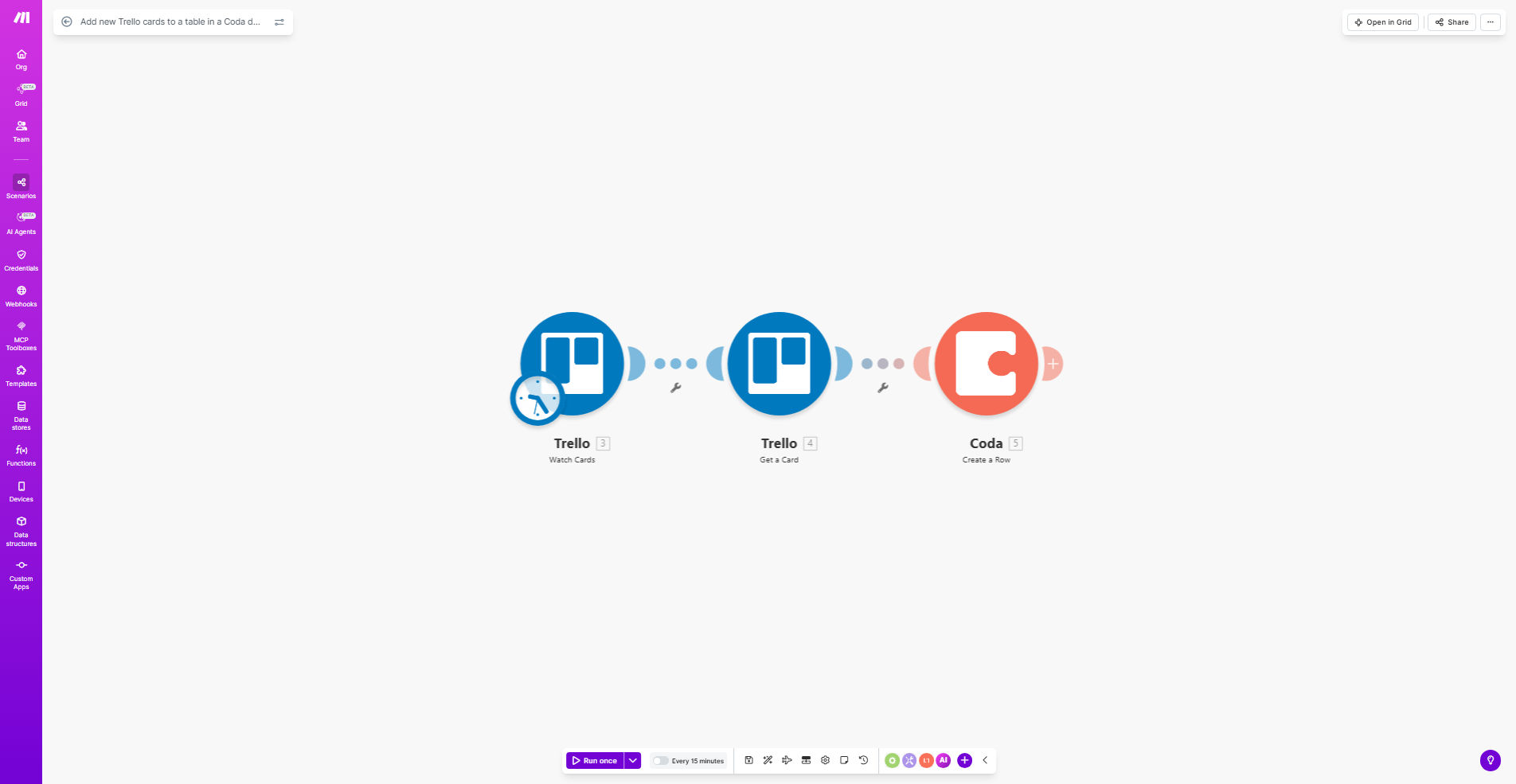
The workflow automatically creates a new row in your specified Coda table whenever a card is added to Trello. It maps relevant card fields (name, description, due date, labels) to corresponding columns in Coda, maintaining real-time synchronization between your project management and documentation systems.
How It Works
1. Trello Triggers the Workflow
The automation watches your specified Trello board for new card creation events. You can configure it to monitor specific lists or the entire board.
2. Card Data is Processed
Make.com retrieves all relevant card details including name, description, members, due date, labels, and attachments. The workflow can be customized to include/exclude specific fields.
3. Data Maps to Coda Structure
The system matches Trello card fields to your Coda table columns based on your predefined mapping configuration. Date formats and field types are automatically converted as needed.
4. Row is Added to Coda
The workflow creates a new row in your specified Coda table with all mapped data. You can set conditional logic to only add cards meeting certain criteria.
Pro tip: Add a "Last Synced" column in Coda to track when each card was updated. This helps identify any sync issues.
Who This Is For
This automation benefits any team using Trello for project management alongside Coda for documentation, including:
- Product teams maintaining requirement docs
- Marketing teams tracking campaign assets
- Support teams documenting feature requests
- HR teams managing recruitment pipelines
- Remote teams needing centralized documentation
What You'll Need
- A Trello account with cards you want to sync
- A Coda account with edit access to your target doc
- A Make.com account (free plan works)
- API connections between Make.com and both Trello/Coda
Quick Setup Guide
- Click "Get This Workflow" to copy the template to your Make.com account
- Connect your Trello account and select the board to monitor
- Connect your Coda account and select the target doc/table
- Map Trello card fields to your Coda table columns
- Test with a new Trello card to verify the sync works
- Turn on the scenario to begin automatic syncing
Key Benefits
Eliminate manual data entry - Save 2-5 hours per week previously spent copying card details between platforms.
Maintain documentation accuracy - Your Coda docs always reflect the current state of Trello cards without version drift.
Customizable field mapping - Choose exactly which Trello card details transfer to which Coda columns.
Real-time synchronization - Changes appear in Coda within seconds of card creation in Trello.
Scalable solution - Works equally well for 10 cards or 10,000 cards across multiple teams.