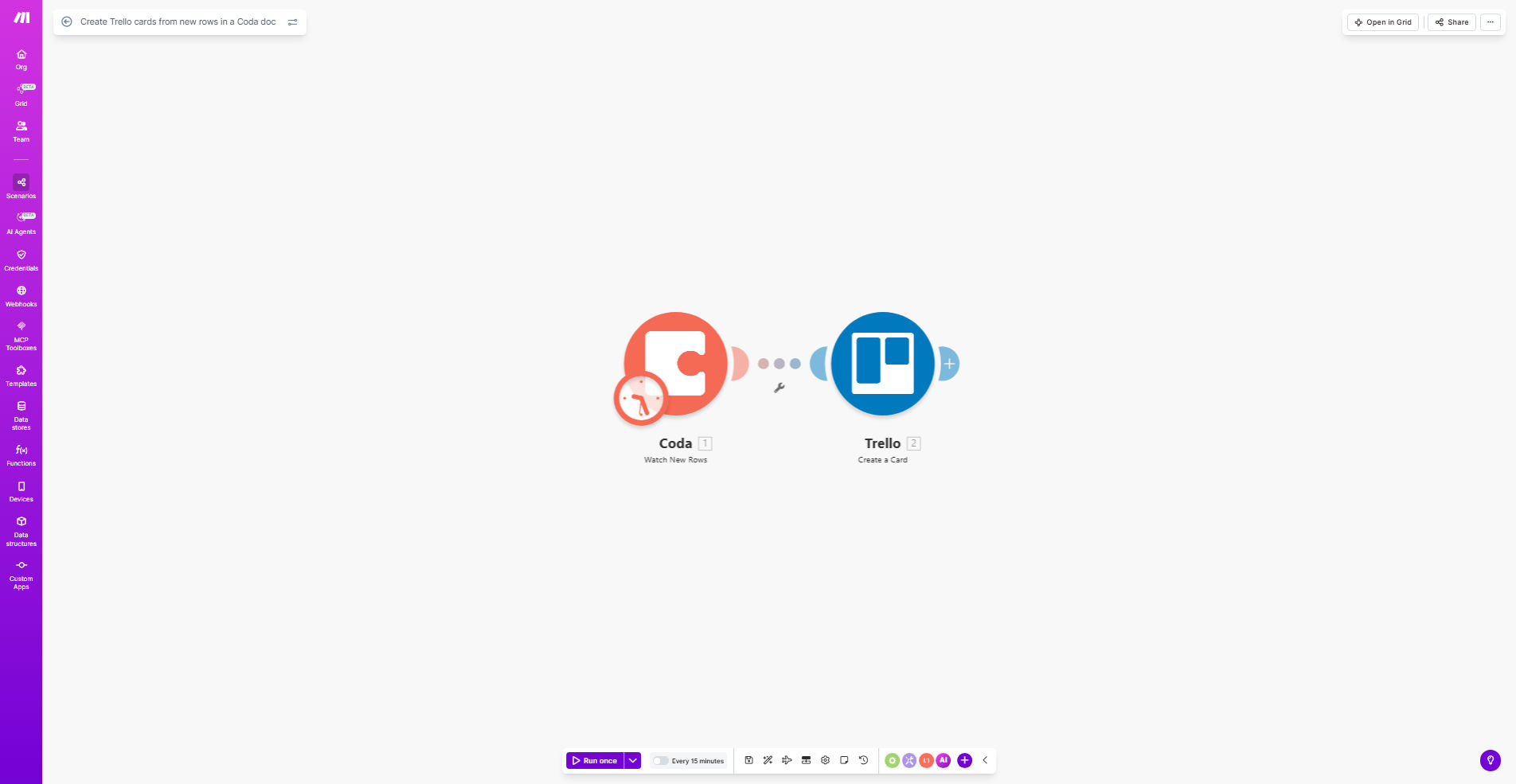
What This Workflow Does
This automation bridges the gap between documentation in Coda and task execution in Trello. Every time you or your team adds a new row to a specified table in your Coda document, Make.com instantly creates a corresponding card in your Trello board. This eliminates the tedious manual process of copying information between platforms while ensuring your project management system always reflects the latest updates from your documentation.
The workflow is particularly valuable for teams using Coda as their source of truth for project requirements, content calendars, or task lists, while relying on Trello's visual interface for actual task execution. It maintains consistency across platforms while saving hours of administrative work that would otherwise be spent duplicating information across tools.
How It Works
Step 1: Monitoring Coda for new rows
The workflow starts by continuously monitoring your specified Coda document table for new additions. Make.com checks for changes at regular intervals you configure (typically every 15 minutes to hourly).
Step 2: Extracting row data
When a new row appears, the automation extracts all relevant information including the primary content, any metadata columns you've designated, and attachments if present.
Step 3: Creating Trello cards
The system then creates a new card in your specified Trello board and list, populating the card title, description, labels, due dates, and attachments according to your predefined mapping rules.
Pro tip: Configure your Coda table columns to match Trello card fields for seamless mapping. Include columns for due dates, labels, and checklists if you want these automatically populated in Trello.
Who This Is For
This automation delivers the most value for:
- Product teams managing requirements documentation in Coda while tracking development in Trello
- Content teams planning editorial calendars in Coda that need to become Trello cards for writers
- Marketing agencies maintaining client project specs in Coda while executing campaigns in Trello
- Startups using Coda for centralized documentation but Trello for task management
- Remote teams needing automatic task creation from shared documentation
What You'll Need
- A Make.com account (free tier available)
- Admin access to your Coda document
- Admin access to your Trello board
- A Coda table with consistent column structure
- A designated Trello list for new cards
Quick Setup Guide
- Install the template from Make.com
- Connect your Coda account and select the document/table to monitor
- Connect your Trello account and select the target board/list
- Map Coda columns to Trello card fields in the Make.com interface
- Set your preferred polling frequency
- Test with a new row in Coda and verify card creation in Trello
- Activate the automation
Key Benefits
Eliminate duplicate data entry between documentation and task management systems, saving 2-5 hours per week per team member on manual copying.
Reduce human error in task creation by automating the transfer of exact specifications from Coda to Trello without manual interpretation.
Accelerate project kickoffs by instantly converting documented requirements into actionable cards the moment they're approved in Coda.
Maintain perfect synchronization between your source documentation and execution platform, ensuring teams always work from the latest specifications.
Scale processes efficiently by removing bottlenecks where managers or admins previously had to manually create cards for team members.