Make.com Coda Trello Project Management Automation

Create Trello Board from New Rows in a Coda Doc

Automatically convert new Coda doc rows into organized Trello boards for seamless project management

Get This Workflow → Make.com · Coda to Trello · Free Template
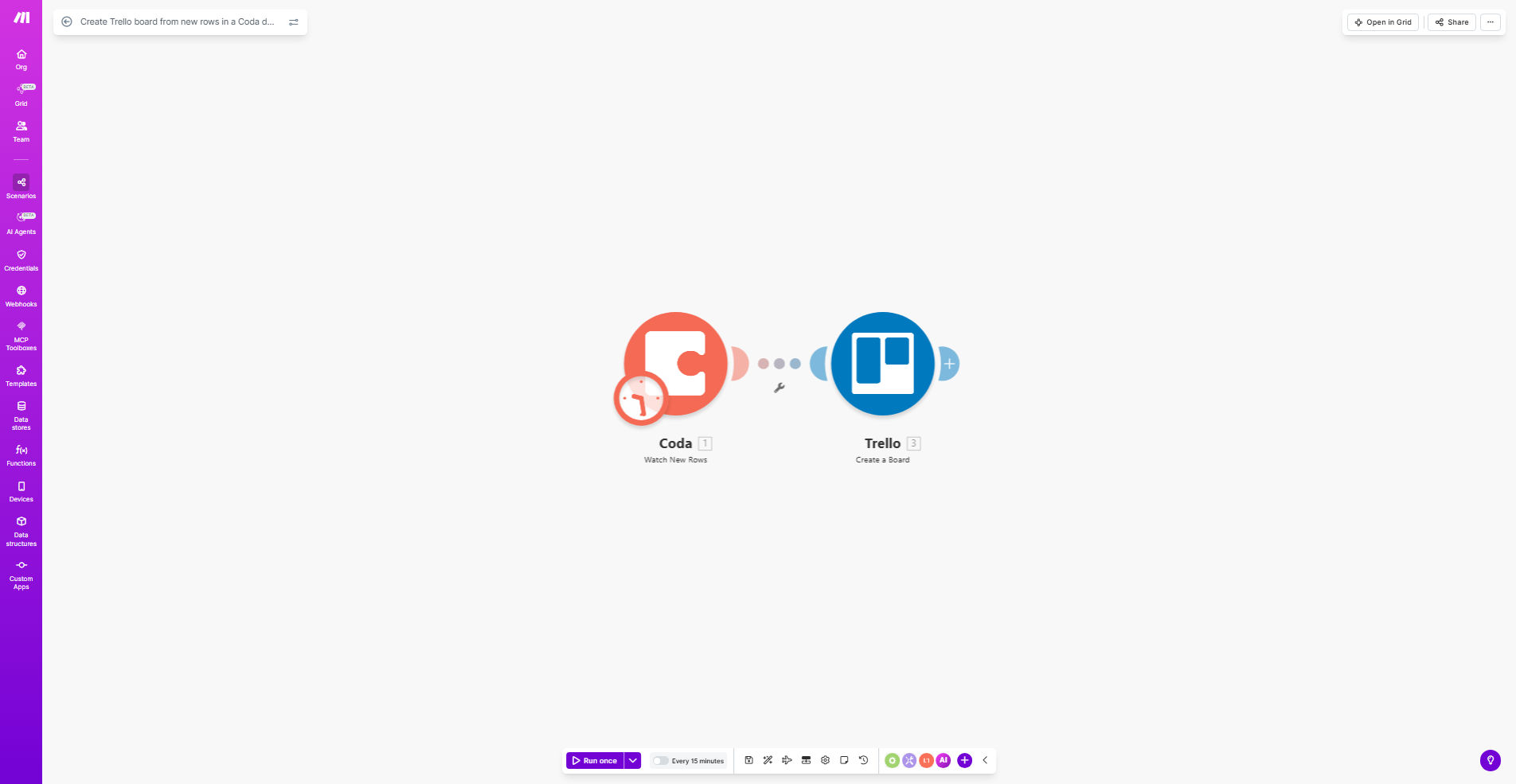
Make.com workflow diagram showing Coda to Trello integration

What This Workflow Does

This automation bridges the gap between documentation and project execution by automatically converting new rows in your Coda documents into fully-fledged Trello boards. It solves the common problem of project information getting stuck in planning documents rather than moving into actionable task management systems.

When teams use Coda for project planning but Trello for execution, there's often a manual transfer bottleneck. This workflow eliminates that friction point by instantly transforming structured project data in Coda into visual boards in Trello, complete with cards, lists, and all relevant details.

How It Works

1. Monitoring Coda for New Rows

The workflow continuously watches your specified Coda table for new entries. Each new row triggers the automation process, capturing all relevant column data.

2. Processing the Project Data

Make.com extracts key information from the Coda row, such as project name, description, team members, deadlines, and any custom fields you've configured.

3. Creating the Trello Board

The system generates a new Trello board using the extracted data, setting up the board structure with default lists (like "To Do", "In Progress", "Done") and applying any predefined settings.

4. Populating Initial Cards

Based on your configuration, the workflow can create starter cards from additional Coda data, assign team members, set due dates, and add labels or attachments.

Who This Is For

This workflow is ideal for:

  • Project managers who plan in Coda but execute in Trello
  • Product teams managing development pipelines
  • Marketing agencies coordinating campaigns across clients
  • Remote teams needing seamless documentation-to-task transitions
  • Any business using both Coda and Trello in their workflow

What You'll Need

  1. A Make.com account (free tier available)
  2. Coda account with edit access to your document
  3. Trello account with board creation permissions
  4. A Coda table structured with your project information
  5. Clear mapping of which Coda fields should populate Trello elements

Quick Setup Guide

  1. Connect your Coda account in Make.com and select your document/table
  2. Connect your Trello account and choose the target workspace
  3. Map Coda columns to Trello board fields in the Make.com scenario
  4. Configure any default lists or cards you want created automatically
  5. Test with a new row in your Coda table to verify the Trello board creation
  6. Activate the scenario to run automatically moving forward

Key Benefits

Eliminate manual data transfer between systems, saving 5-15 minutes per project setup while reducing human error.

Standardize project kickoffs by ensuring every Trello board starts with consistent structure and required information.

Maintain documentation-execution alignment as projects move from planning to implementation phases.

Scale your operations by automating repetitive setup tasks, allowing teams to focus on high-value work.

Enhance visibility with automatic creation of Trello boards that match your documented plans in Coda.

Frequently Asked Questions

Common questions about Coda to Trello automation and integration

Connecting Coda and Trello creates a powerful workflow where documentation and project management seamlessly integrate. Coda excels at structured data organization while Trello provides visual task management.

Automating the transfer between them eliminates manual data entry and ensures projects start faster with all relevant information. For example, product requirements documented in Coda can instantly become actionable Trello cards for your development team.

This automation works exceptionally well for project kickoffs, product development workflows, content calendars, and any process where structured planning in Coda needs to transition to actionable tasks in Trello.

Marketing campaigns, software sprints, and event planning are perfect examples where the detailed planning in Coda should flow directly into task execution in Trello without manual translation.

Automation eliminates the manual process of copying information between systems, which typically takes 5-15 minutes per project. For teams creating multiple projects weekly, this adds up to hours saved each month.

Beyond time savings, it reduces human error in data transfer. A marketing team running 10 campaigns monthly could reclaim 25+ hours quarterly while ensuring every Trello board starts with complete, accurate information.

Yes, the workflow can be configured to map specific Coda columns to Trello card fields. You can control which data becomes board names, card titles, descriptions, labels, due dates, and attachments for complete customization.

For instance, you might map a "Priority" column in Coda to Trello labels, or convert a "Team Members" column into assigned Trello cards. The flexibility allows the automation to match your exact workflow needs.

The workflow can be extended to handle updates by monitoring changes in your Coda doc. Additional automation can sync modifications back to Trello, keeping both systems aligned throughout the project lifecycle.

This creates a bidirectional sync where changes in either platform can update the other, maintaining consistency whether your team works primarily in Coda or Trello.

Absolutely. The workflow can be enhanced to send Slack notifications, emails, or Microsoft Teams messages when new Trello boards are generated from Coda rows, keeping your team informed in real-time.

These notifications can include direct links to the new boards and highlight key project details pulled from Coda, ensuring everyone has context immediately.

Yes! GrowwStacks specializes in building tailored automation solutions. We can create custom workflows that match your exact business processes, integrate additional apps, and handle complex data transformations between Coda and Trello.

Our team will work with you to understand your specific needs and build an automation system that saves your team time while improving project consistency. Common enhancements include:

  • Multi-step approval processes before board creation
  • Integration with additional tools like Slack or Google Drive
  • Custom board templates based on project type

Need a Custom Coda to Trello Automation?

This free template is a starting point. Our team builds fully tailored automation systems for your specific business needs.