What This Workflow Does
This automation solves the common problem of maintaining separate task lists across different platforms. When teams use MeisterTask for project management but need to document tasks in Coda for reporting or collaboration purposes, manual copying becomes time-consuming and error-prone.
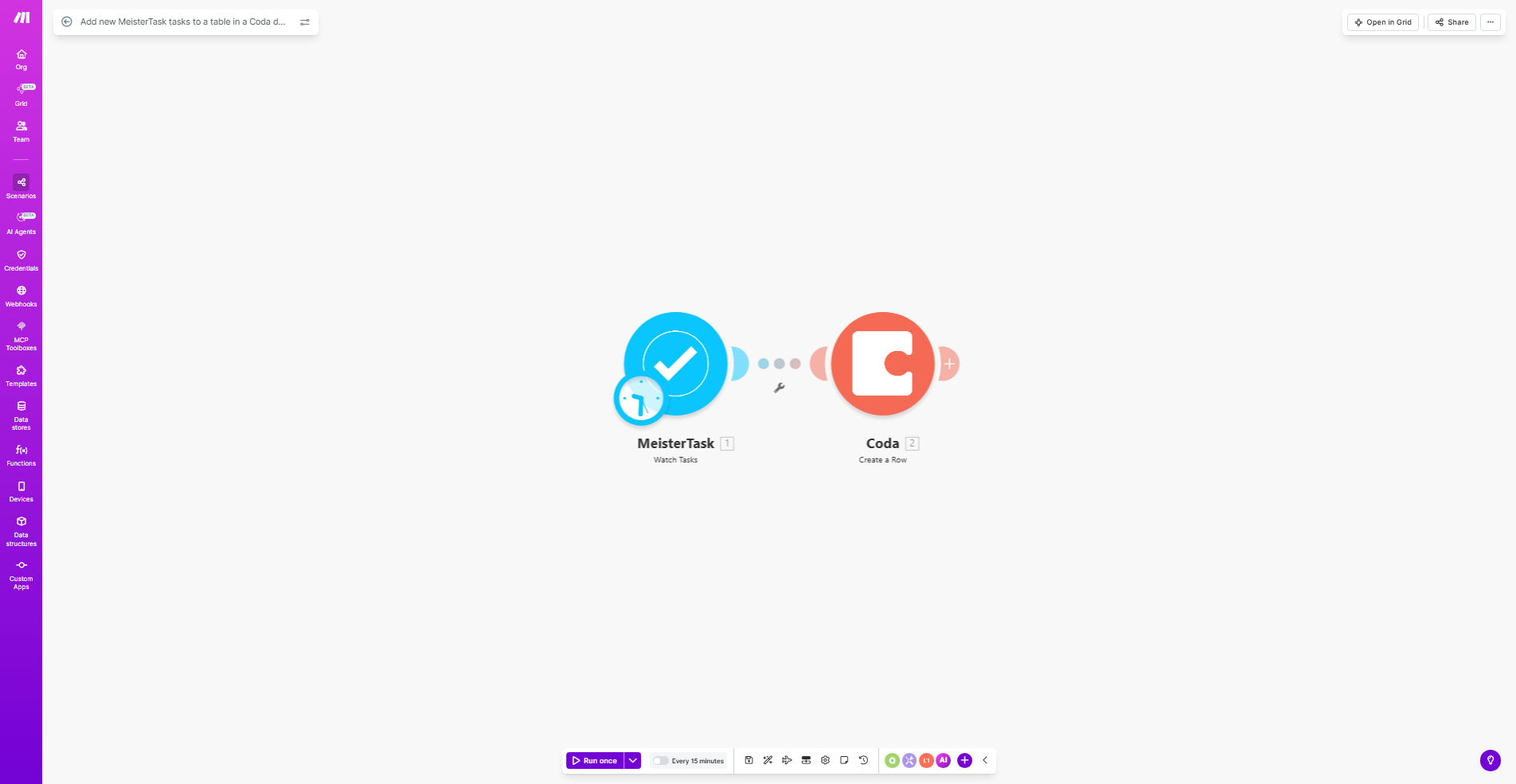
The workflow automatically detects new tasks created in MeisterTask and adds them as rows in your specified Coda table. It maps all relevant task details (name, description, due date, assignees, etc.) to corresponding columns in Coda, creating a synchronized view of your tasks across both platforms.
How It Works
1. Trigger on new MeisterTask creation
The workflow starts whenever a new task is added to your connected MeisterTask project. Make.com instantly detects this event through MeisterTask's API.
2. Extract task details
The automation collects all available task information including custom fields, attachments, comments, and metadata. This data is structured for clean transfer to Coda.
3. Map to Coda table structure
Task properties are matched to your Coda table columns. You can customize which fields transfer and how they're formatted in Coda (e.g., dates, assignee names, status indicators).
4. Create Coda table row
The workflow adds a new row to your specified Coda table with all mapped task data. It handles Coda's API requirements and formatting rules automatically.
Pro tip: Add a "Last Synced" column in Coda to track when each task was updated. This helps identify any sync issues and maintains data integrity.
Who This Is For
This automation is ideal for:
- Project managers who need task visibility in both MeisterTask and Coda
- Teams using MeisterTask for execution but Coda for documentation
- Companies that require task data in Coda for reporting or client updates
- Remote teams needing centralized task tracking across tools
- Anyone tired of manually copying task information between platforms
What You'll Need
- A Make.com account (free plan available)
- MeisterTask account with admin access to your projects
- Coda account with edit permissions to your target document
- A Coda table prepared with columns to receive task data
- 5-10 minutes to configure the connections
Quick Setup Guide
- Click "Get This Workflow" to copy the template to your Make.com account
- Connect your MeisterTask account in the first module
- Connect your Coda account and select the target document/table
- Map MeisterTask fields to your Coda table columns
- Test with a new MeisterTask task to verify the sync works
- Turn on the scenario to begin automatic syncing
Key Benefits
Eliminates 100% of manual data entry between MeisterTask and Coda. What used to take 2-3 minutes per task now happens instantly with zero effort.
Reduces errors from manual copying by ensuring task details are transferred exactly as they appear in MeisterTask, with no typos or omissions.
Provides real-time documentation so your Coda docs always reflect current task status without requiring team members to update them manually.
Creates a single source of truth by combining task execution (MeisterTask) with documentation (Coda) in an automatically synchronized system.
Saves 5+ hours per month for teams managing 50+ tasks, allowing them to focus on actual work instead of administrative updates.