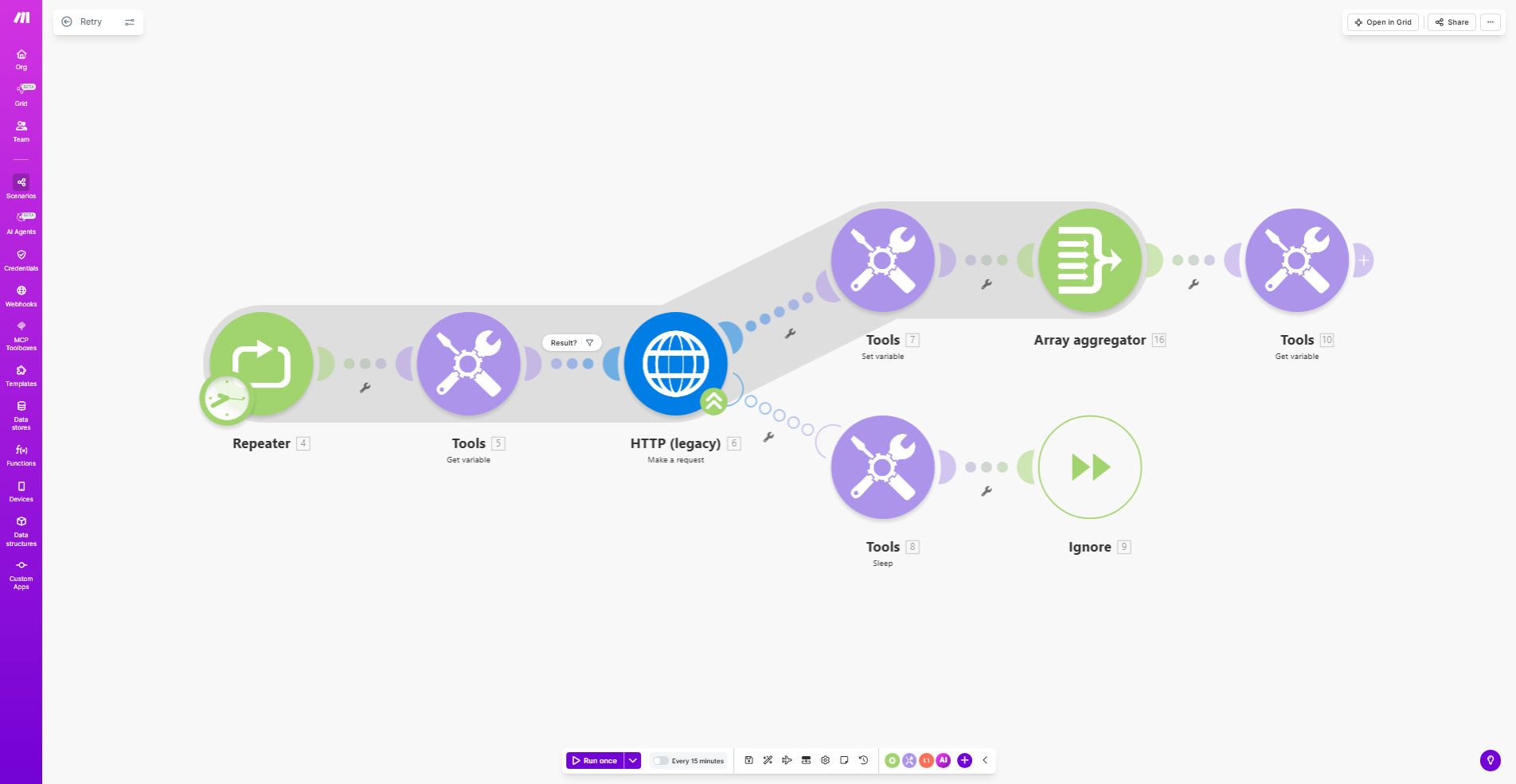
What This Workflow Does
This Retry Workflow Template solves the common problem of temporary failures in automated processes. When API calls, data transfers, or other automated tasks fail due to network issues, rate limits, or temporary service outages, this workflow automatically retries the operation according to your configured rules.
Instead of requiring manual intervention for every failed task, the system intelligently handles retries with configurable delays between attempts. This significantly reduces process downtime and improves overall system reliability while freeing your team from constant monitoring.
How It Works
1. Error Detection
The workflow monitors your existing Make.com scenarios for failed executions. When a task fails, it captures the error details and context for retry processing.
2. Retry Logic Execution
Based on your configuration, the system waits for a specified interval (immediate or delayed) before attempting the operation again. You can set exponential backoff for rate-limited APIs.
3. Success/Failure Handling
If the retry succeeds, the workflow continues normally. If it fails after all attempts, you can configure notifications or alternative actions like task reassignment.
Who This Is For
This template benefits any business using Make.com automations that:
- Experience intermittent API failures or service outages
- Run critical processes that can't afford manual recovery delays
- Work with rate-limited APIs that require backoff strategies
- Need to reduce operational overhead from manual error handling
What You'll Need
- A Make.com account with existing scenarios that need retry capability
- Understanding of which operations benefit from automatic retries
- Basic knowledge of Make.com scenario configuration
- Error handling patterns for your specific integrations
Quick Setup Guide
- Import the template into your Make.com account
- Connect it to your existing scenarios that need retry capability
- Configure retry count (typically 3-5 attempts)
- Set retry intervals (immediate or with progressive delays)
- Define failure handling actions for exhausted retries
- Test with simulated failures to verify behavior
Key Benefits
80% fewer manual interventions by automatically handling temporary failures that would otherwise require human attention.
Improved process reliability with configurable retry logic that adapts to different error types and service behaviors.
Reduced downtime by automatically recovering from temporary outages without waiting for manual restart.
Centralized error handling across all your automations with consistent retry policies and logging.
Pro tip: For API rate limits, use exponential backoff (e.g., 1 min, 5 min, 15 min) rather than fixed intervals to maximize success chances.