What This Workflow Does
This automation solves the challenge of tracking business communications by automatically recording every RingCentral message (SMS, MMS, fax, and voice) in a Google Sheets spreadsheet. Instead of manually copying message details or searching through multiple RingCentral interfaces, all your communications are consolidated in one searchable, analyzable location.
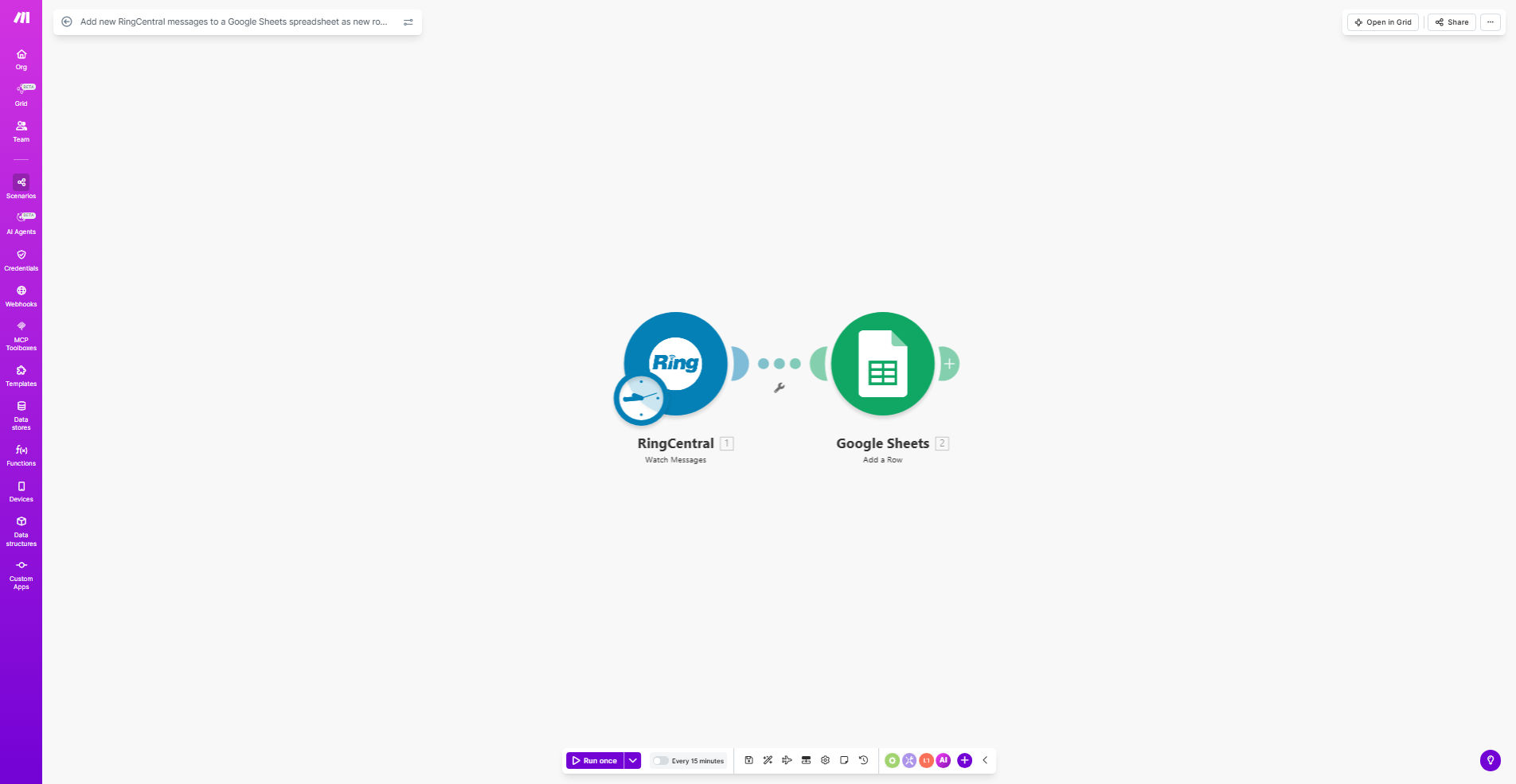
The workflow triggers whenever a new message is sent or received through your RingCentral account. It captures key details like timestamps, sender/recipient information, message content, and call duration (for voice messages), then adds this data as a new row in your designated Google Sheet. This creates a complete communication log that can be used for customer service tracking, compliance documentation, or business analytics.
How It Works
1. RingCentral triggers the workflow
The workflow starts whenever a new message event occurs in your connected RingCentral account. This could be an incoming SMS, outgoing MMS, fax transmission, or voice call record.
2. Message details are extracted
Make.com retrieves all relevant information about the message including the timestamp, direction (inbound/outbound), participants, and content. For voice calls, this includes duration and call status.
3. Data is formatted for Google Sheets
The workflow structures the message data into columns that match your spreadsheet's format. You can customize which fields are included and how they're organized.
4. New row is added to Google Sheets
The formatted message data is appended as a new row in your specified Google Sheet. The workflow handles authentication and ensures data is written to the correct location.
Pro tip: Add a timestamp column formatted with NOW() in Google Sheets to track when each message was logged, separate from the original message timestamp.
Who This Is For
This workflow is ideal for businesses that rely on RingCentral for customer communications and need better tracking, including:
- Customer support teams tracking issue resolution
- Sales teams logging prospect interactions
- Healthcare providers maintaining communication records
- Legal professionals documenting client communications
- Small businesses wanting an organized message history
What You'll Need
- A RingCentral account with admin access
- A Google Sheets spreadsheet (new or existing)
- A Make.com account (free tier available)
- Basic familiarity with connecting apps in Make.com
Quick Setup Guide
- Copy the template from Make.com to your account
- Connect your RingCentral account in the workflow settings
- Specify which Google Sheet should receive the messages
- Map the message fields to your desired spreadsheet columns
- Test with sample messages to verify the format
- Activate the workflow to begin automatic logging
Key Benefits
Complete communication records: Never lose track of customer interactions with automatic logging of every message type in one centralized location.
Time savings: Eliminates hours of manual data entry each week that would otherwise be spent copying message details between systems.
Improved compliance: Creates an auditable trail of business communications that can be crucial for regulatory requirements or dispute resolution.
Data analysis opportunities: With all messages in Google Sheets, you can analyze response times, message volumes, and communication patterns using built-in tools or connected BI solutions.
Team transparency: Multiple team members can access the communication log without needing RingCentral access, improving collaboration and handoffs.