Make.com Location Tracking Evernote Foursquare Automation

Create Evernote Notes from New Foursquare Checkins

Automatically document your locations by creating searchable Evernote notes for every Foursquare checkin

Get This Workflow → Make.com · Location Tracking · Free Template
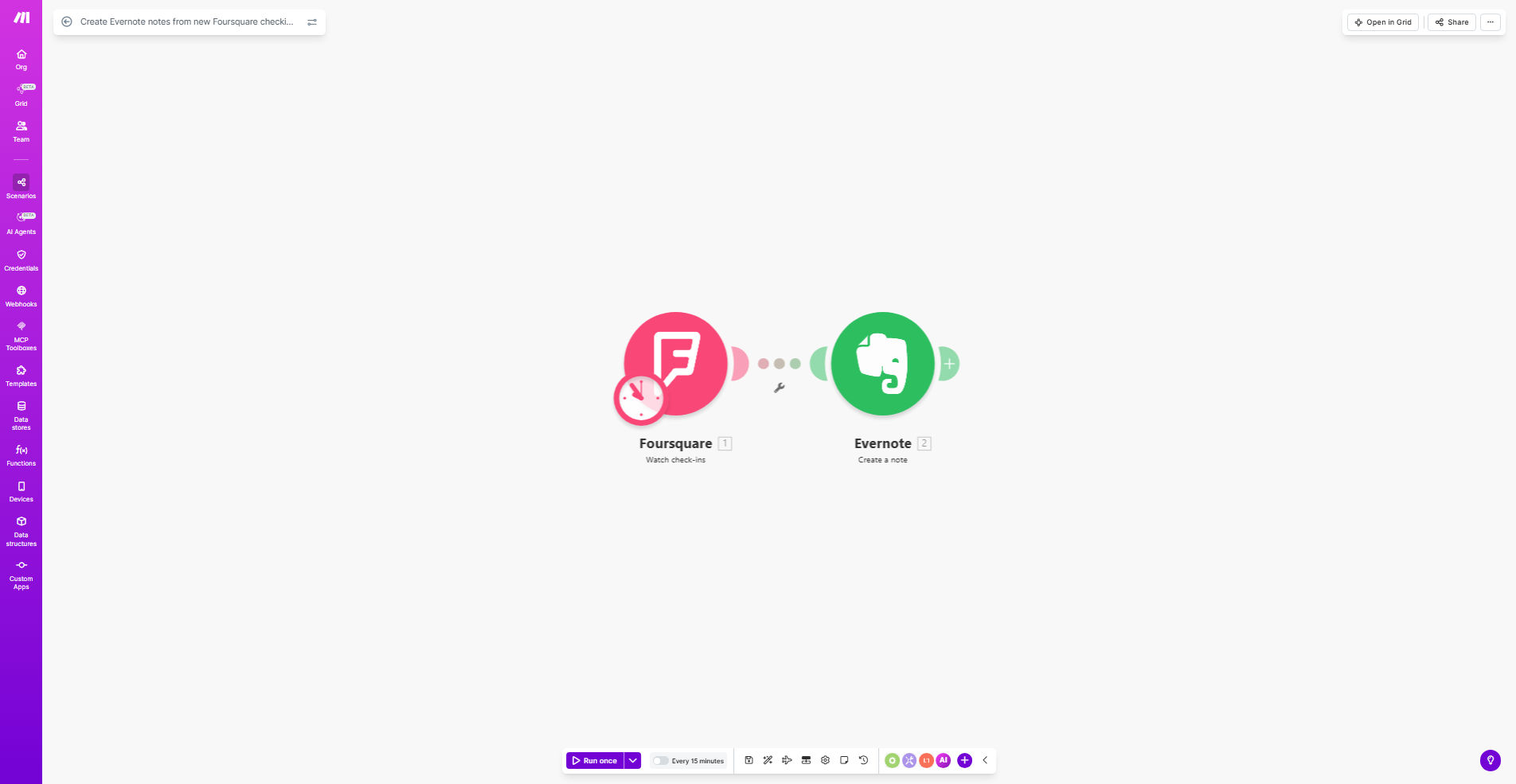
Make.com workflow diagram showing Foursquare to Evernote integration

What This Workflow Does

This automation solves the problem of manually documenting your location history by automatically creating Evernote notes whenever you check in on Foursquare. Business travelers, field researchers, and location-based professionals often need to keep records of their movements, but manually creating notes for each location is time-consuming and easy to forget.

The workflow captures all relevant details from your Foursquare checkins - including location name, address, timestamp, and any photos or notes you added - and formats them into a structured Evernote entry. This creates a searchable digital logbook of your movements that integrates seamlessly with your existing note-taking system.

How It Works

1. Trigger on new Foursquare checkins

The workflow monitors your Foursquare account for new checkin activity. Each time you check in at a location, the automation is triggered to capture all available data about that visit.

2. Extract checkin details

The system pulls structured data from the checkin including venue name, address, coordinates, timestamp, and any additional notes or photos you included with your checkin.

3. Format for Evernote

The workflow organizes the checkin information into a clean, readable format optimized for Evernote. You can customize the template to include only the fields you need.

4. Create note in specified notebook

Finally, the automation creates a new note in your chosen Evernote notebook, tagged and organized according to your preferences. The note becomes instantly searchable within your Evernote account.

Pro tip: Use Evernote's powerful search to quickly find all checkins near a specific address or during a particular date range by combining location data with note creation dates.

Who This Is For

This automation is ideal for:

  • Business travelers who need to document client visits for expense reports
  • Field researchers collecting location-based data
  • Real estate agents tracking property visits
  • Sales professionals documenting customer locations
  • Anyone who wants a searchable history of their movements

What You'll Need

  1. A Foursquare account with checkin history
  2. An Evernote account with at least one notebook created
  3. A Make.com account (free tier available)
  4. API access enabled for both Foursquare and Evernote

Quick Setup Guide

  1. Connect your Foursquare account to Make.com
  2. Authorize access to your Evernote account
  3. Select your destination Evernote notebook
  4. Customize the note template if desired
  5. Activate the workflow
  6. Test with a new Foursquare checkin

Key Benefits

Save 2-3 minutes per location by eliminating manual note creation while ensuring more consistent documentation of your movements.

Create a searchable location history that can be filtered by date, location type, or custom tags in Evernote's powerful search interface.

Never forget to document a visit with automatic note creation triggered by your Foursquare checkins.

Enhance expense reporting with timestamped location records that serve as documentation for business travel.

Maintain organization by automatically filing notes in the correct Evernote notebook based on your preferences.

Frequently Asked Questions

Common questions about location tracking automation and integration

Automating Foursquare checkins with Evernote saves time by eliminating manual note-taking. It creates a searchable digital record of your locations with timestamps and details. This is valuable for business travelers, researchers, or anyone who wants to document their movements without interrupting their workflow.

For example, sales professionals can automatically generate visit reports while in the field, complete with location details and timestamps that serve as proof of visit. The automation ensures no location is forgotten or undocumented.

The automation captures location name, address, timestamp, any photos from the checkin, and your optional notes. You can customize which fields are included in your Evernote template to match your specific documentation needs.

The workflow can be configured to include additional Foursquare data like venue category, your checkin comment, or even weather conditions at the time of visit. This creates rich, contextual notes without any extra effort on your part.

By automatically logging business locations in Evernote, you create an audit trail for expense reports. The notes serve as proof of business visits with timestamps and location details, making it easier to reconcile travel expenses later.

Many accounting systems integrate with Evernote, allowing you to attach these location notes directly to expense entries. This eliminates guesswork when categorizing expenses weeks after a trip.

Yes, the automation lets you specify which Evernote notebook receives the checkin notes. You can create separate notebooks for different trip purposes, clients, or projects to keep your location history organized.

Advanced configurations can even route checkins to different notebooks based on location type or other Foursquare metadata. For example, restaurant checkins could go to a "Meetings" notebook while office visits go to "Client Visits."

The workflow can be configured to filter checkins based on location type, venue category, or other Foursquare metadata. This prevents personal checkins from cluttering your business documentation in Evernote.

Common filters include excluding checkins at home, certain neighborhoods, or venue categories like "Nightlife." The automation becomes smarter over time as you refine these filters.

The integration is highly reliable when properly configured. Make.com's platform ensures checkins are processed within minutes, and Evernote's robust API guarantees note creation. We recommend testing with a few checkins before full deployment.

For mission-critical applications, GrowwStacks can implement additional error handling and notification systems to alert you if any checkins fail to process, ensuring complete documentation.

Yes, the automation supports adding custom Evernote tags based on Foursquare data. You can tag notes by location type, city, or any other metadata to create a powerful searchable database of your movements.

Tags can be automatically generated from Foursquare categories (like "#restaurant" or "#client-office") or custom rules you define. This makes it easy to filter all notes related to specific types of visits.

Absolutely. GrowwStacks specializes in building custom location tracking systems that integrate Foursquare, Evernote, and other apps with your specific business workflows. We can add expense tracking, client visit documentation, or team coordination features.

Our automation consultants will work with you to design a system that matches your exact documentation needs, whether you're tracking sales visits, field research, or business travel. Custom solutions can include additional integrations with your CRM, accounting software, or team collaboration tools.

  • Tailored to your business processes
  • Multiple team member support
  • Advanced reporting features

Need a Custom Location Tracking Automation?

This free template is a starting point. Our team builds fully tailored automation systems for your specific business needs.