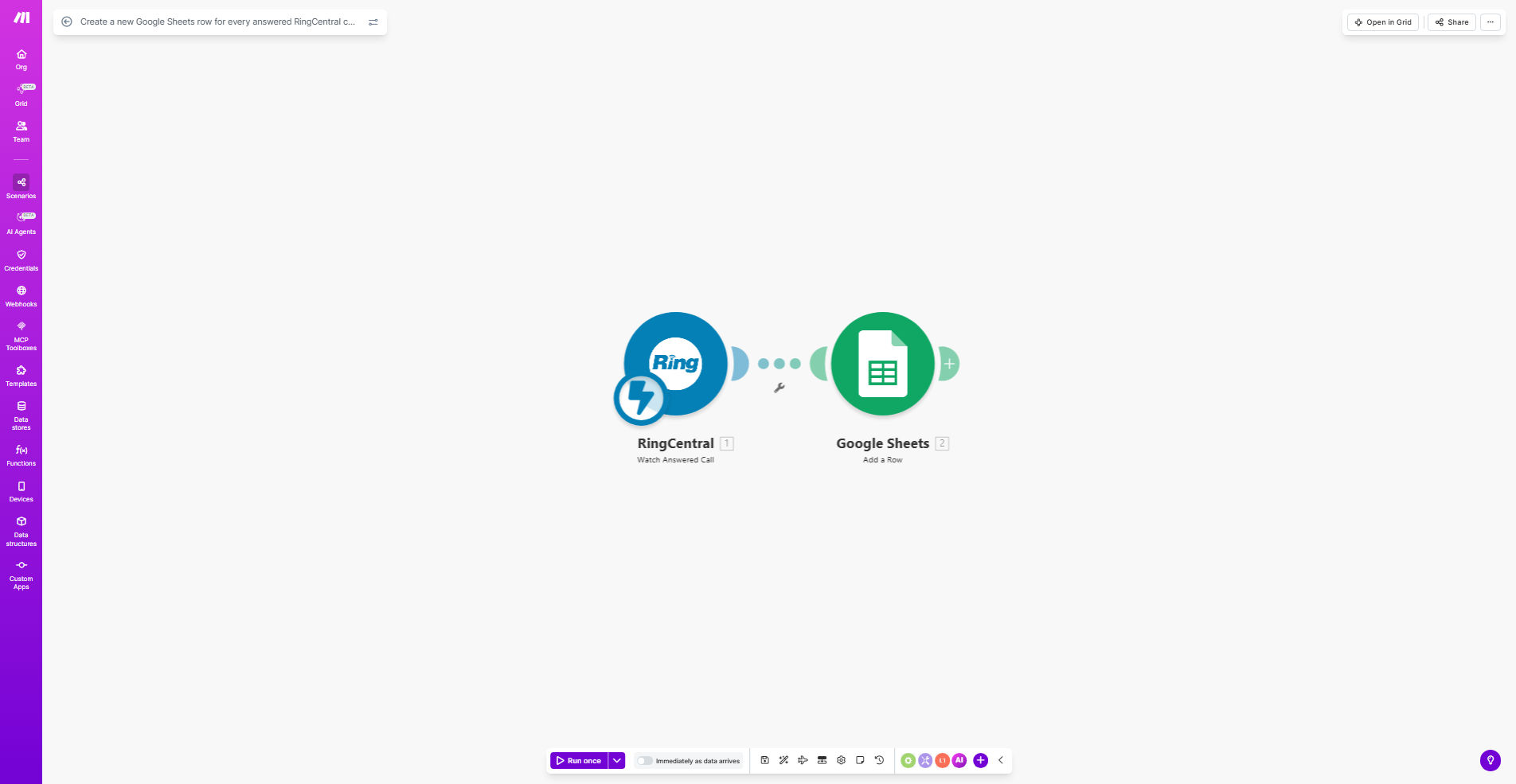
What This Workflow Does
This automation solves the tedious and error-prone process of manually logging business calls. Every time a call is answered in your RingCentral phone system, this Make.com workflow automatically creates a detailed row in your Google Sheets spreadsheet with all relevant call information.
The system captures essential call details like caller ID, call duration, timestamps, and direction (inbound/outbound). This creates a searchable database of customer interactions that can be used for analytics, reporting, or integration with other business systems.
How It Works
1. RingCentral triggers on answered calls
The workflow activates whenever RingCentral detects a new answered call in your account. Make.com receives the call details through RingCentral's API.
2. Data is formatted for Google Sheets
The workflow maps RingCentral's call data to your preferred Google Sheets column structure. You can customize which fields are included and how they're labeled.
3. New row created in Google Sheets
Make.com adds a new row to your specified Google Sheet with all the call details. The sheet becomes a comprehensive log of all business calls.
Pro tip: Add conditional logic to only log calls meeting specific criteria (like minimum duration) to avoid cluttering your sheet with irrelevant entries.
Who This Is For
This automation is ideal for sales teams, customer support departments, and any business that needs to track phone interactions with clients. It's particularly valuable for:
- Sales teams tracking prospect calls
- Customer service managers monitoring support volume
- Field service businesses logging client communications
- Marketing teams analyzing call campaign effectiveness
What You'll Need
- A RingCentral account with admin access
- A Google Sheets spreadsheet set up with column headers
- A Make.com account (free plan available)
- 5-10 minutes to configure the connections
Quick Setup Guide
- Click "Get This Workflow" to open the template in Make.com
- Connect your RingCentral account (OAuth authentication)
- Connect your Google Sheets account and select your target spreadsheet
- Map the RingCentral call fields to your Google Sheet columns
- Activate the scenario and test with a sample call
Key Benefits
Eliminates manual data entry: Saves 1-2 minutes per call that would otherwise be spent copying information between systems.
Creates a searchable call database: All call details are stored in one organized location that can be filtered, sorted, and analyzed.
Improves data accuracy: Automated logging prevents human errors in transcribing call details.
Enables better reporting: With all call data in Sheets, you can create dashboards showing call volume patterns and metrics.
Integrates with other tools: The Google Sheet can connect to data visualization tools or CRMs for enhanced functionality.